901
Candy Sales Report 3
Candy Sales Report 3
More Report pages
Report Author: Suleman Abdulmalik
901
Share template with others
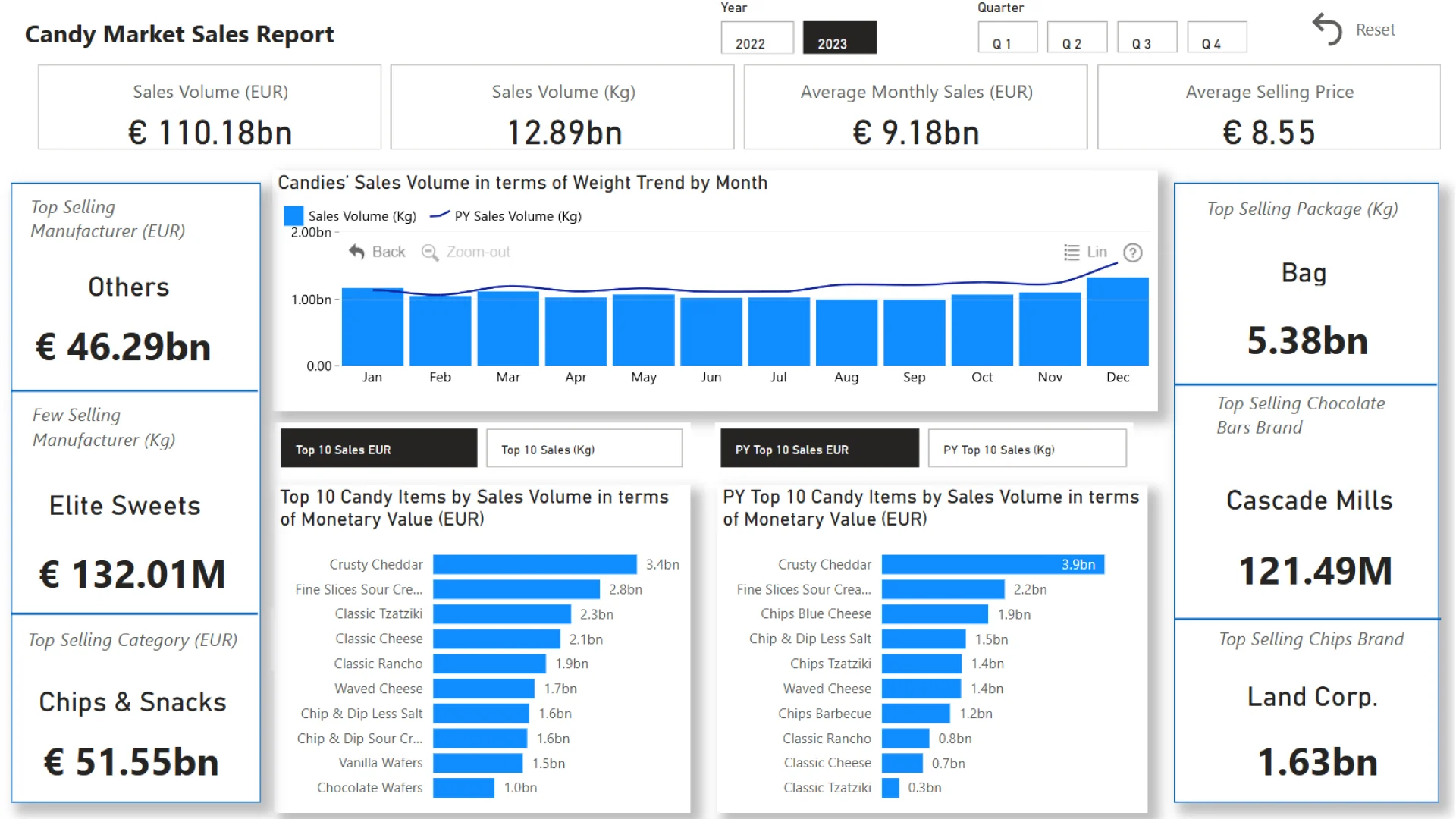
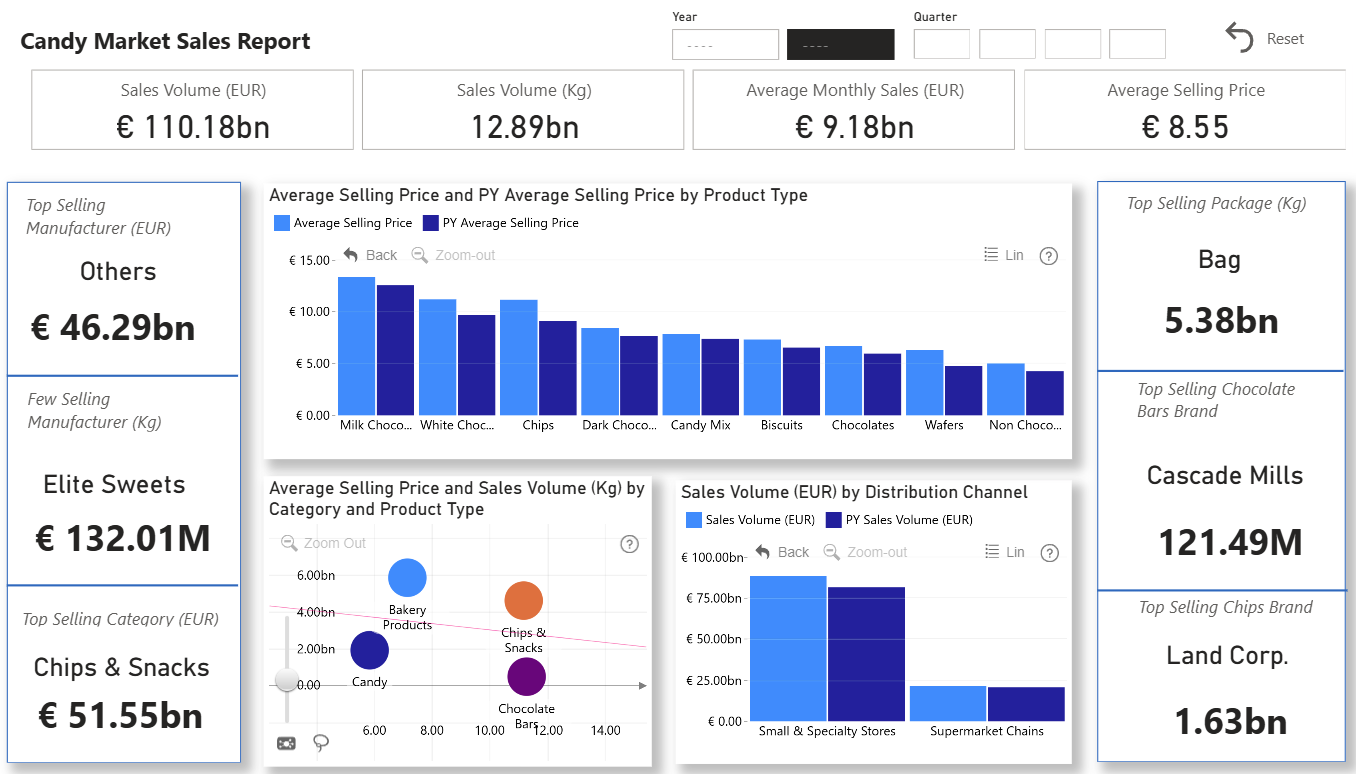
Report submitted for the FP20 Analytics ZoomCharts Challenge, November 2024. The report was built using the Candy Market Share dataset and includes ZoomCharts custom Drill Down PRO visuals for Power BI.
Author's description:
The attached report is my final submission for the FP20 Analytics November 2024 Challenge. It provides a comprehensive analysis of candy sales data, highlighting key metrics such as:
- Top manufacturers by sales revenue (EUR) for 2022 and by weight (KGs) for 2023.
- Most popular package type based on sales weight.
- Trends in candy sales over time.
The report identifies:
- Top-performing candy items by weight and revenue for 2022 and 2023.
- The most profitable distribution channel.
- Insights into category and brand performance, including the highest-selling chips and chocolate-related candies.
With interactive filters for years, months, categories, and package types, the report offers actionable insights for strategic decision-making regarding product performance and market trends.


4U Report Challenges
Participate in data challenges, build and submit reports to get free template downloads.
Join CommunityMobile view allows you to interact with the report. To Download the template please switch to desktop view.
How to use a PBIX template
Preview the interactive report, download the PBIX file, open it in Power BI Desktop, and replace the same data connection with your own dataset.
Preview and download
Explore the report online and download the PBIX template file.
Open in Power BI Desktop
Open the downloaded PBIX file in Power BI Desktop.
Connect your data
Replace the sample data source with your own dataset.
Refresh and adjust
Refresh the model and update fields or visual were needed.
Save and share
Save your report and publish it for your audience.


