1141
Auora Bank Segmentation and Risk Analysis
Auora Bank Segmentation and Risk Analysis
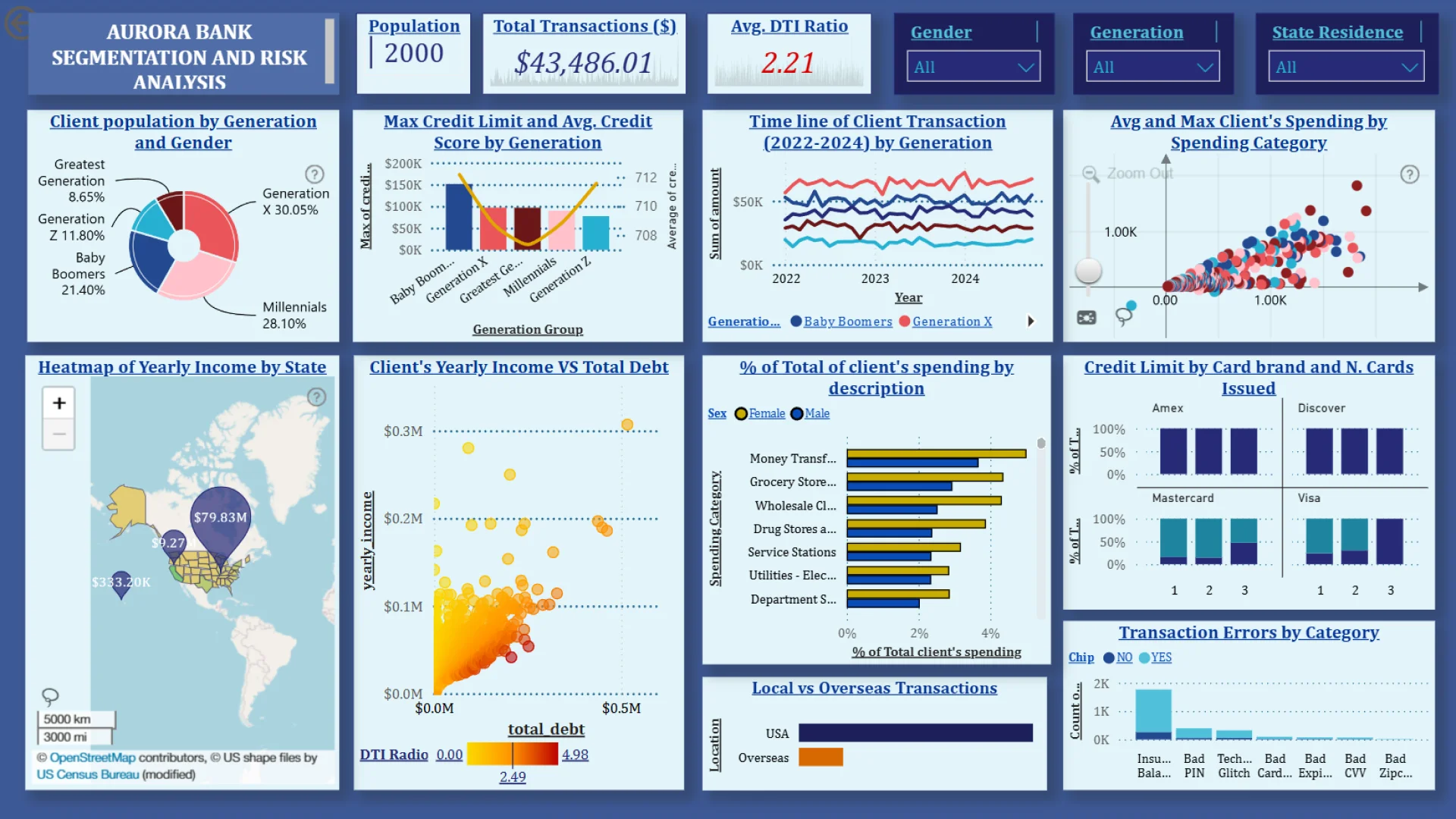
Report Author: Fabian Caballero
1141
Share template with others
Report submitted for Onyx Data DataDNA ZoomCharts Mini Challenge, December 2024. The report is based on the Aurora Bank dataset and includes ZoomCharts custom Drill Down PRO visuals for Power BI.
Author's description:
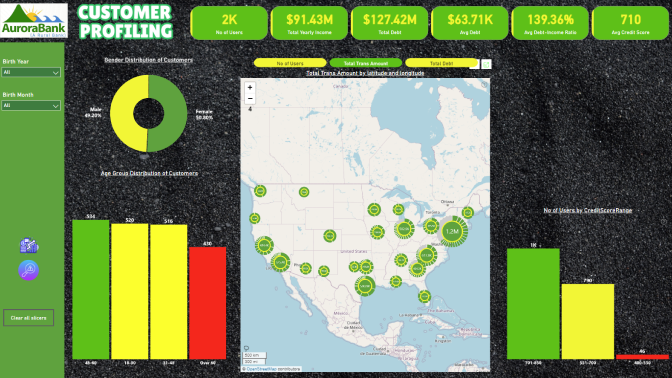
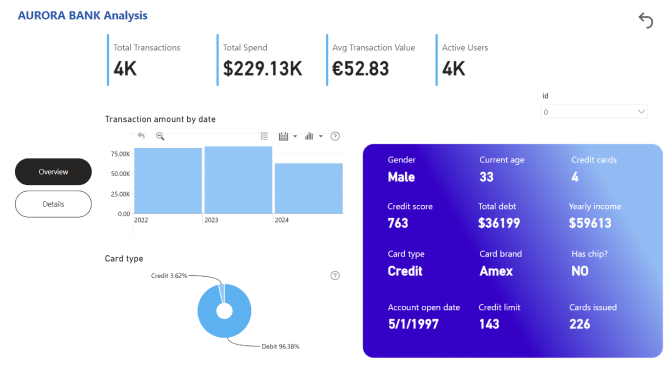
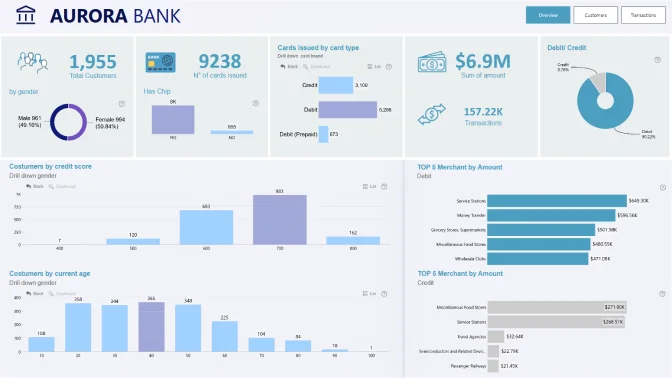
The Aurora Bank Data Insights Dashboard is a comprehensive analytical tool providing actionable insights into customer profiles, spending patterns, and financial risks. Built using Power BI, the dashboard incorporates interactive visualizations, heatmaps, and KPIs to empower data-driven decision-making.
Key Features:
- Customer Profiling: Segmentation based on demographics, financial health, and card ownership trends.
- Spending & Risk Analysis: Heatmaps highlighting transaction volumes and geographical trends, along with fraud detection and debt-to-income metrics.
- Interactive Filters: Dynamic slicers and buttons enabling seamless data exploration by state, year, and customer segment.
- Branded Aesthetics: Designed with Aurora Bank’s official color palette, ensuring consistency with the company’s identity.
This dashboard is a strategic tool for Aurora Bank, enhancing customer engagement, optimizing financial performance, and effectively mitigating risks.



4U Report Challenges
Participate in data challenges, build and submit reports to get free template downloads.
Join CommunityMobile view allows you to interact with the report. To Download the template please switch to desktop view.
How to use a PBIX template
Preview the interactive report, download the PBIX file, open it in Power BI Desktop, and replace the same data connection with your own dataset.
Preview and download
Explore the report online and download the PBIX template file.
Open in Power BI Desktop
Open the downloaded PBIX file in Power BI Desktop.
Connect your data
Replace the sample data source with your own dataset.
Refresh and adjust
Refresh the model and update fields or visual were needed.
Save and share
Save your report and publish it for your audience.


