951
Airline Delay Report Analysis
Airline Delay Report Analysis
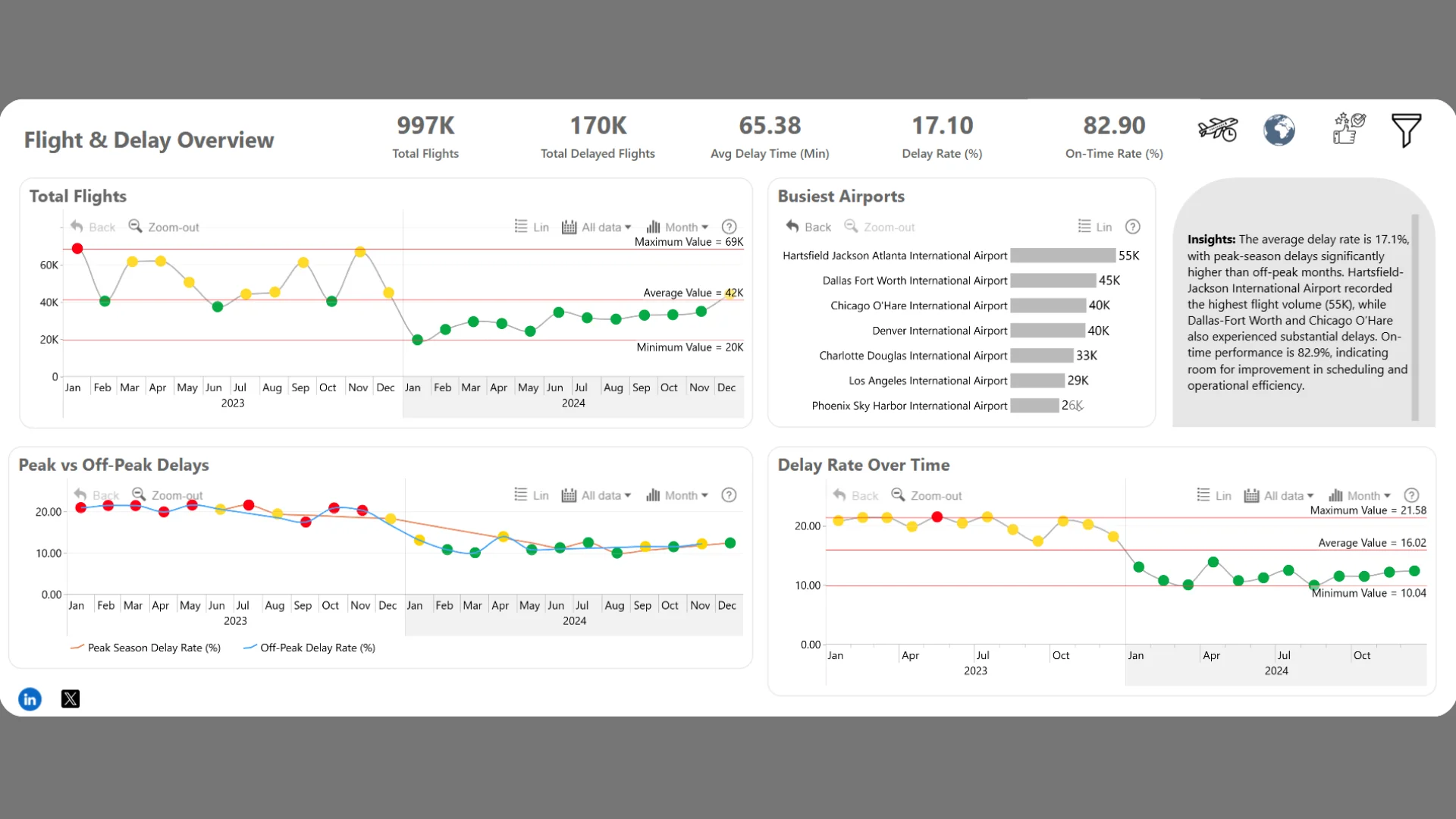
Report Author: Omon Ohiokhuaoboh
951
Share template with others
Report submitted for the FP20 Analytics ZoomCharts Challenge, January 2025. The report was built using the Airline Delays Dataset and includes ZoomCharts custom Drill Down PRO visuals for Power BI.
Author's description:
This project analyzes airline delays to uncover key factors affecting flight punctuality, including weather conditions, carrier operations, and airport efficiency. Using Power BI and ZoomCharts, the analysis visualizes delay patterns, compares peak vs. off-peak performance, and identifies high-delay airports and carriers. The insights help airlines optimize schedules, improve operational strategies, and enhance overall passenger experience.
ZoomCharts visuals used




4U Report Challenges
Participate in data challenges, build and submit reports to get free template downloads.
Join CommunityMobile view allows you to interact with the report. To Download the template please switch to desktop view.
How to use a PBIX template
Preview the interactive report, download the PBIX file, open it in Power BI Desktop, and replace the same data connection with your own dataset.
Preview and download
Explore the report online and download the PBIX template file.
Open in Power BI Desktop
Open the downloaded PBIX file in Power BI Desktop.
Connect your data
Replace the sample data source with your own dataset.
Refresh and adjust
Refresh the model and update fields or visual were needed.
Save and share
Save your report and publish it for your audience.


