308
AI Customer Service KPI Dashboard in Power BI
AI Customer Service KPI Dashboard in Power BI
More Report pages
Report Author: Ugo Ndu
308
Share template with others
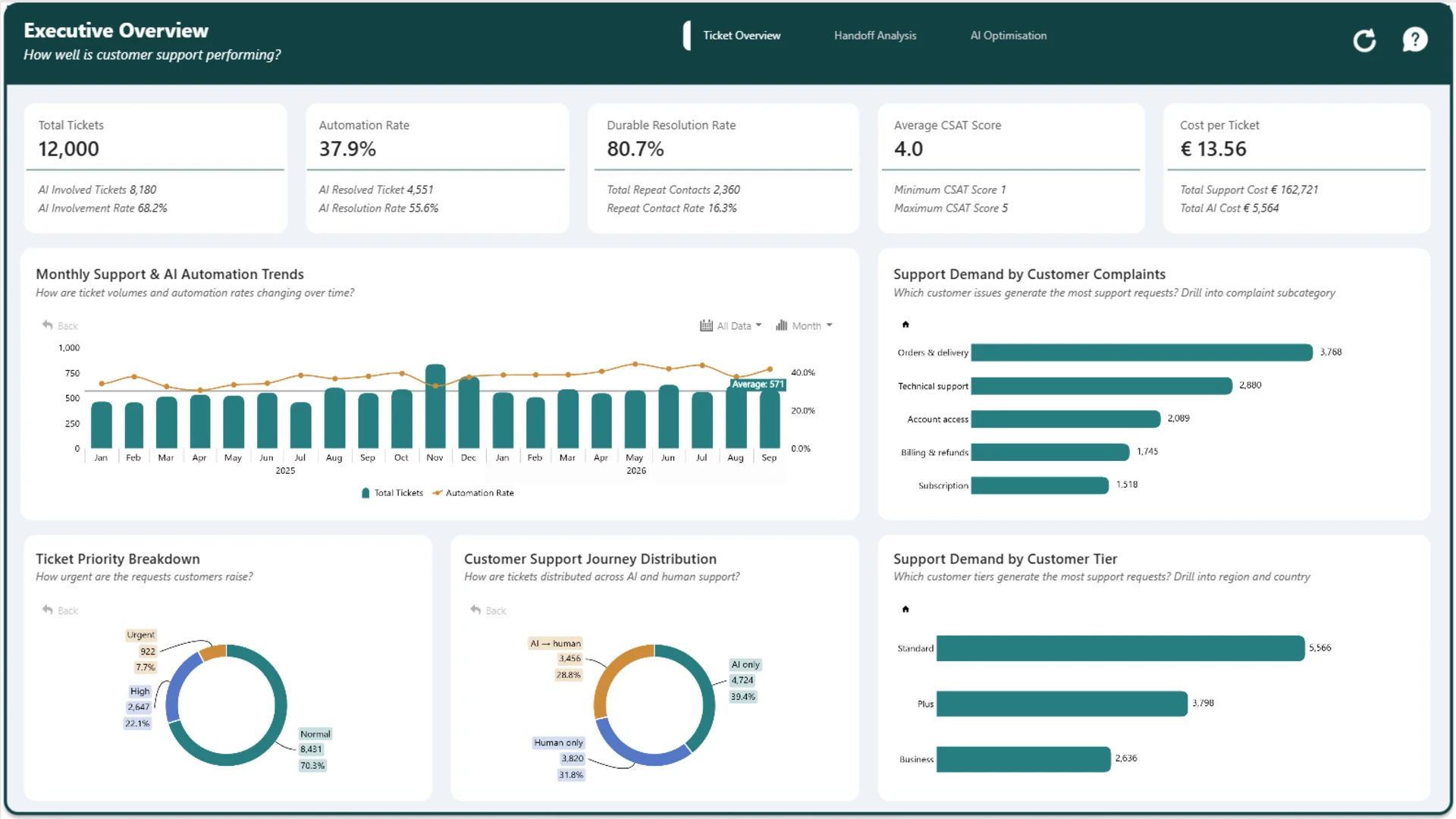
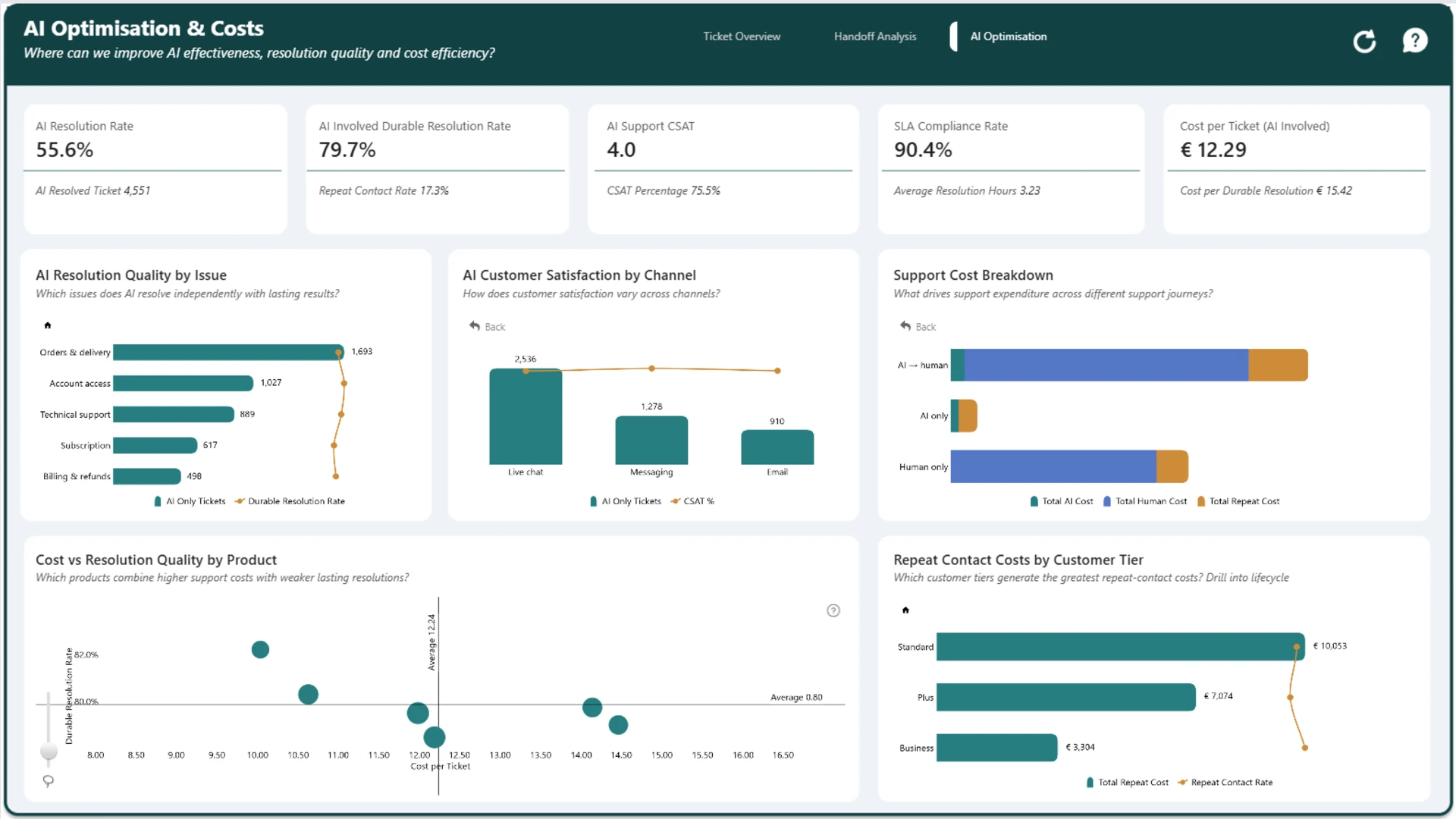
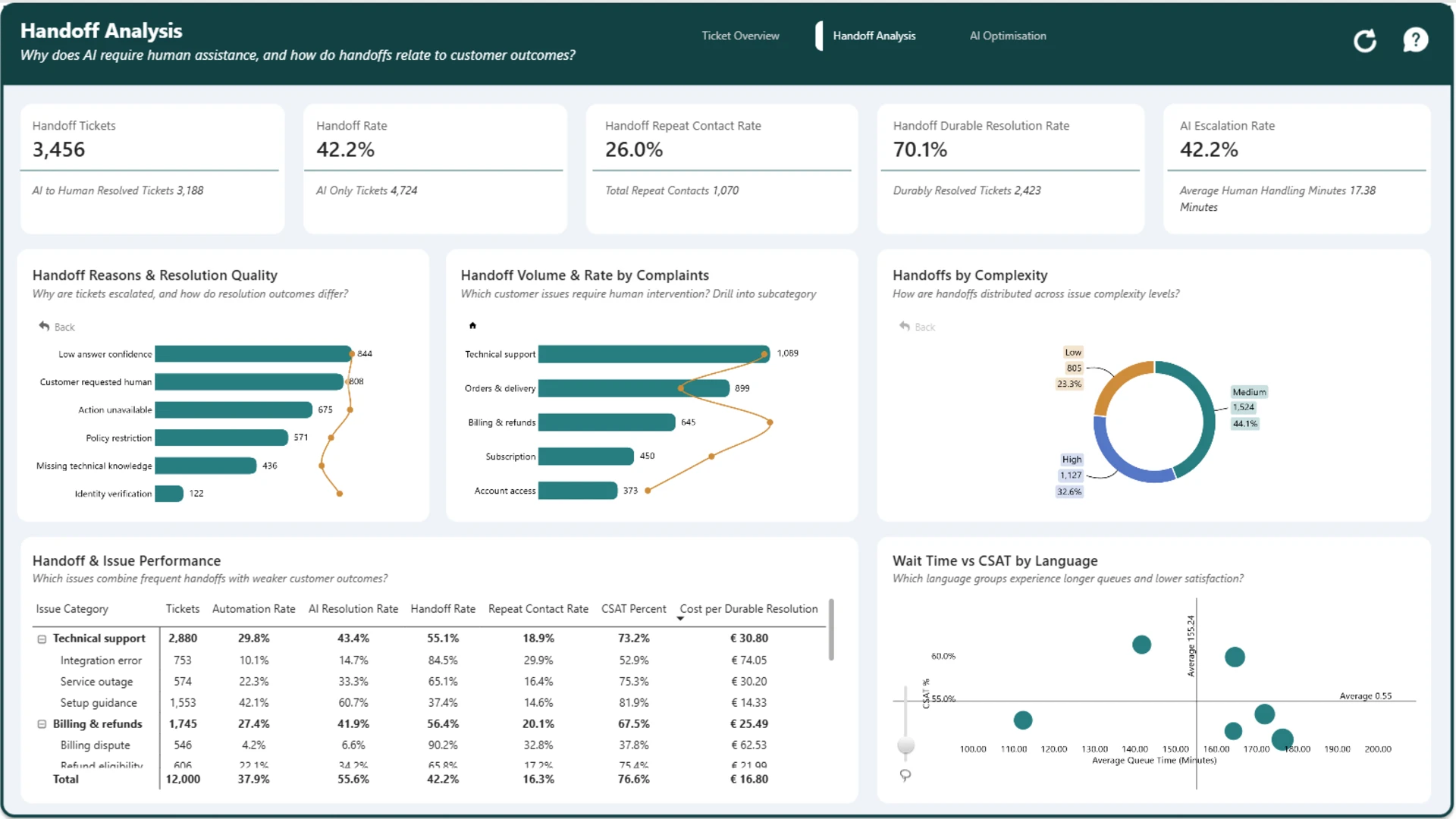
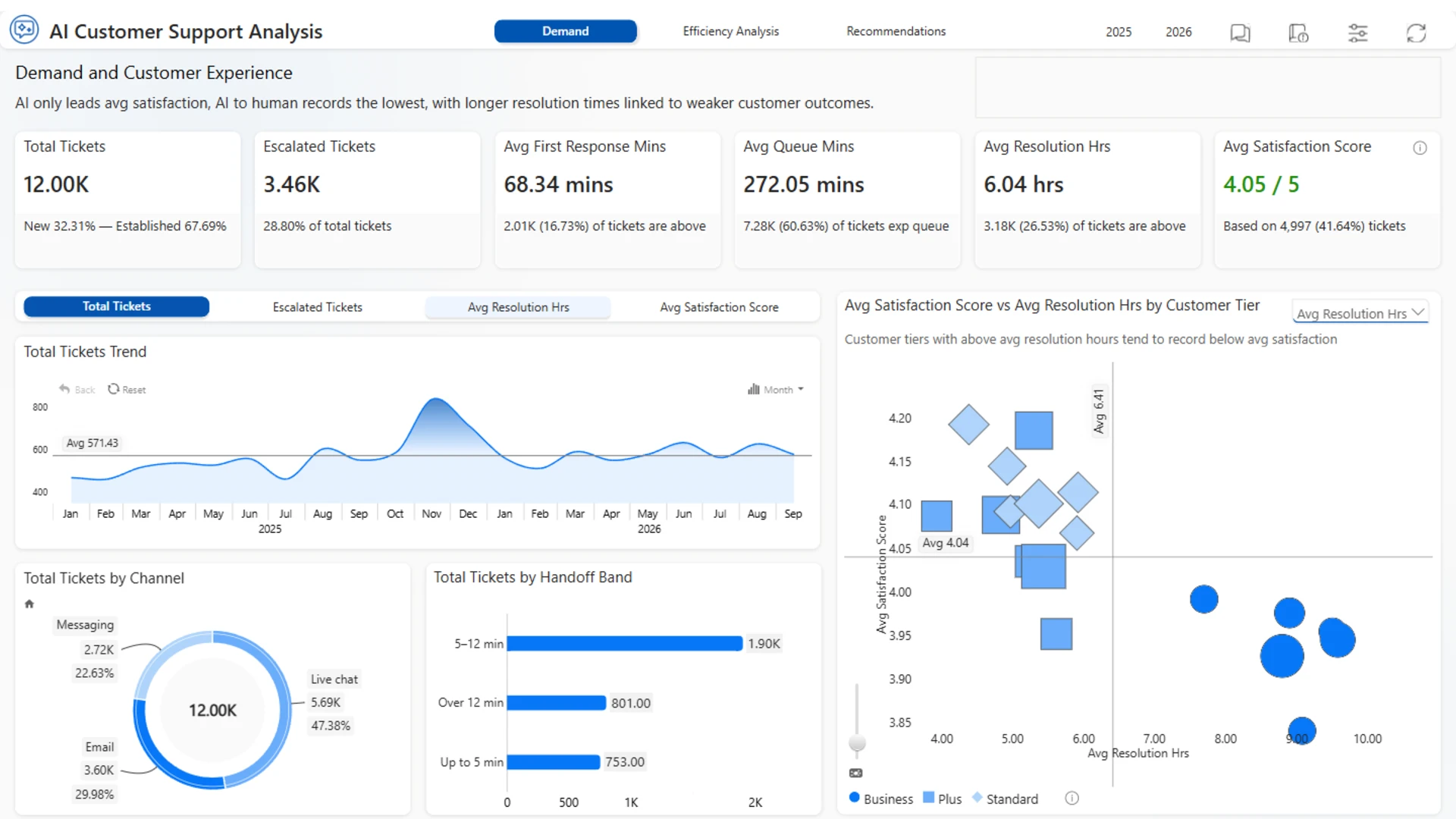
Track essential customer service KPIs in this interactive Power BI dashboard. Examine support ticket resolution, first response time, SLA compliance, customer satisfaction, and handling efficiency. Compare performance across support channels, issue categories, and customer segments to uncover operational gaps and improve service delivery.
This Power BI report was created for the FP20 Analytics & ZoomCharts Challenge 42, focused on AI Agent & Customer Support Analytics.
ZoomCharts visuals used


4U Report Challenges
Participate in data challenges, build and submit reports to get free template downloads.
Join CommunityMobile view allows you to interact with the report. To Download the template please switch to desktop view.
How to use a PBIX template
Preview the interactive report, download the PBIX file, open it in Power BI Desktop, and replace the same data connection with your own dataset.
Preview and download
Explore the report online and download the PBIX template file.
Open in Power BI Desktop
Open the downloaded PBIX file in Power BI Desktop.
Connect your data
Replace the sample data source with your own dataset.
Refresh and adjust
Refresh the model and update fields or visual were needed.
Save and share
Save your report and publish it for your audience.


