Mar 24, 2026
March Update: Dynamic Thresholds and Filtering From Legend Categories
This product update focuses on two key improvements:
1. dynamic thresholds that adapt automatically to data context
2. More precise interaction through subcategory selection
This product update focuses on two key improvements:
1. dynamic thresholds that adapt automatically to data context
2. More precise interaction through subcategory selection
Power BI developers rarely struggle with building visuals. The real complexity comes from everything around them.
Thresholds that need constant updates. Interactions that require slicers. Logic that lives outside the visual layer. Over time, reports become harder to maintain, not because of the visuals, but because of the work required to support them.
This update focuses on reducing that overhead.
Two key improvements are introduced:
- Dynamic thresholds that adapt automatically to data context
- More precise interaction through subcategory selection
Both features reduce manual work and make reports more responsive to user exploration.
Dynamic Thresholds: Context Aware Reference Lines and Areas
Thresholds are used to represent targets, limits, or expected ranges. In most reports, they are static. This means they must be manually updated or recalculated through measures when data changes.
This creates unnecessary complexity and maintenance effort.
Dynamic thresholds allow thresholds to be defined using data fields or measures that automatically respond to filters and context.
What’s New:
- Two dynamic threshold fields called Dynamic Threshold 1 and Dynamic Threshold 2
- Support for both measures and data columns
- Automatic activation when values are assigned
- Adaptive behavior depending on how many thresholds are provided
Supported Visuals:
How to Configure Dynamic Thresholds:
- Add a supported ZoomCharts visual to your report
- Add your category and value fields to visual
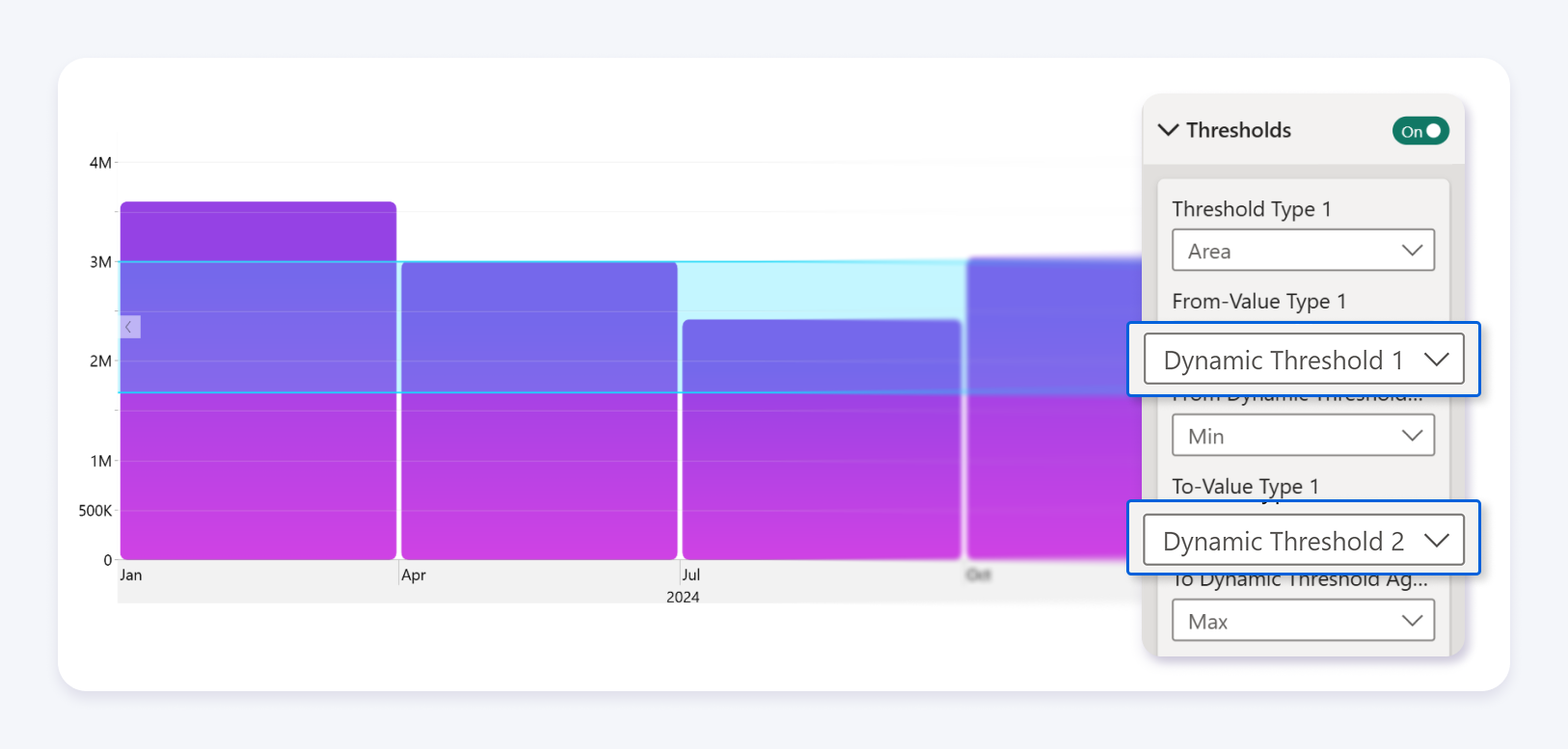
- Assign a measure or column to Dynamic Threshold 1
- Optionally assign a second measure or column to Dynamic Threshold 2
- Open the Format pane to adjust styling and visibility
Threshold Behavior
The visual automatically determines how thresholds behave based on the provided fields:
- If only one threshold is defined the visual displays a line
- If two thresholds are defined the visual displays an area between values
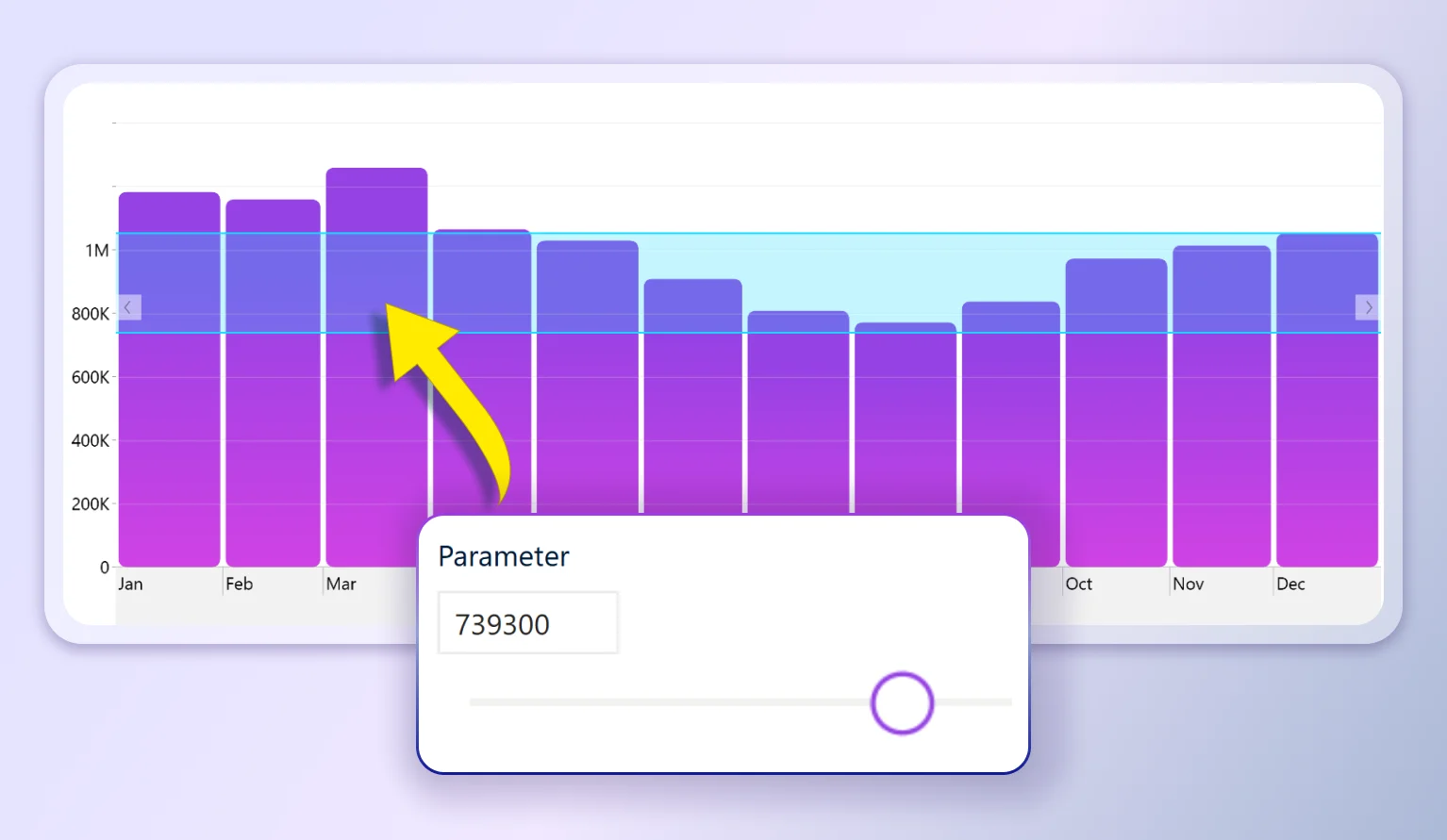
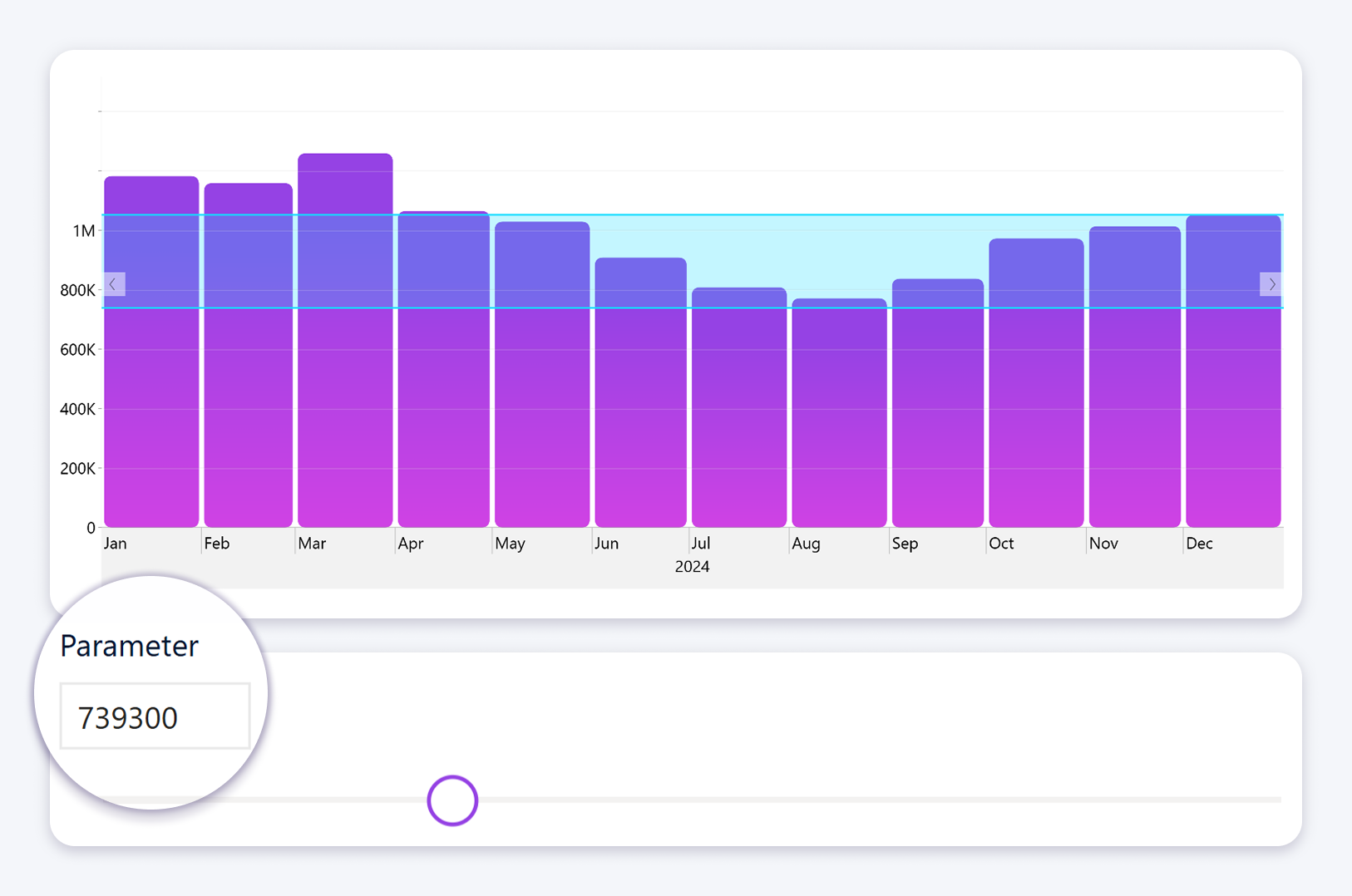
The threshold values can also be driven by Power BI parameters.
When a parameter is used in the underlying measure or column, the threshold will automatically shift based on the selected parameter value.
This allows users to interactively adjust targets, limits, or ranges directly in the report, without modifying the visual or recalculating logic.
As the parameter changes, the threshold updates in real time, reflecting the new context defined by the parameter.
This removes the need to manually configure threshold types or logic.
Advanced Configuration for Timeline
The Drill Down Timeline visual supports additional aggregation options for dynamic thresholds.
Available aggregation options include:
- Average
- Sum
- Count Distinct
- Minimum and Maximum
- Median
- Standard Deviation
- Variance
This allows developers to control how thresholds behave across time based data.
Why It Matters
Dynamic thresholds remove the need for static configuration. Instead of recalculating thresholds manually, they adjust automatically based on filters and context.
This results in less DAX, more accurate visuals, and lower maintenance effort.
Improved Interaction: Subcategory Selection in Combo Charts
Filtering data inside visuals often requires slicers or additional report elements. This creates extra steps for users and additional work for developers.
This update introduces more precise interaction directly inside the chart.
What’s New
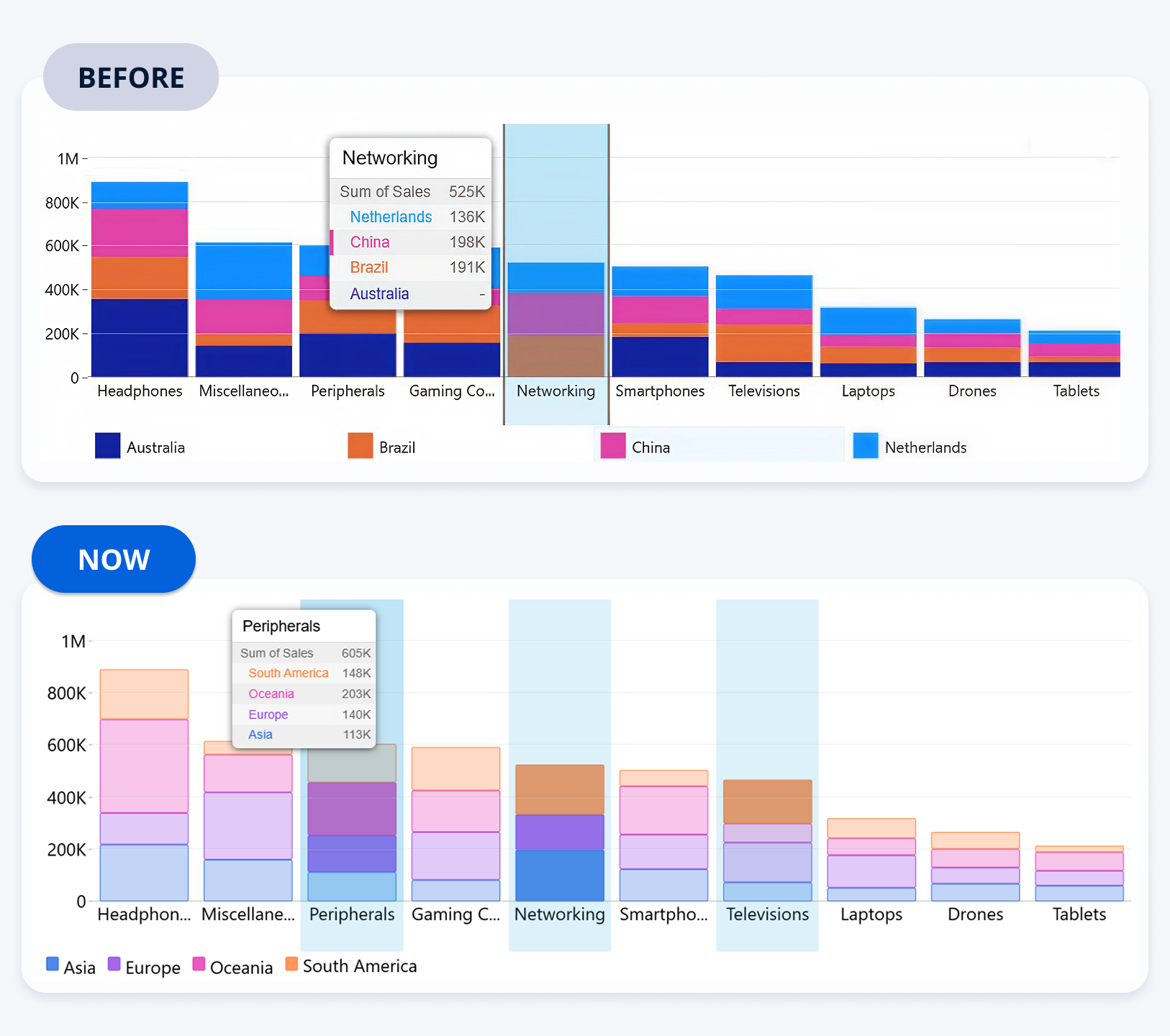
Users can now select individual subcategories within a column or bar when a legend is present.
How It Works:
- Hover over a subcategory segment within a column or bar
- Click the segment to select that specific subcategory
- The rest of the report filters based on that selection
At the same time:
- Clicking the category label selects the entire category
- Drill down behavior remains unchanged when multiple hierarchy levels are used
Configuration Requirements:
- A single category must be placed in the Category field
- A second category must be placed in the Legend field
If multiple categories are used for drill down, clicking will trigger drill behavior instead of selection.
Why It Matters
This enables more precise filtering without additional slicers. Users can explore data directly within the visual while developers can simplify report layouts.
The result is cleaner reports and faster interaction.
What This Update Changes for Power BI Developers
This update reduces two common sources of complexity.
Static logic that requires manual updates and recalculation.
Indirect interaction that depends on slicers and additional visuals.
By moving these capabilities into the visual layer, reports become easier to build and easier to maintain:
- Less reliance on DAX for threshold calculations
- Fewer supporting visuals and slicers
- More intuitive interaction patterns
- Lower long term maintenance cost
Final Thoughts
This update focuses on practical improvements that affect real development workflows.
Dynamic thresholds reduce manual configuration. Improved interactions reduce dependency on additional report elements.
Together, these changes make reports more adaptive and easier to manage:
- Less manual logic
- More responsive visuals
- Better reporting workflows

Want more info like this?
Subscribe to our newsletter and be the first to read our latest articles and expert data visualization tips!