These setting groups let you customize the tooltip header’s background color and opacity, plus the header text color and typography (font family, size, bold/italic).
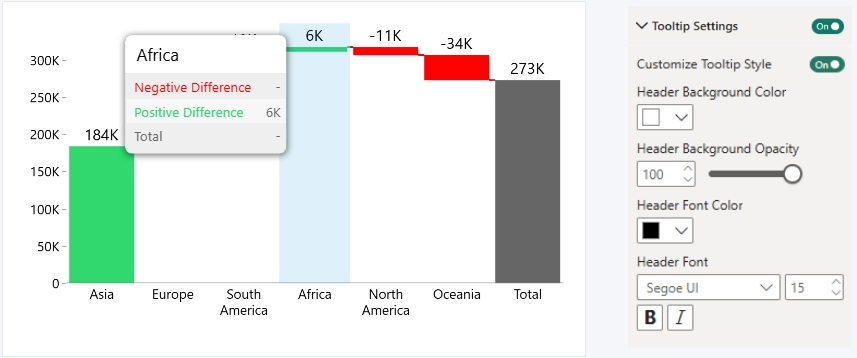
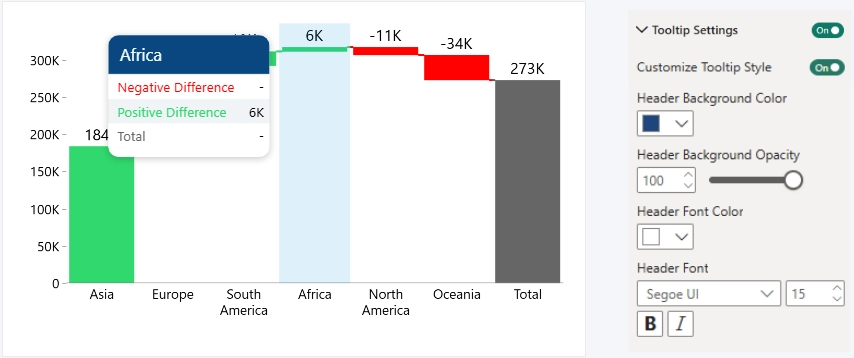
Header Background Color
Defines the background color of the tooltip header. Color can be selected from the color palette.
Header Background Opacity
Controls header background transparency.
- Range: 0–100
- 0 = fully transparent
- 100 = fully visible
- Default: 100
Header Font Color
Defines the header text color. Color can be selected from the color palette.
Header Font
Controls header typography:
- Font Family
- Font Size
- Bold and/or Italic
Was this helpful? Thank you for your feedback!
Sorry about that.
How can we improve it?