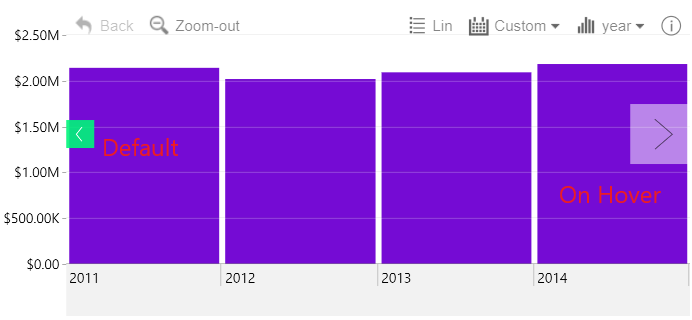
If this setting is enabled, the navigation arrow buttons
will react whenever the user hovers over with the mouse cursor by altering
their appearance. Setting this toggle to On will reveal the following
options:
- Arrow Color on Hover: the arrow symbol will change color when the user hovers over the button.
- Arrow Color Opacity on Hover: the arrow symbol will change transparency when the user hovers over the button.
- Arrow Background Color on Hover: the button will change color when the user hovers over it.
- Arrow Background Color Opacity on Hover: the button will change transparency when the user hovers over it.
- Arrow Size on Hover: The button will shrink or expand (depending on your chosen size) when the user hovers over it.
Was this helpful? Thank you for your feedback!
Sorry about that.
How can we improve it?