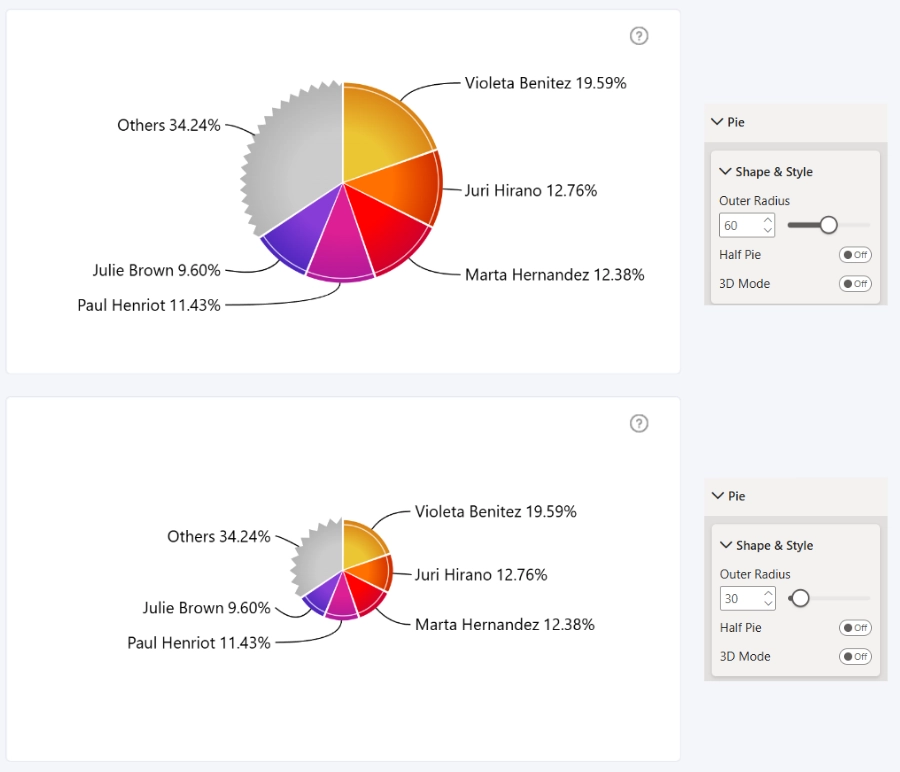
This setting determines how much of the available visual container area is used to display the pie chart. By default, the value is set to 60, but you can specify any percentage between 20 and 100.
Lower values reduce the chart radius and create more empty space around the chart, while higher values increase the chart size within the available container area.
Keep in mind that larger radius values may leave insufficient space for Outside Labels or for the Legend to display properly.
Was this helpful? Thank you for your feedback!
Sorry about that.
How can we improve it?