This new label type requires the Reference Value field to be populated.
Enable the "Change/Difference Label" toggle to display the label; it indicates positive, no change, or negative change relative to the required Reference Value.
If the Reference Value field is empty, the change toggle is unavailable.
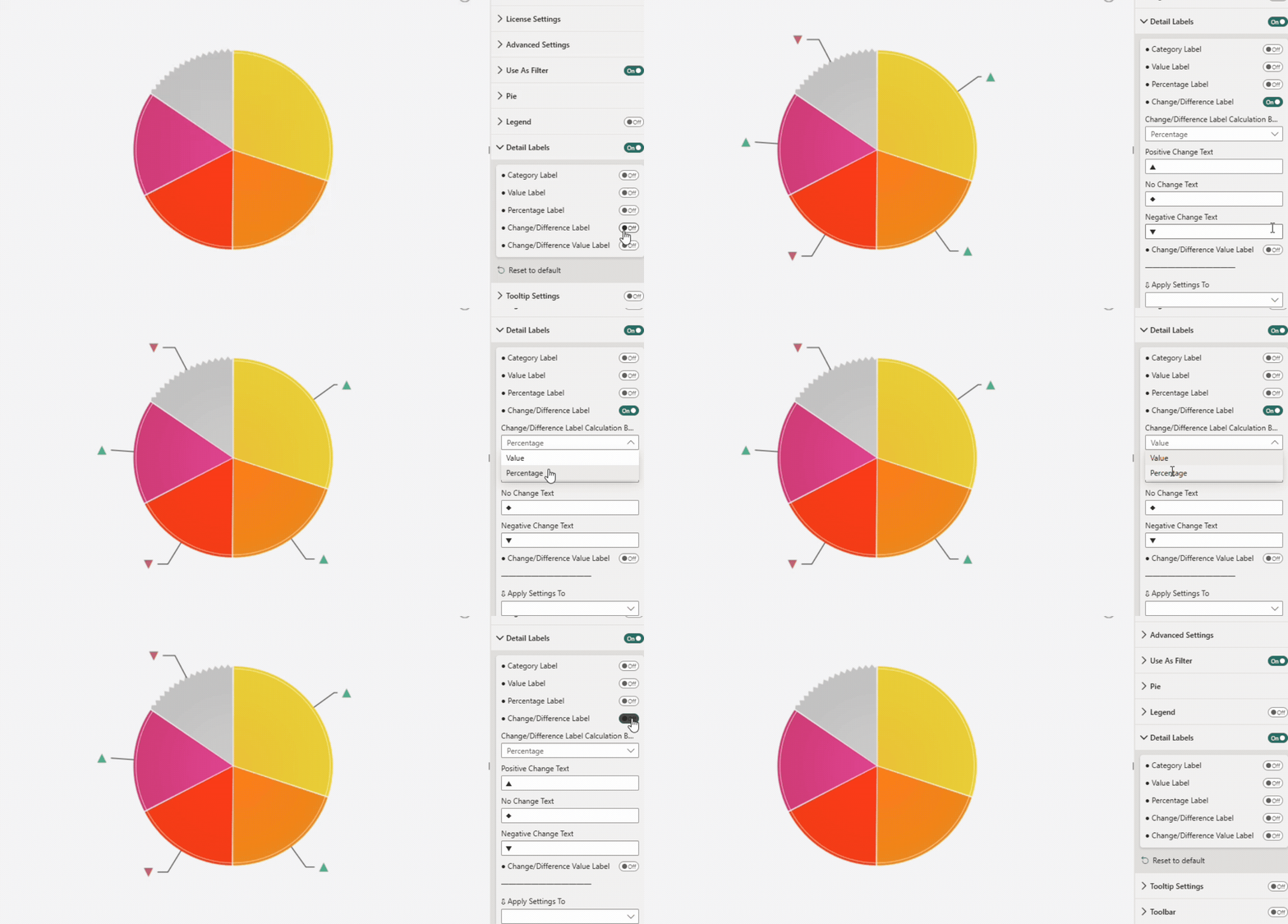
Change Label text type:
- Positive Change Text - symbol or text shown when value increases. By default ▲ indicates a positive difference (value > reference).
- No Change Text - symbol or text shown when value does not change. By default ◆ indicates no change (value == reference).
- Positive Change Text - symbol or text shown when value decreases. By default ▼ indicates a negative difference (value < reference).

Change label text supports any text, UTF character, including emoji. On Windows, press Windows + . (period) to open the emoji panel.
Calculation Basis
Defines how change is calculated.
- Based on Value
- Based on Percentage
Was this helpful? Thank you for your feedback!
Sorry about that.
How can we improve it?