Add a categorical field to Legend to split series values into visually distinct segments. This can be used to show how individual categories contribute to a series value.
Legend categories are also displayed as items in the chart legend and their values are included in the tooltip.
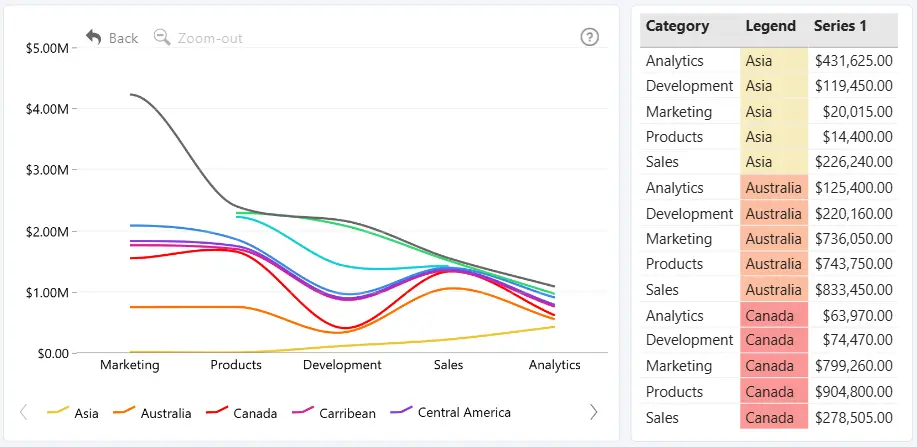
Once valid data is added to Legend, the Data Colors settings become available in the Format visual pane. Use these settings to assign a custom color to each legend category.
To control whether a series is split by the Legend field, go to Series and select the series under Apply Settings to. Then configure Split by Legend for the selected series
You can also control how the resulting segments are displayed, such as in a stack or cluster, using the corresponding settings under Series.
The Legend field is optional. It affects only series for which Split by Legend is enabled.
Was this helpful? Thank you for your feedback!
Sorry about that.
How can we improve it?