The Container settings are available when Customize Tooltip Style is enabled.
Use these settings to customize the tooltip background and corner appearance. When the tooltip contains multiple rows, you can also apply different colors and opacity to alternating rows.
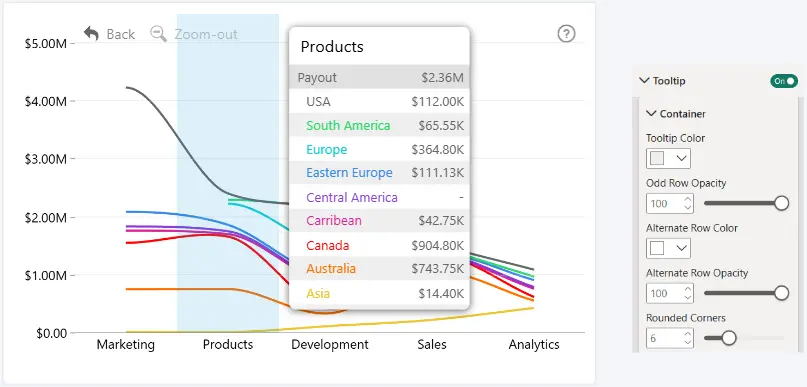
Tooltip Color
Choose the background color of the tooltip and odd-numbered rows.
Odd Row Background Opacity
Set the opacity of the odd-numbered rows.
- Range: 0–100
- Default: 100
- 0 = fully transparent
- 100 = fully visible
Alternate Row Color
Choose the background color of the alternating (even-numbered) rows.
Alternate Row Opacity
Set the opacity of the alternating rows.
- Range: 0–100
- Default: 50
- 0 = fully transparent
- 100 = fully visible
Rounded Corners
Set the corner radius of the tooltip container.
- Range: 0–100
- Default: 6
- 0: sharp corners
- Higher values create more rounded corners.
Was this helpful? Thank you for your feedback!
Sorry about that.
How can we improve it?