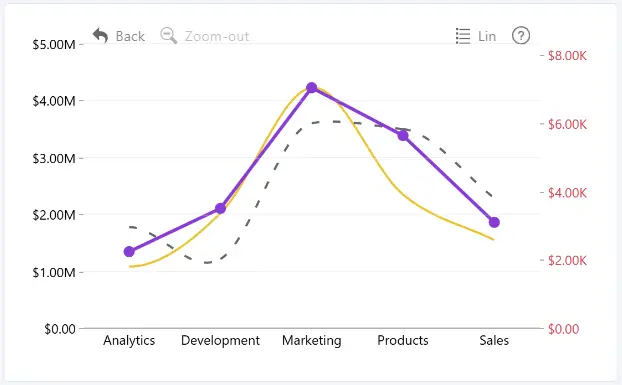
Enable Secondary Y-Axis to display an additional value axis in Drill Down Line PRO. This is useful when displaying series with significantly different value ranges, such as revenue in millions and employee counts in hundreds. The Secondary Y-Axis is disabled by default.
To assign a series to the Primary or Secondary Y-Axis, select the series using Apply Settings to under Series, then choose the desired axis using Value Axis.
Use the following settings to configure the Secondary Y-Axis:
- General – configure the axis position, zero line, scale behavior, alignment, and size.
- Title – configure the axis title and customize its text appearance.
- Values – configure the formatting and appearance of axis values and tick marks.
- Range – configure the axis range and scale intervals.
Gridlines are available only for the Primary Y-Axis.
Was this helpful? Thank you for your feedback!
Sorry about that.
How can we improve it?