Use the Data settings to configure category sorting in Drill Down Line PRO.
Data Sorting
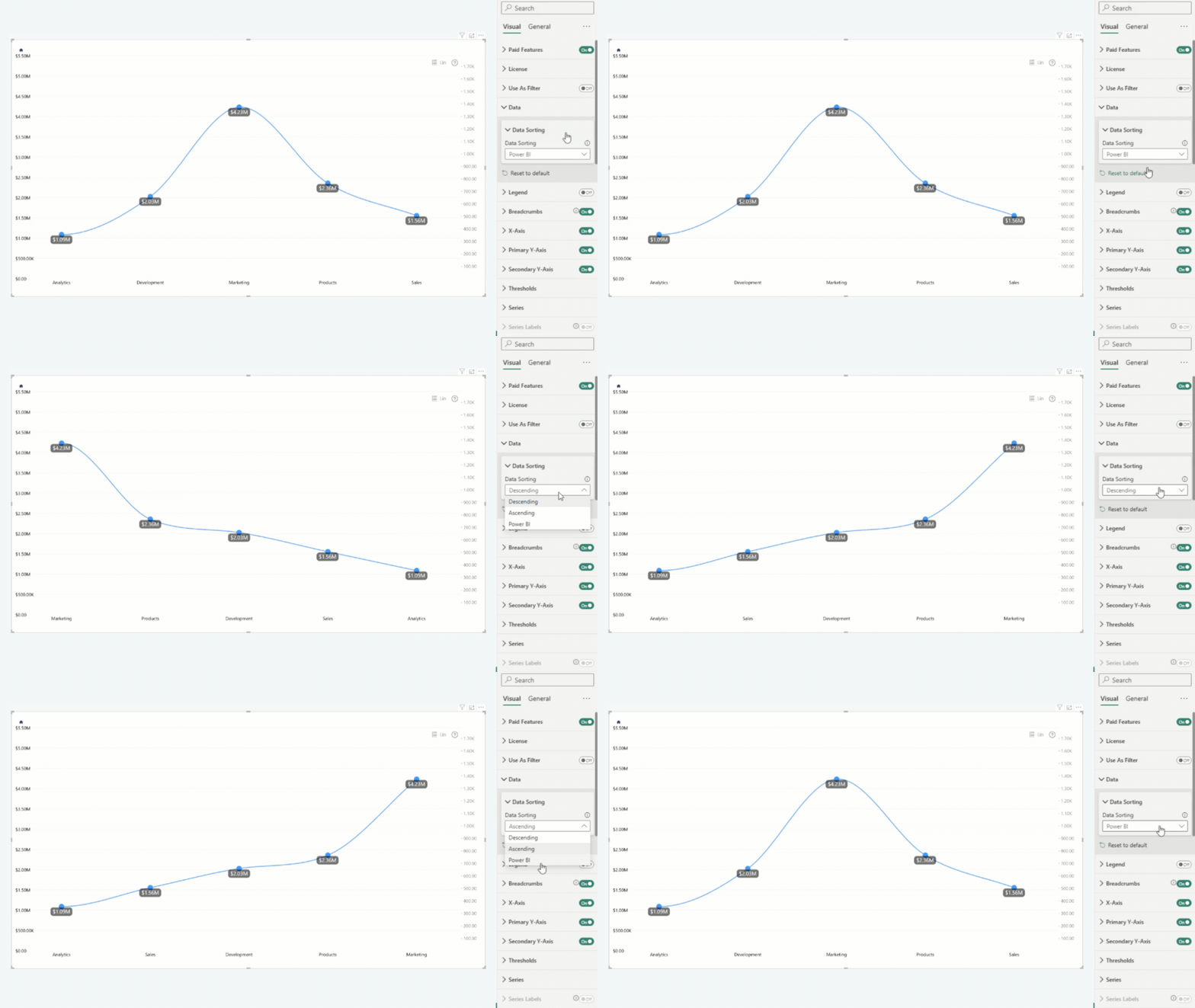
Choose how categories are sorted in the chart.
The following options are available:
- Power BI – Uses the native Power BI sorting behavior. To choose the field and sort direction, open the More options (ellipsis) menu in the visual header
- Ascending – Sorts categories from the lowest to the highest values of the selected series.
- Descending – Sorts categories from the highest to the lowest values of the selected series.
Was this helpful? Thank you for your feedback!
Sorry about that.
How can we improve it?