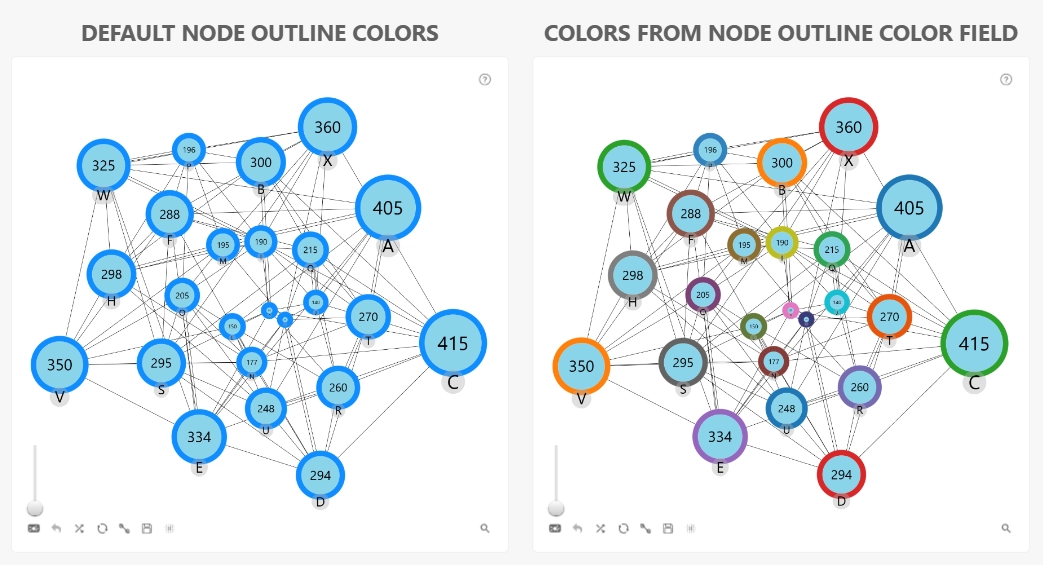
Use this optional field to assign custom outline colors to individual target nodes.
Provide a column or measure containing the desired outline color for each target node. Each cell must contain a single color value; arrays and multiple values are not supported.
The following color formats are supported:
- Color name: 'red, green, blue, yellow, white, black' etc.
- Hex code: '#FF0000' etc.
- RGB color: 'rgb(255,0,0), etc
Values in the Target Node Outline Color field are applied when Enable Outline is enabled and the Outline Color Mode is set to Dynamic. These settings can be configured under Node (Default Category) or a specific Node Category X group. Outline settings configured for a specific Node Category X override the default node outline settings.
Was this helpful? Thank you for your feedback!
Sorry about that.
How can we improve it?