Choose the layout that is applied on the initial load of the chart. If you have enabled additional layout modes in the toolbar, this will be the layout that will be used before user changes it manually. If you have not enabled any additional layout modes, Initial Mode will be the only layout available to the user.
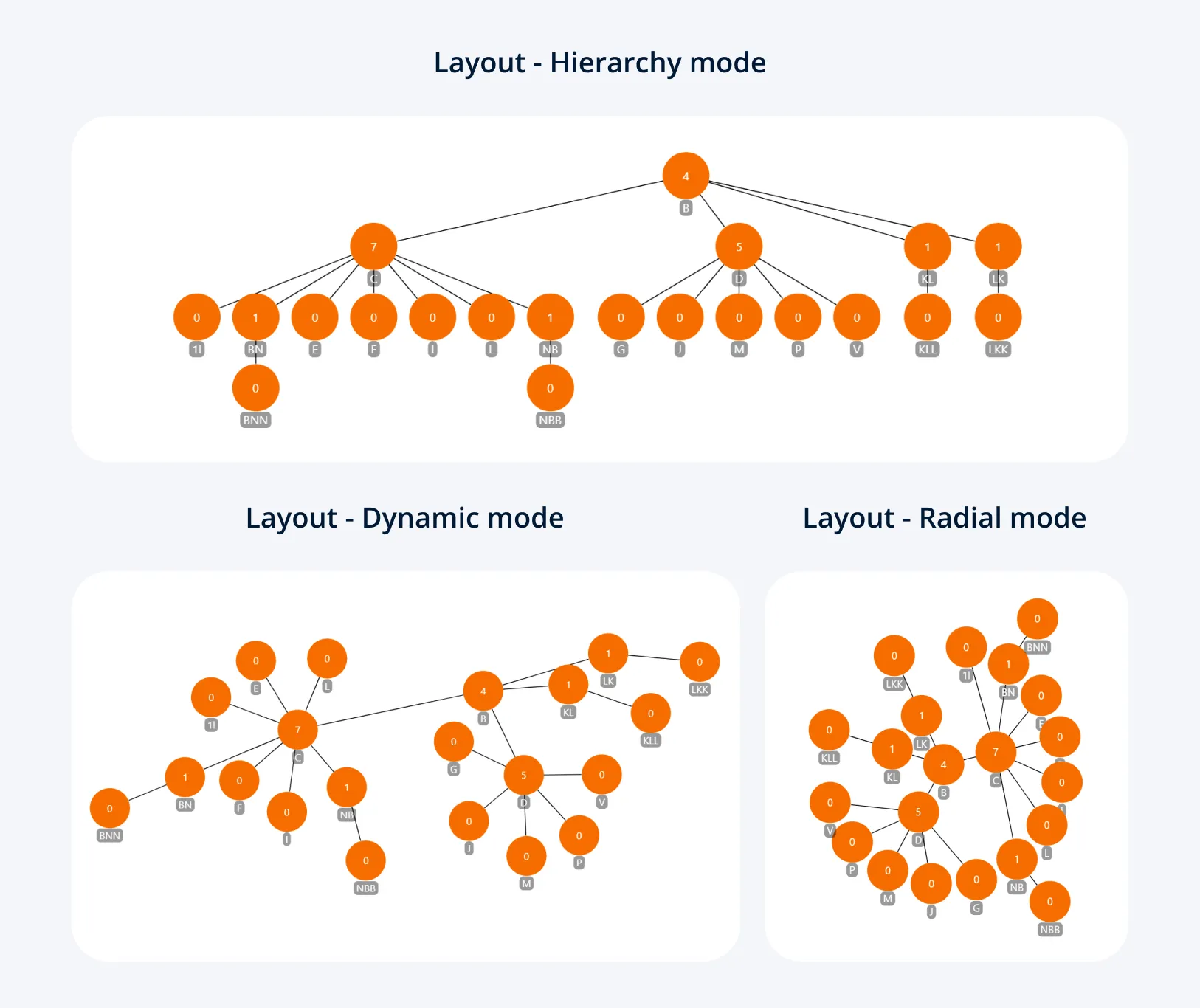
- Dynamic: Force-directed layout that uses all available space.
- Big Data Dynamic: Force-directed layout optimized for larger datasets.
- Hierarchy: Places nodes top-down based on their hierarchy.
- Radial: Places parent nodes in the center, with child nodes branching outwards.
- Static: Disables automatic repositioning and node physics simulation. Intended for users to create their own layouts and save state.
Was this helpful? Thank you for your feedback!
Sorry about that.
How can we improve it?