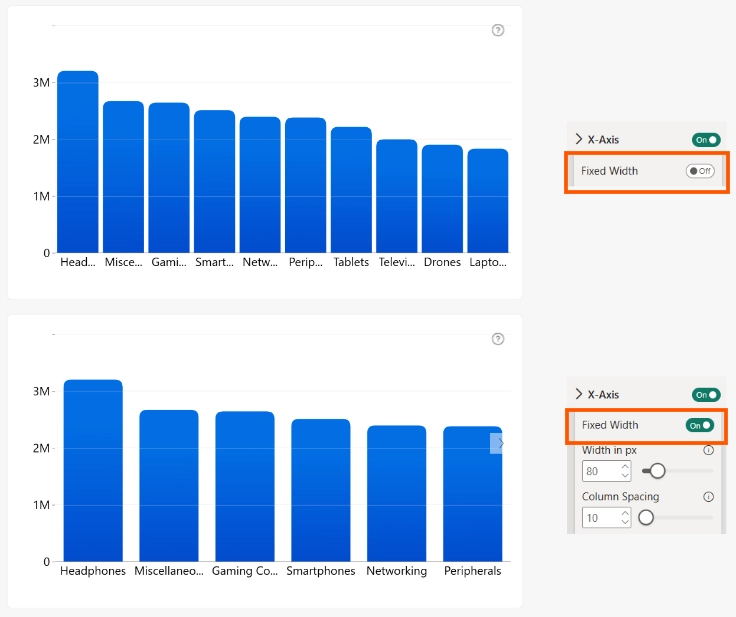
Enable Fixed Width to use a consistent column width instead of automatically resizing columns to fill the available chart area.
By default, Drill Down Combo PRO adjusts column widths based on the available space. As a result, visuals with different numbers of categories may display different column widths. Use Fixed Width to create a more consistent layout, especially when placing multiple Drill Down Combo PRO visuals on the same report page.
When enabled, the following settings are available:
- Width in px – Set the width of each column in pixels.
- Column Spacing – Set the spacing between columns
Was this helpful? Thank you for your feedback!
Sorry about that.
How can we improve it?