The Stack Corner Radius setting allows you to round the corners of simple, clustered, and stacked columns.
Stack Corner Radius controls the degree of corner rounding and accepts values from 0 to 100. The default value is 0.
- 0 keeps the columns square.
- Higher values create increasingly rounded corners.
You can also choose which corners are rounded by enabling any of the following options:
- Top Left Corner
- Top Right Corner
- Bottom Left Corner
- Bottom Right Corner
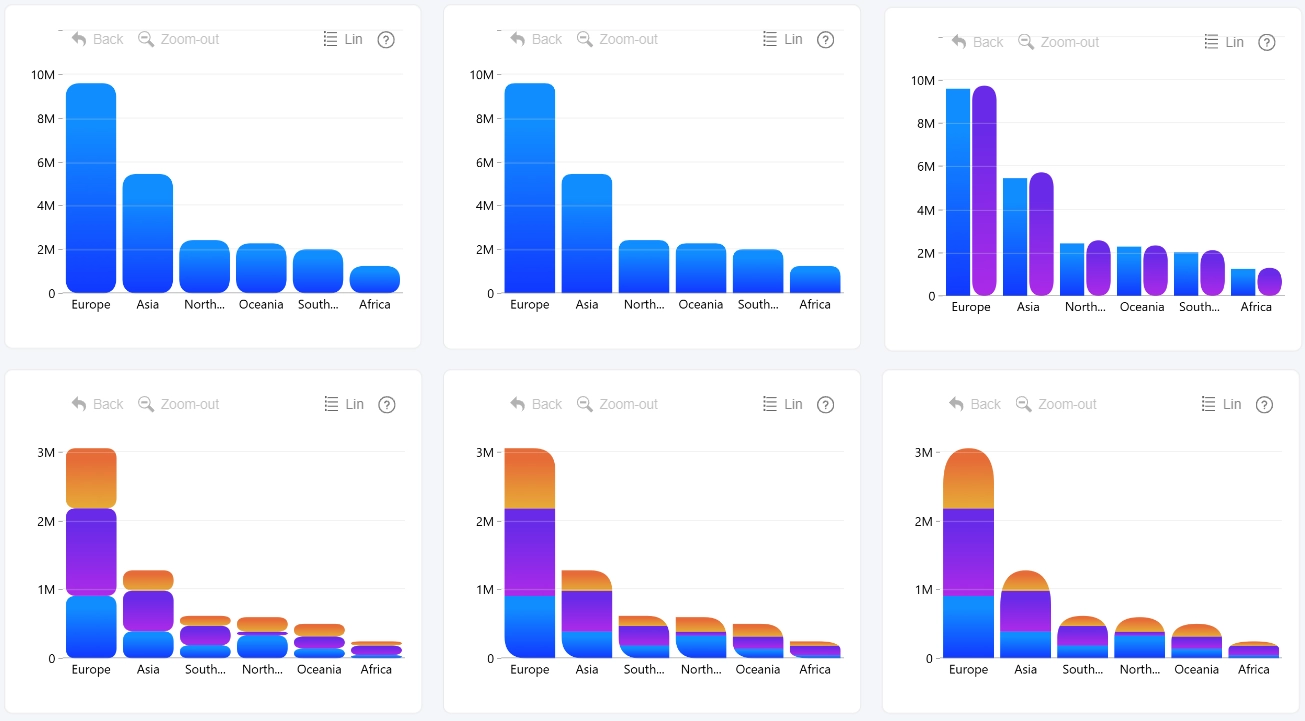
Corner radius can also be configured for individual series under Series X Configuration. When applied at the series level, the rounding affects each segment within a stacked or clustered column, rather than the column as a whole. This allows you to customize the appearance of individual stack or cluster segments independently.
Was this helpful? Thank you for your feedback!
Sorry about that.
How can we improve it?