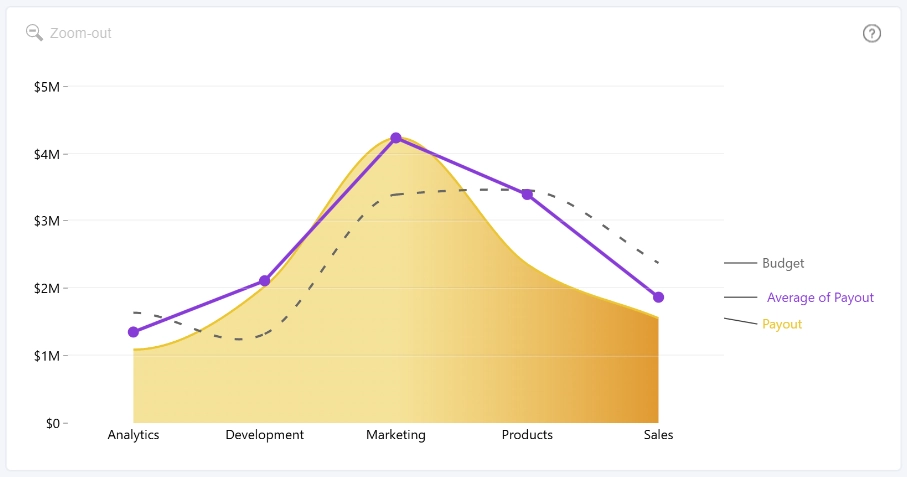
Use Series Labels to display series names next to the chart, with connector lines linking each label to its corresponding line or area series.
Series labels are available when all of the following conditions are met:
- The series uses the Primary Y-axis.
- The Secondary Y-axis is disabled.
- At least one series is displayed as a Line or Area.
Enable Series Labels to access the following formatting groups:
- Style – Configure the space reserved for series labels, label colors, and color adjustments.
- Text – Customize the font and appearance of series label text.
- Connector – Customize the connector lines between the data series and their labels.
- Background – Enable and customize series label backgrounds.
- Marker – Enable and customize markers displayed next to series labels.
Was this helpful? Thank you for your feedback!
Sorry about that.
How can we improve it?