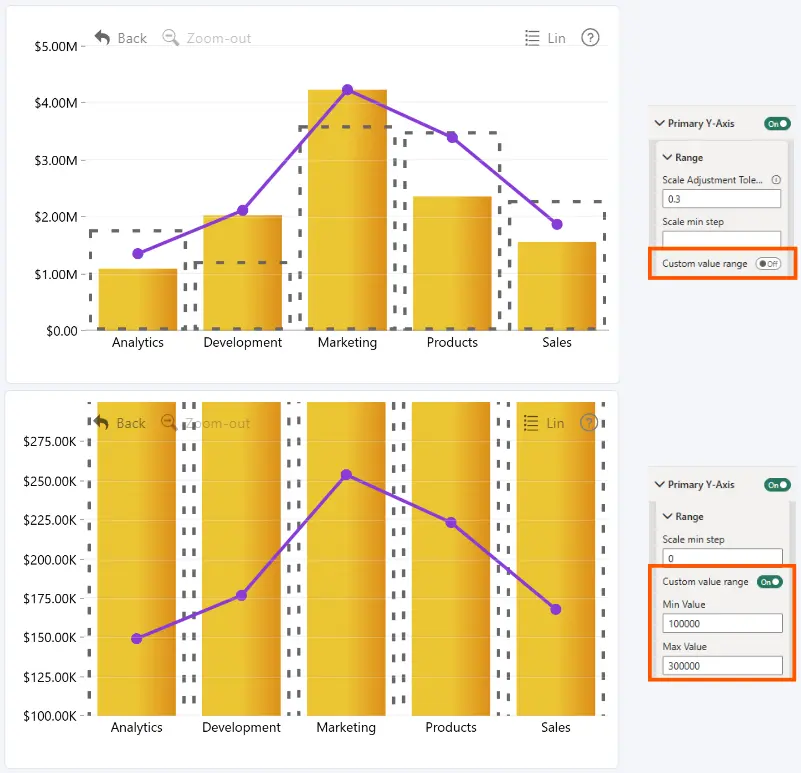
Enable Custom Value Range to manually define the minimum and maximum values displayed on the Primary Y-Axis.
When disabled, the axis starts at 0 and automatically determines its maximum value based on the data. This setting is disabled by default.
The following settings are available when Custom Value Range is enabled:
- Min Value: set the minimum value displayed on the Primary Y-Axis.
- Max Value: set the maximum value displayed on the Primary Y-Axis.
When a custom maximum is not specified, the axis maximum is determined by the data and the Scale Adjustment Tolerance setting.
Was this helpful? Thank you for your feedback!
Sorry about that.
How can we improve it?