Choose how the height or length of "Others"/"Previous" column is calculated.
The following options are available:
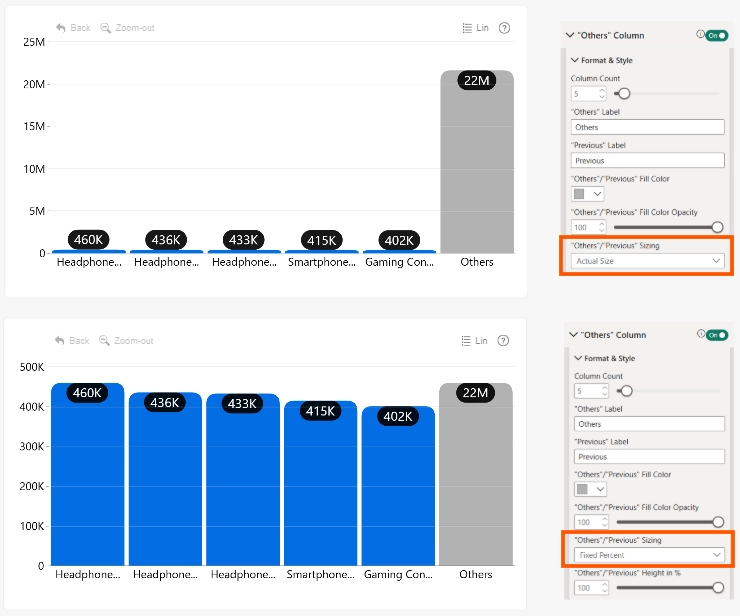
- Actual Size: Displays the column based on the combined value of all categories grouped into "Others".
- Fixed Percent: Displays the column at a specified percentage of the largest currently visible column.
Use Fixed Percent when the combined "Others" value is significantly larger than the individually displayed categories. This keeps the visual emphasis on the top categories without allowing "Others" column to dominate the chart scale.
When "Others"/"Previous" Sizing is set to Fixed Percent, then "Others"/"Previous" Height in % is available.
Was this helpful? Thank you for your feedback!
Sorry about that.
How can we improve it?