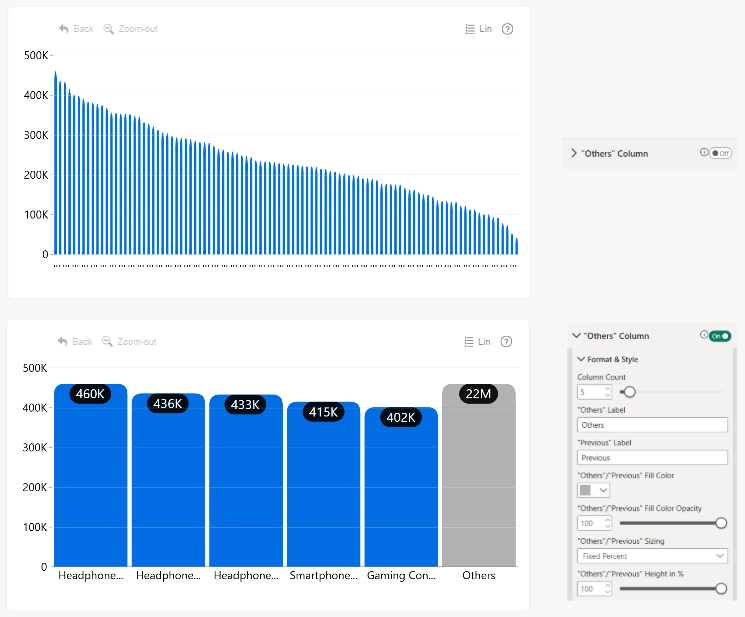
Use "Others" Column settings to limit the number of categories displayed as individual columns. Remaining categories are grouped into "Others" Column, creating a Top N-style view for charts with many categories.
Select "Others" column to display the next set of categories. "Previous" column is also displayed, allowing users to return to the preceding set.
"Others" Column settings are available only when the visual contains a single series displayed as columns.
Enable "Others" Column to make the Format & Style settings available.
- Column Count
- "Others" Label
- "Previous" Label
- "Others"/"Previous" Fill Color
- "Others"/"Previous" Fill Color opacity
- "Others"/"Previous" Sizing
- "Others"/"Previous" Height in %
Was this helpful? Thank you for your feedback!
Sorry about that.
How can we improve it?