Enable Fill Conditional Formatting to apply colors to a series based on its values.
Color Mode
Select how colors are applied using the configured color points.
- Solid H color – apply a single color to the entire category when the specified condition is met.
- Solid V color – apply a color only to the portion of a bar, area, or line that exceeds the specified condition.
- Stepped color – apply discrete colors based on the value's position between the configured color points.
- Gradient – create a continuous transition between the configured color points.
- Color Field – apply colors using values from the visual's Color field.
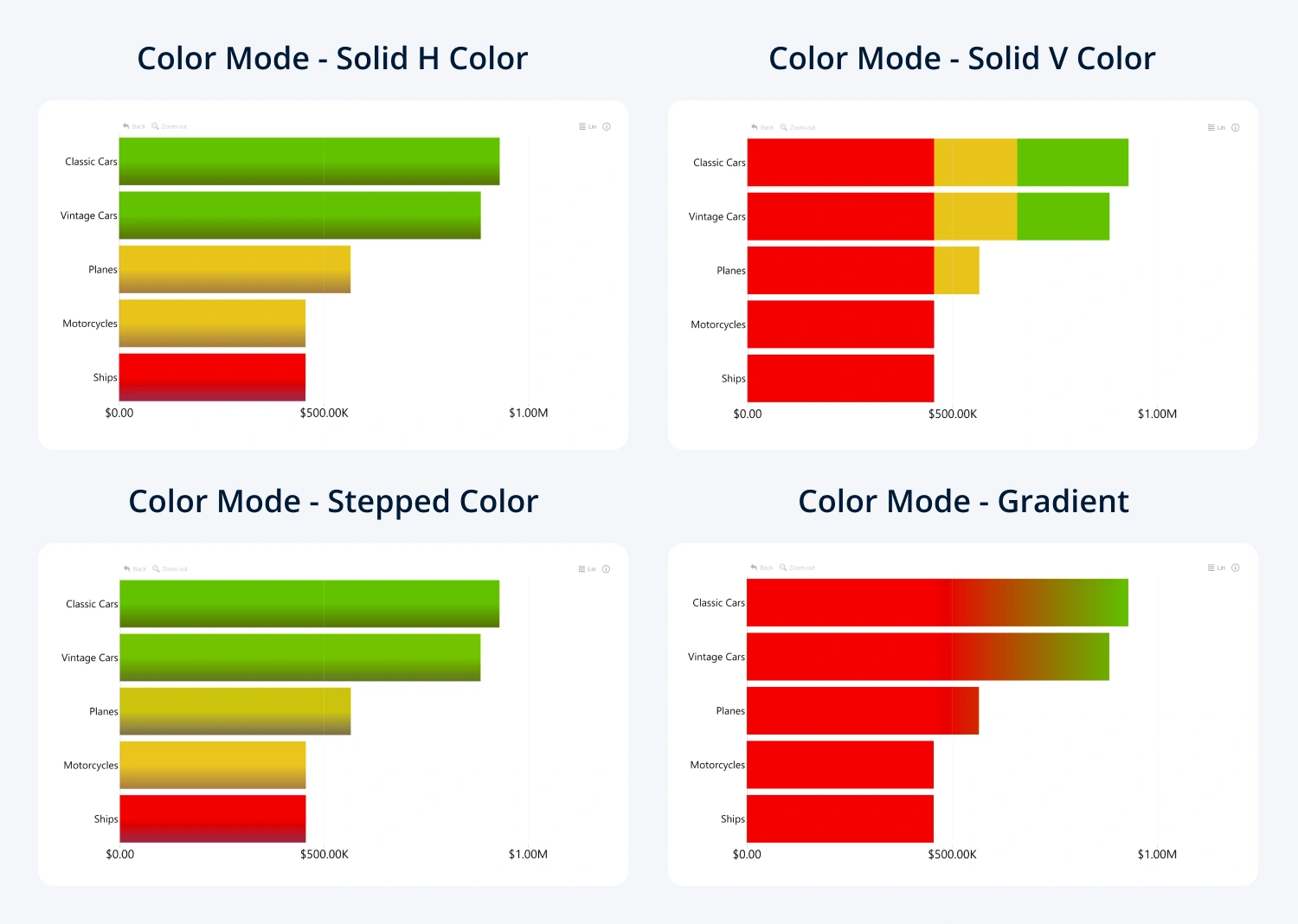
The selected Color Mode determines which value-source, function, and start-value settings are available.
To apply conditional series colors to markers, enable Line Marker Color.
Was this helpful? Thank you for your feedback!
Sorry about that.
How can we improve it?