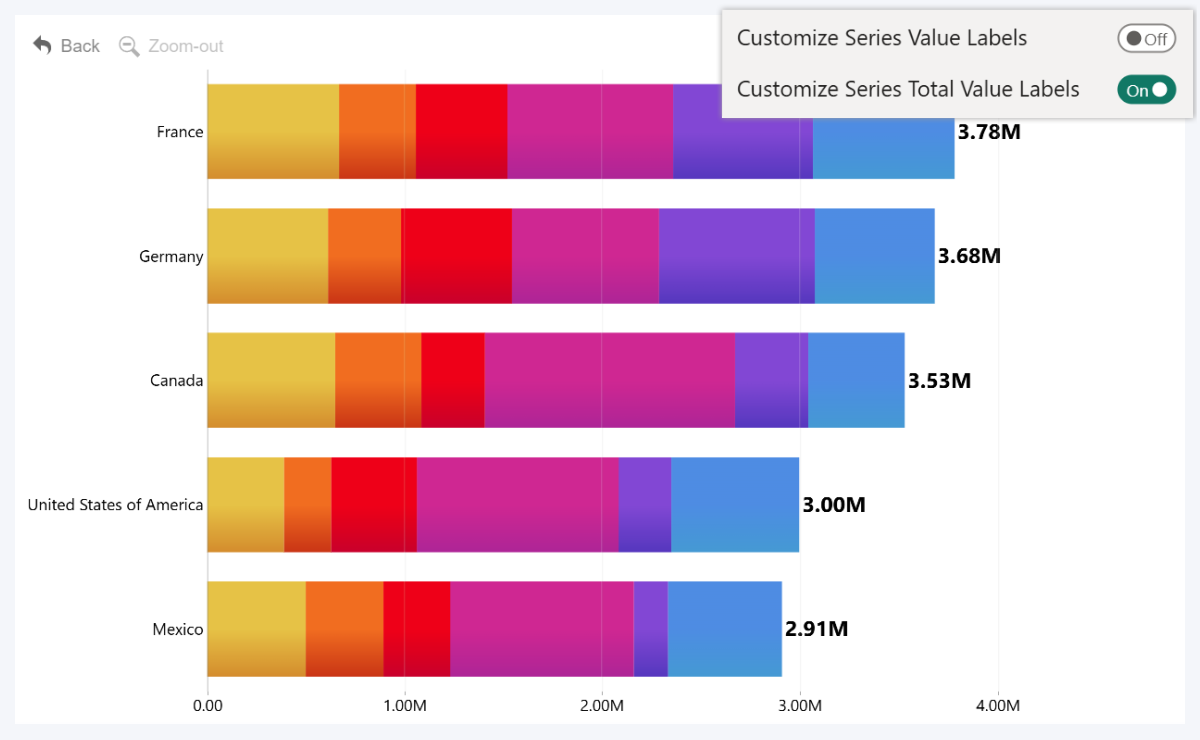
This setting will be available if your selected Display mode for this series is Stacked. If this toggle is enabled, this series will display a total value label that will display the cumulative value of the entire stack (whereas Series Value Labels display the value of the individual series or the segments split by Legend field).
This means that you can toggle the display of value labels and the total value label (show both, neither, or just one of them); and apply specific customization settings to the total value labels to visually distinguish them from other value labels.
Enabling this toggle will reveal a new section – Series Total Value Labels, and the settings there will override the Series Total Value Labels Defaults settings within Series Defaults. However, keep in mind that total value labels will be displayed for the series only in the following scenarios:
- The series has been split into segments using Legend field; and Split by Legend toggle has been enabled.
- The series is the top series within a Stack (series stacking order is determined by the Series field order, from bottom to top). For example, if you have Series 1, 2, and 3 assigned to the same Stack, you must use the Series 3 Configuration setting.
Was this helpful? Thank you for your feedback!
Sorry about that.
How can we improve it?