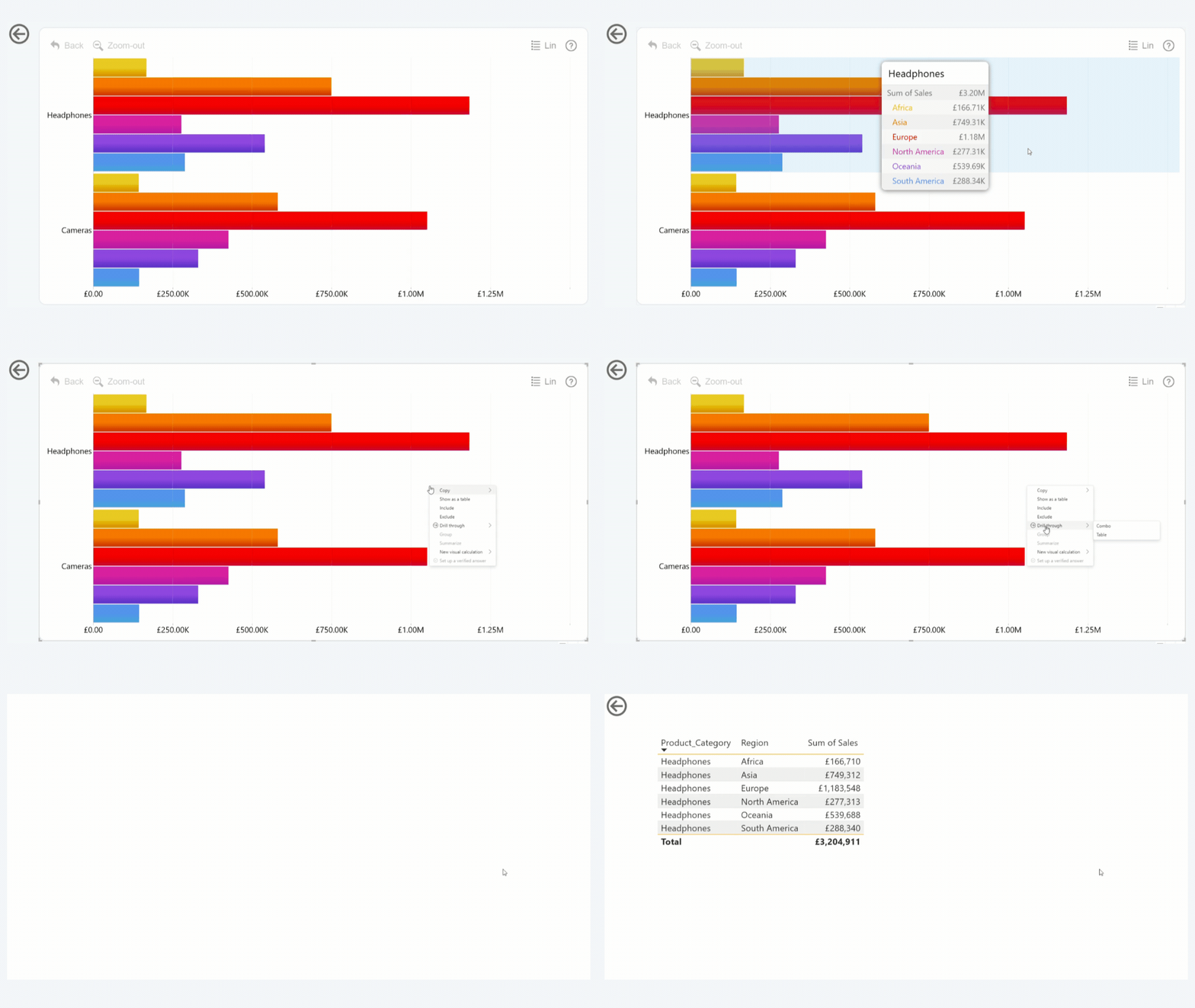
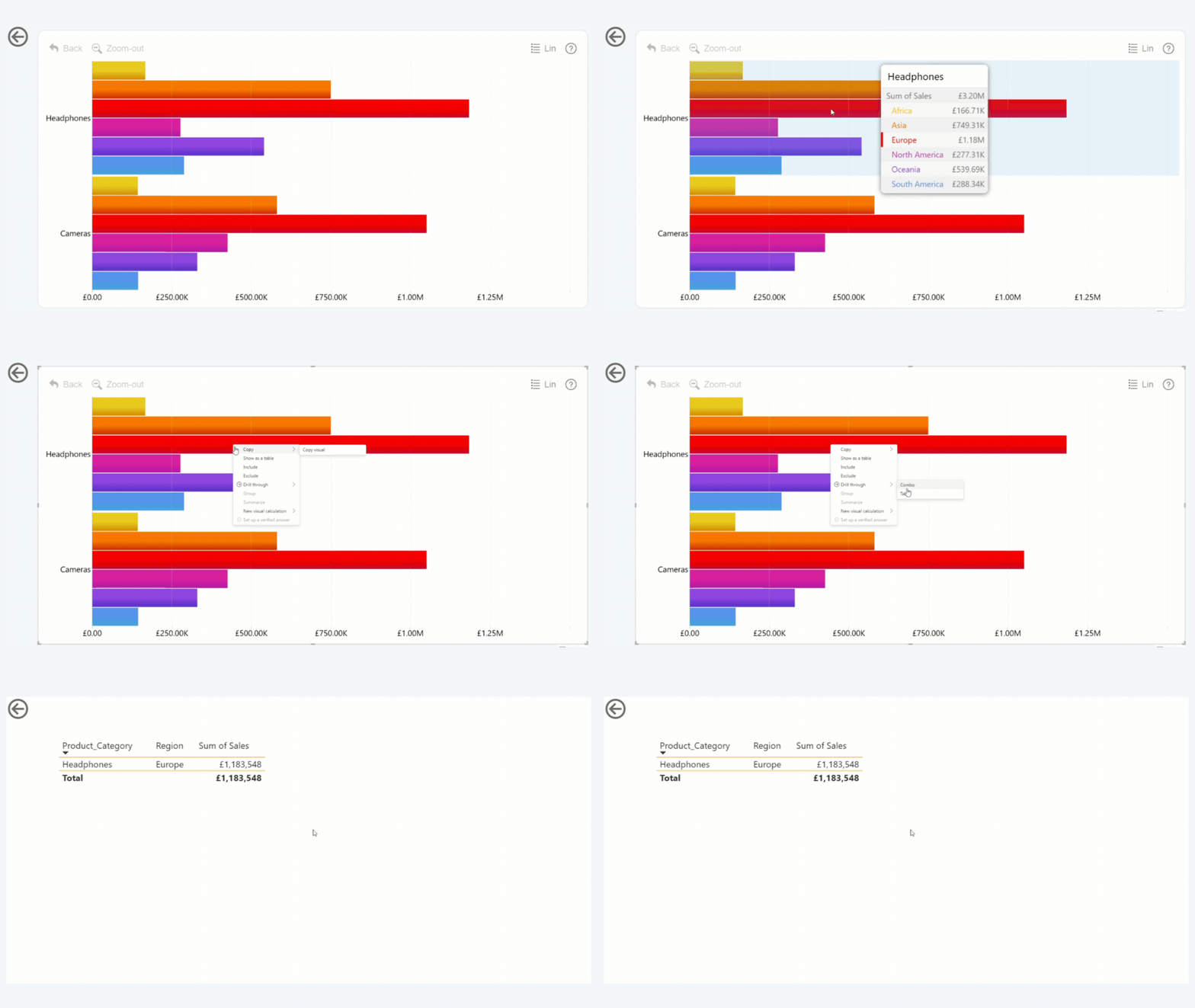
Drill Down visuals support 2 different ways of drill through:
- Category – Hover over the category without highlighting a specific subcategory and right click on the highlighted area of the chart to do a drill through action. This drill-through will apply the filter for the category and all sub-categories.
- Sub-category– Hover over the specific subcategory of a category and right click on the highlighted area of the chart to do a drill through action. This drill-through will apply the filter for not only the highlighted category but also the specific sub-category that is hovered.
Activating Drill-Through with a button is only available with the (PIN) version of the visuals and not the (FILTER).
Was this helpful? Thank you for your feedback!
Sorry about that.
How can we improve it?