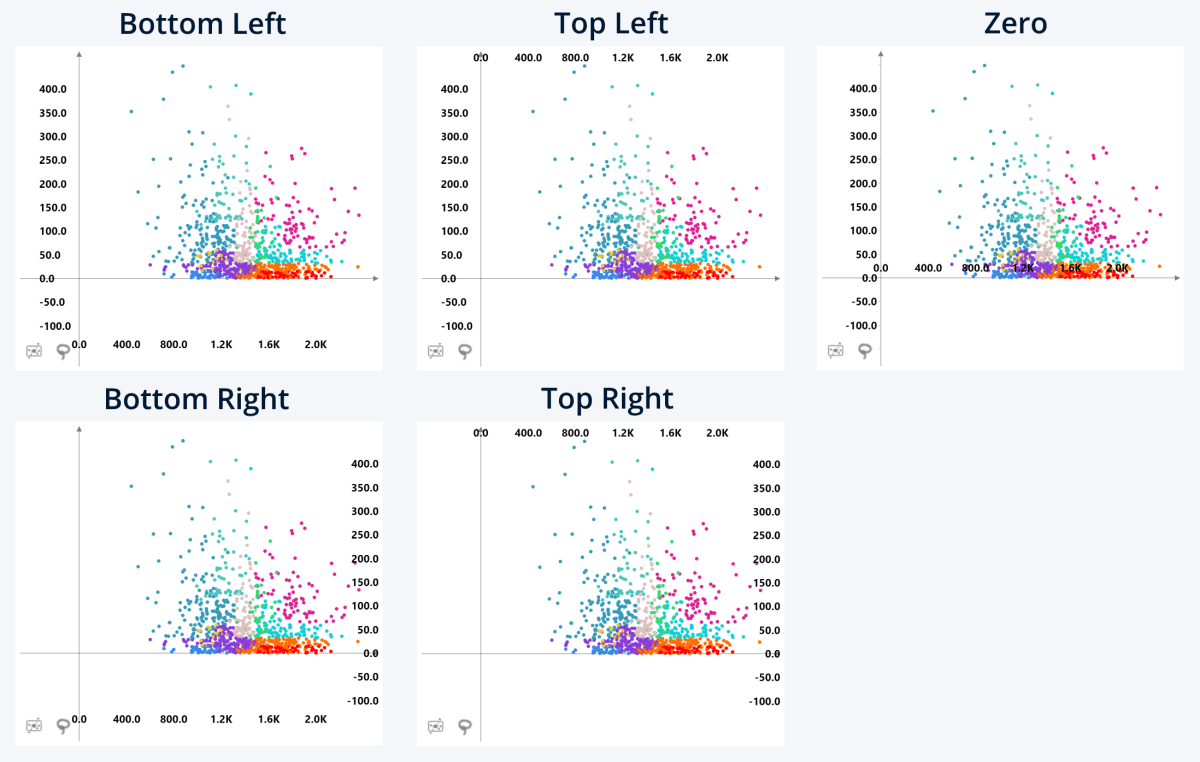
Choose where the X-Axis and Y-Axis scales are displayed:
- Bottom Left: The axis scales will float near the left and bottom edges of the visual’s viewport.
- Bottom Right: The axis scales will float near the right and bottom edges of the visual’s viewport.
- Top Left: The axis scales will float near the left and top edges of the visual’s viewport.
- Top Right: The axis scales will float near the right and top edges of the visual’s viewport.
- Zero: The axis scales are displayed directly on their corresponding axis lines, or at the nearest edge of the visual’s viewport whenever an axis line is out of bounds.
Was this helpful? Thank you for your feedback!
Sorry about that.
How can we improve it?