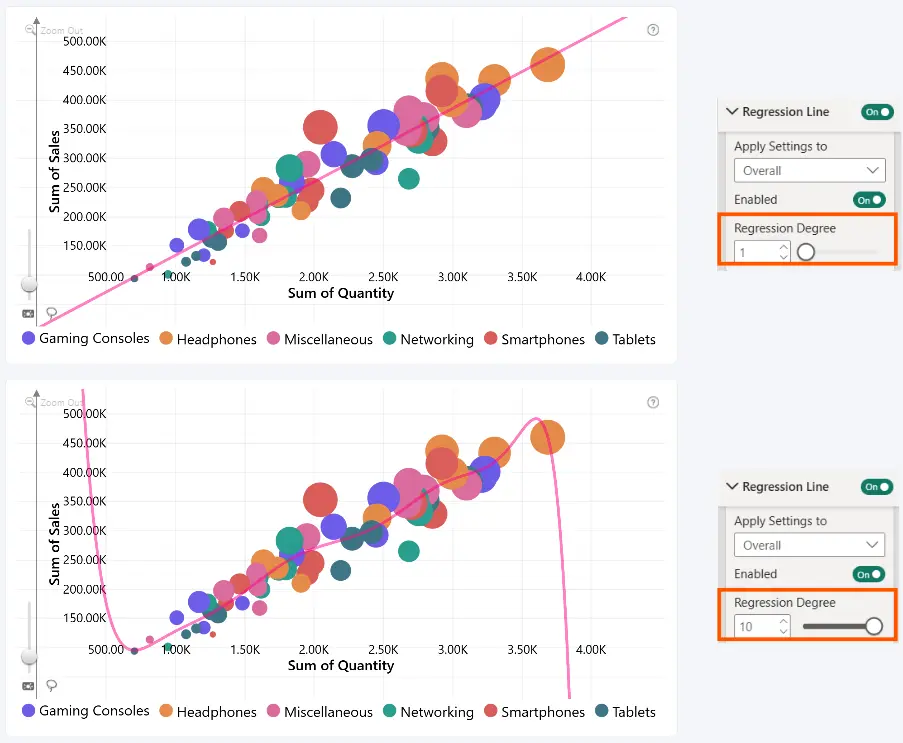
Set the degree of the regression function using a value between 0 and 10.
- 0 - no regression line is displayed.
- 1 - displays a linear regression line.
- 2-10 - displays a polynomial regression line of the selected degree (for example, 2 = quadratic, 3 = cubic).
Use Apply Settings to to configure different regression degrees for the overall regression line or individual legend groups.
Was this helpful? Thank you for your feedback!
Sorry about that.
How can we improve it?