In addition to the default data point marker formatting options in Data Points, group settings and category-specific marker colors or shapes, Bubble PRO provides another way to customize your bubble chart – data-driven formatting.
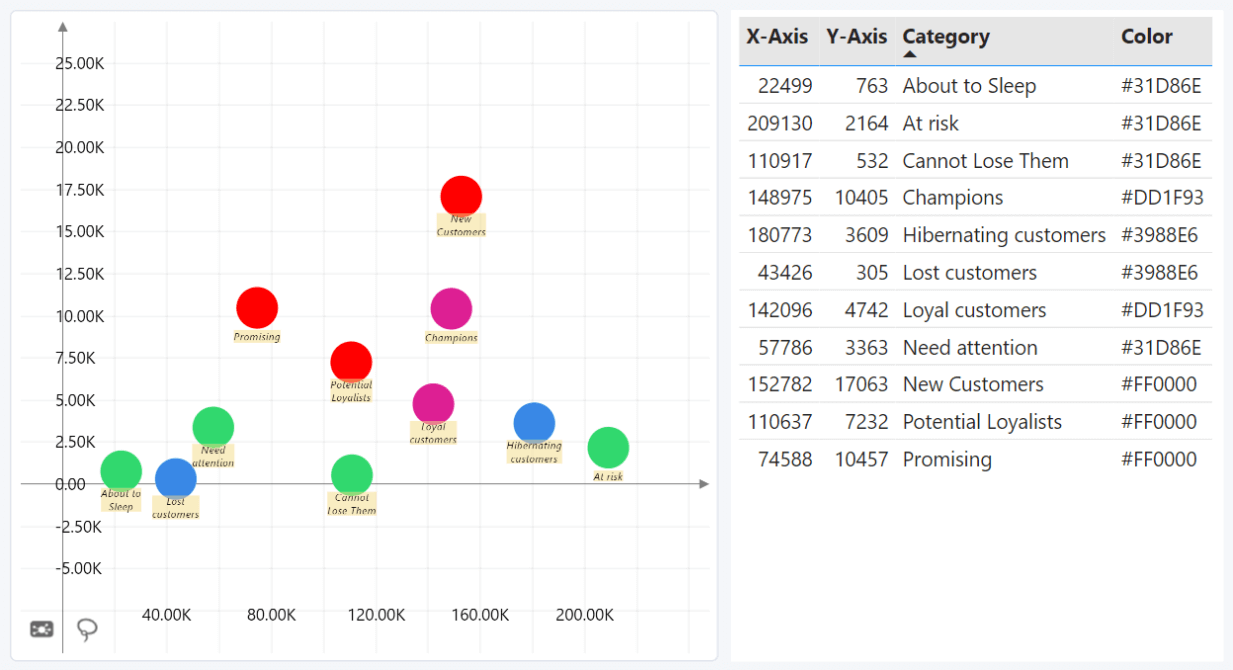
Bubble PRO offers various optional fields that can be used to apply specific formatting rules to each individual data point directly from data, including custom marker colors, shapes, display values, and even images.
The formatting rules will be applied if the settings that govern each property (such as Color Mode or Marker Shape) in the Data Points section are set to “Dynamic”. You can read more about formatting columns in the Data Fields page.
Was this helpful? Thank you for your feedback!
Sorry about that.
How can we improve it?