Create up to eight custom areas with color fill. You can use
these areas to mark quadrants, highlight specific areas or emphasize outliers.
Each area can be configured individually.
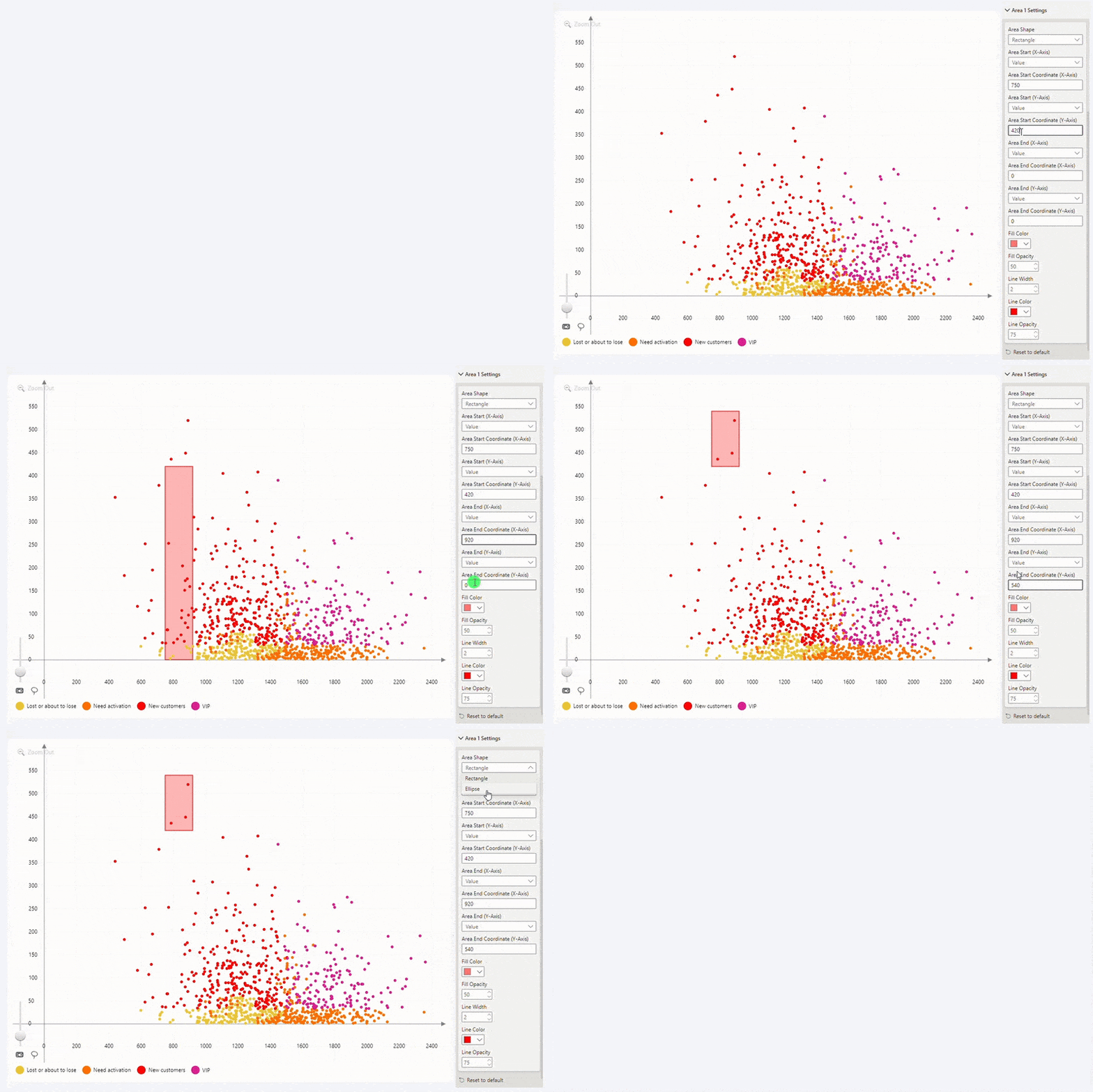
This feature can be accessed in the Area Shading section
of the Format Visual tab. After enabling each of the Enable Area 1-8 toggles,
an additional section Area X Settings will be added for each shape you
have enabled, allowing you to configure settings such as:
- Area Shape: choose between rectangle or ellipse.
- Area Start and End: select area boundaries – infinity or specific X and Y coordinates.
- Fill color and opacity: adjust the appearance of the area fill.
- Line color and opacity: customize the border line of your area.
Was this helpful? Thank you for your feedback!
Sorry about that.
How can we improve it?