This color mode derives the background from the slice color and let you adjust lightness, hue shift , saturation, opacity, padding, and corner rounding.
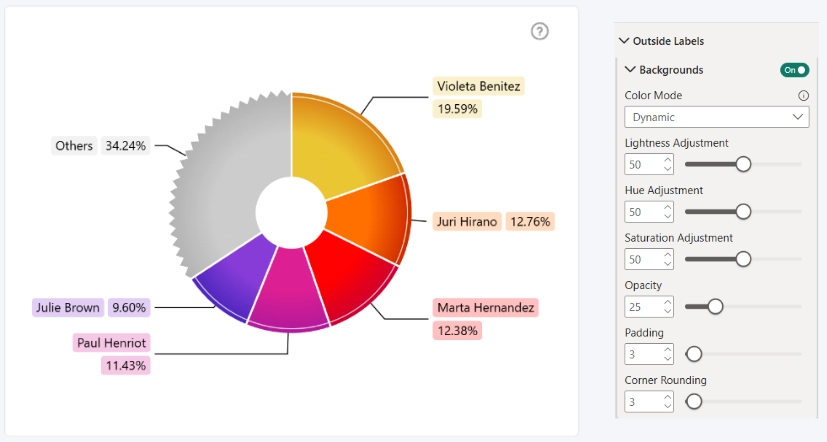
Background Lightness Adjustment
Determines how light or dark the background color appears.
- Range: 0 – 100%
- 0: black
- 100: white
- Default: 50
Background Hue Adjustment
This setting allows you to shift the hue, to modify the background color.
- Range: 0 – 100%
- 0: black
- 100: white
- Default: 50
Background Saturation Adjustment
This setting allows you to modify the saturation of the derived gradient color. You can choose a value between 0 and 100.
- 0 to 49: The saturation will be decreased, resulting in a pale and muted shade.
- 50: The saturation will not be modified.
- 51 to 100: The saturation will be increased, resulting in a more vivid shade.
- Default: 50
Background Opacity
Controls background transparency.
- Range: 0–100
- Default: 25
Background Padding
Controls spacing between text and background.
- Range: 0–50
- Default: 3
Background Corner Rounding
Controls corner radius of background.
- Range: 0–50
- 0: sharp corners
- 50: fully rounded
Was this helpful? Thank you for your feedback!
Sorry about that.
How can we improve it?