209
Software Delivery Analytics Dashboard in Power BI
Software Delivery Analytics Dashboard in Power BI
More Report pages
Report Author: Pankaj Namekar
209
Share template with others
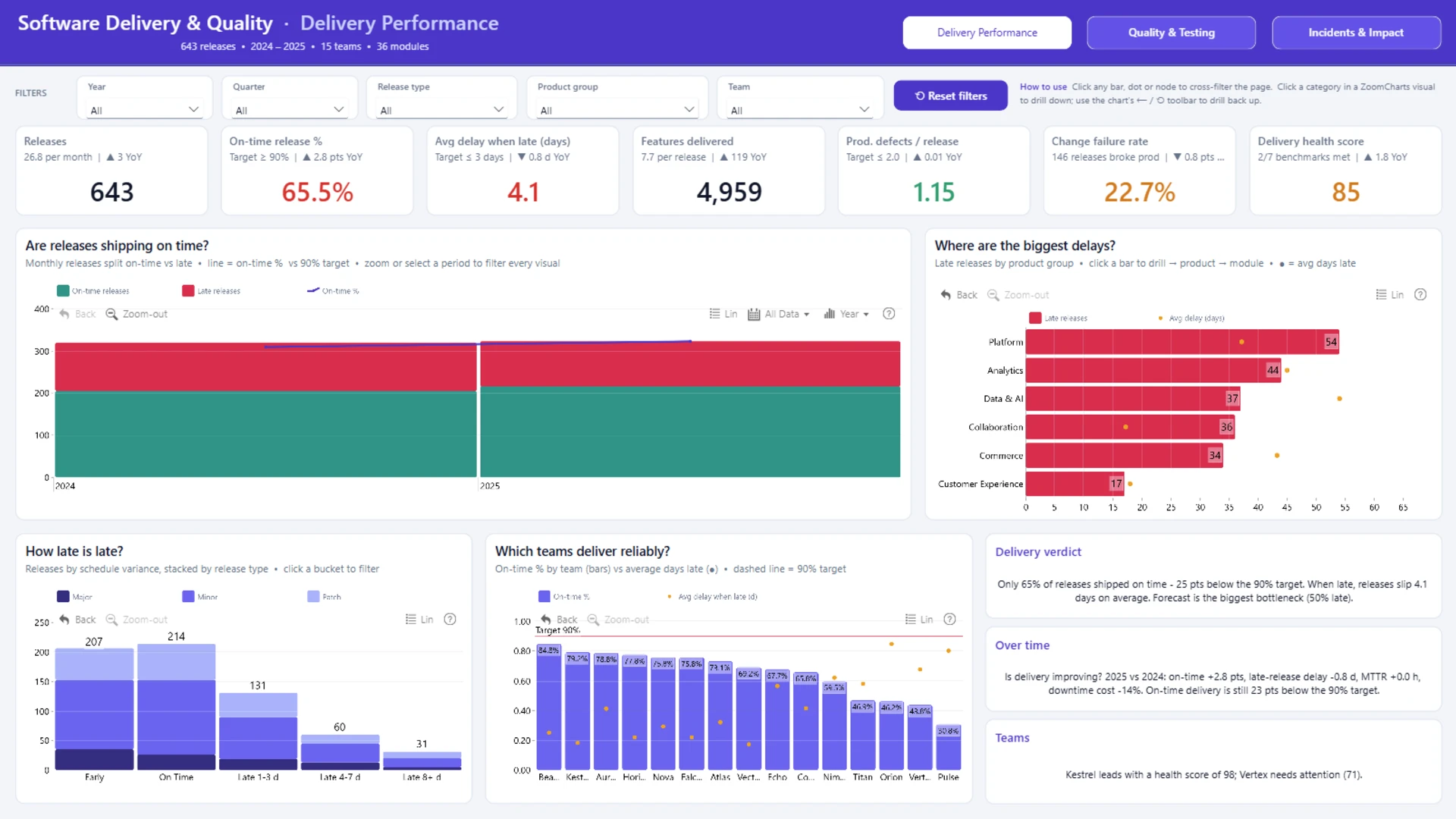
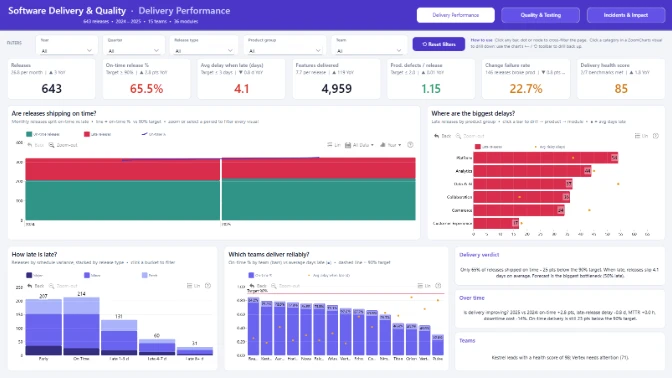
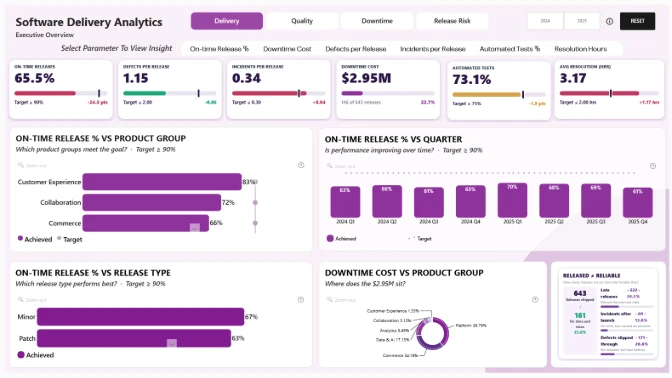
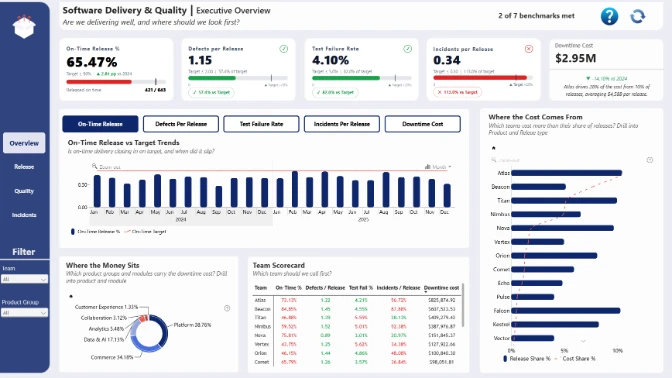
Explore this interactive Power BI software delivery dashboard to analyze software release performance, delivery delays, and development team efficiency. Track on-time release rates, average delay days, features delivered, production defects, and change failure rates. Compare software delivery KPIs against performance targets across 2024 and 2025.
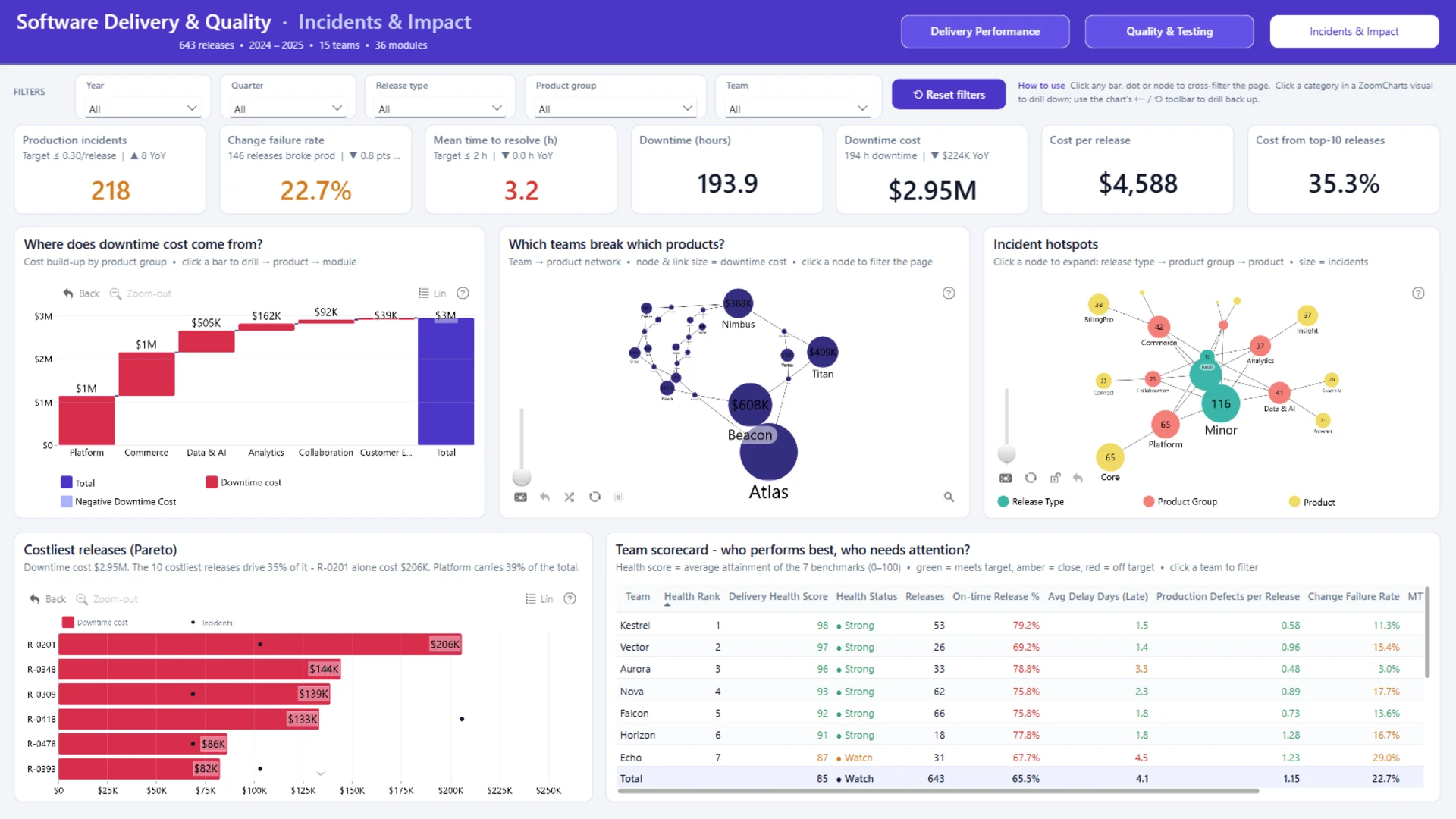
Analyze release delivery trends over time, identify product groups and modules with the most late releases, and compare on-time delivery performance across development teams. Explore release status by schedule variance, release type, and delay duration to identify delivery bottlenecks. Interactive ZoomCharts Drill Down PRO visuals support analysis from product groups to individual products and modules, with cross-filtering across charts. The dashboard also includes Quality & Testing and Incidents & Impact sections for analyzing software reliability and production issues.
Created for the ZoomCharts Power BI Software Delivery & Quality Analytics Challenge. To access the dataset, open the challenge page and select "Get the dataset" on the left side of the page.
ZoomCharts visuals used








4U Report Challenges
Participate in data challenges, build and submit reports to get free template downloads.
Join CommunityMobile view allows you to interact with the report. To Download the template please switch to desktop view.
How to use a PBIX template
Preview the interactive report, download the PBIX file, open it in Power BI Desktop, and replace the same data connection with your own dataset.
Preview and download
Explore the report online and download the PBIX template file.
Open in Power BI Desktop
Open the downloaded PBIX file in Power BI Desktop.
Connect your data
Replace the sample data source with your own dataset.
Refresh and adjust
Refresh the model and update fields or visual were needed.
Save and share
Save your report and publish it for your audience.


