225
Power BI Software Quality Dashboard: Team KPI Benchmarks
Power BI Software Quality Dashboard: Team KPI Benchmarks
More Report pages
Report Author: Nina Ikpe
225
Share template with others
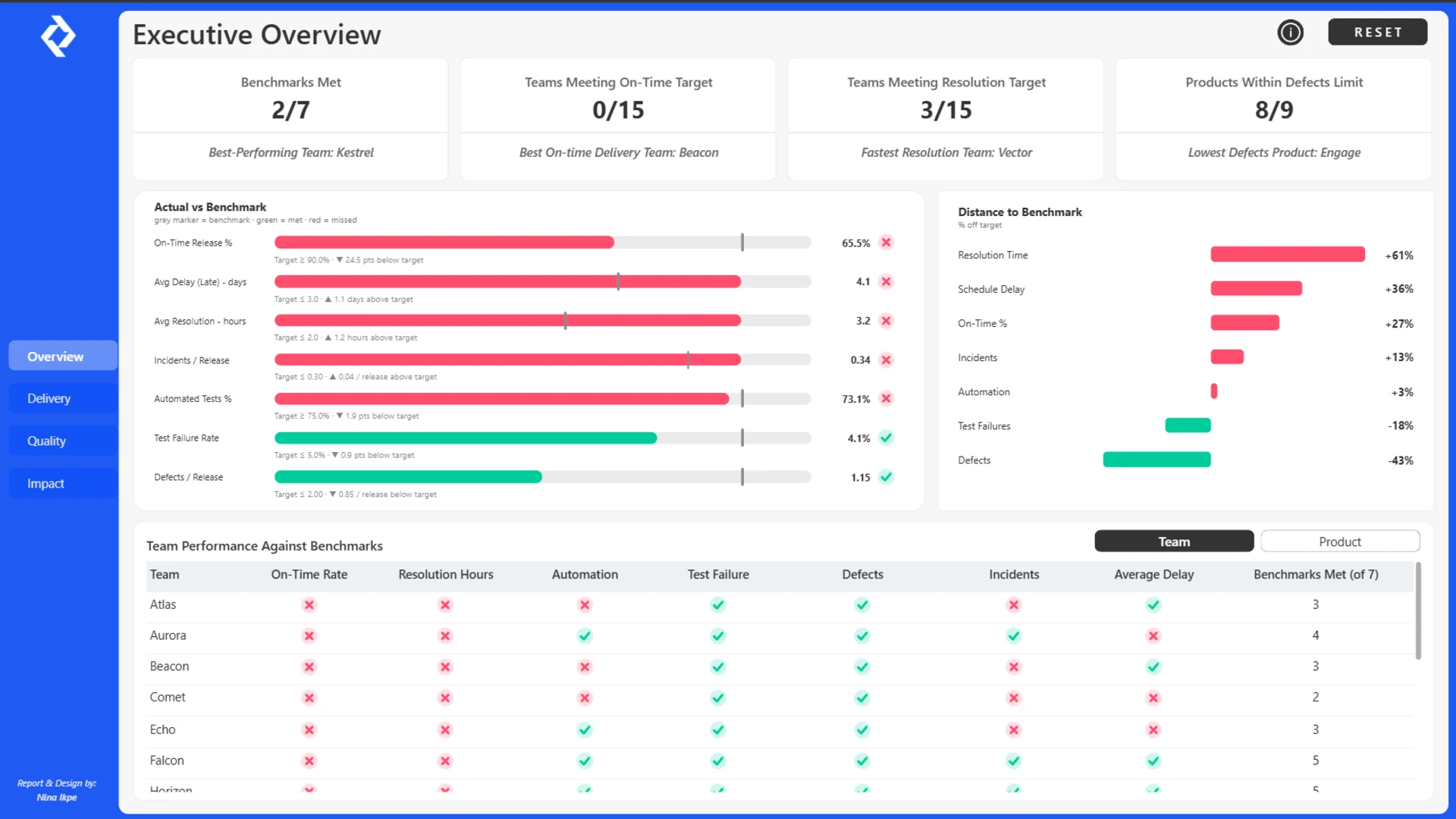
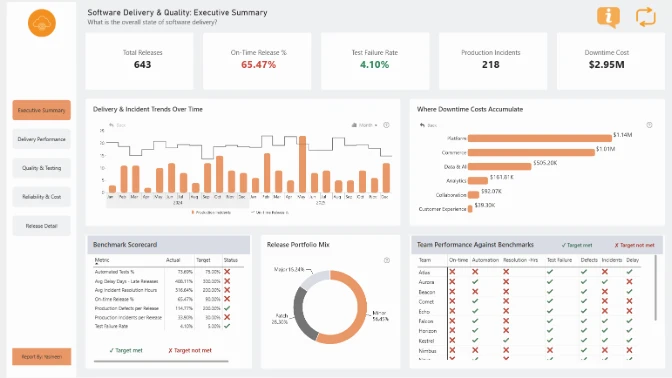
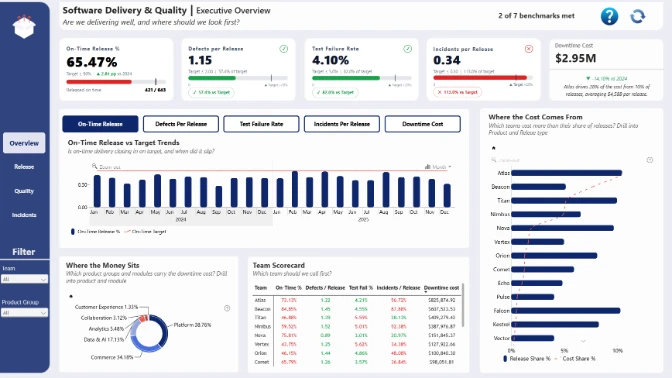
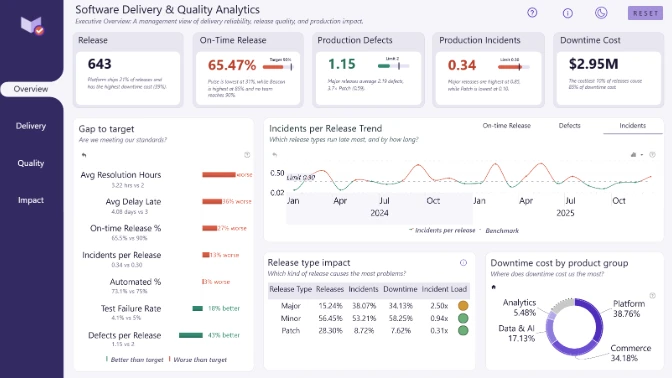
Explore this interactive Power BI software quality dashboard designed to connect software release performance with real business impact.
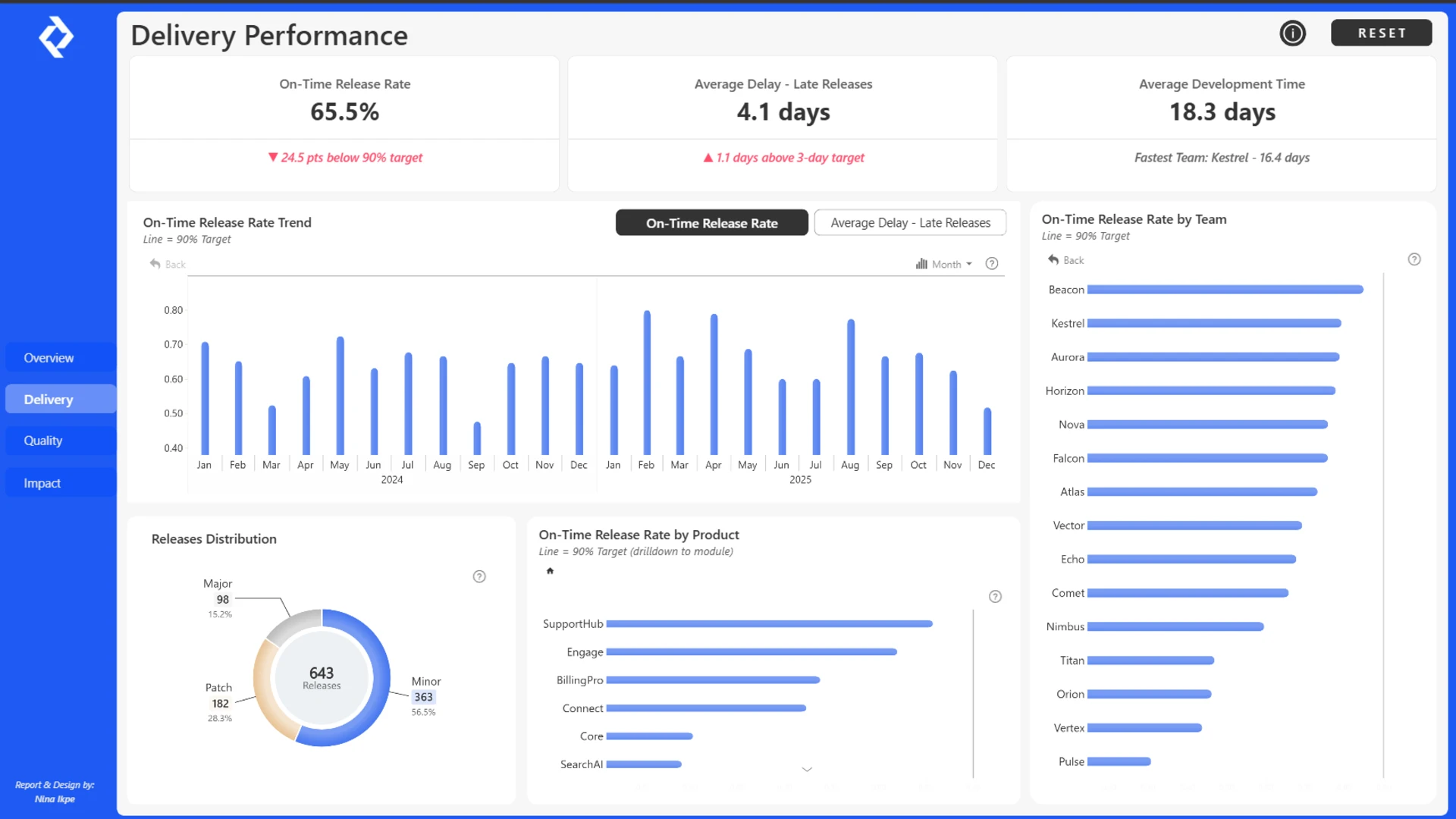
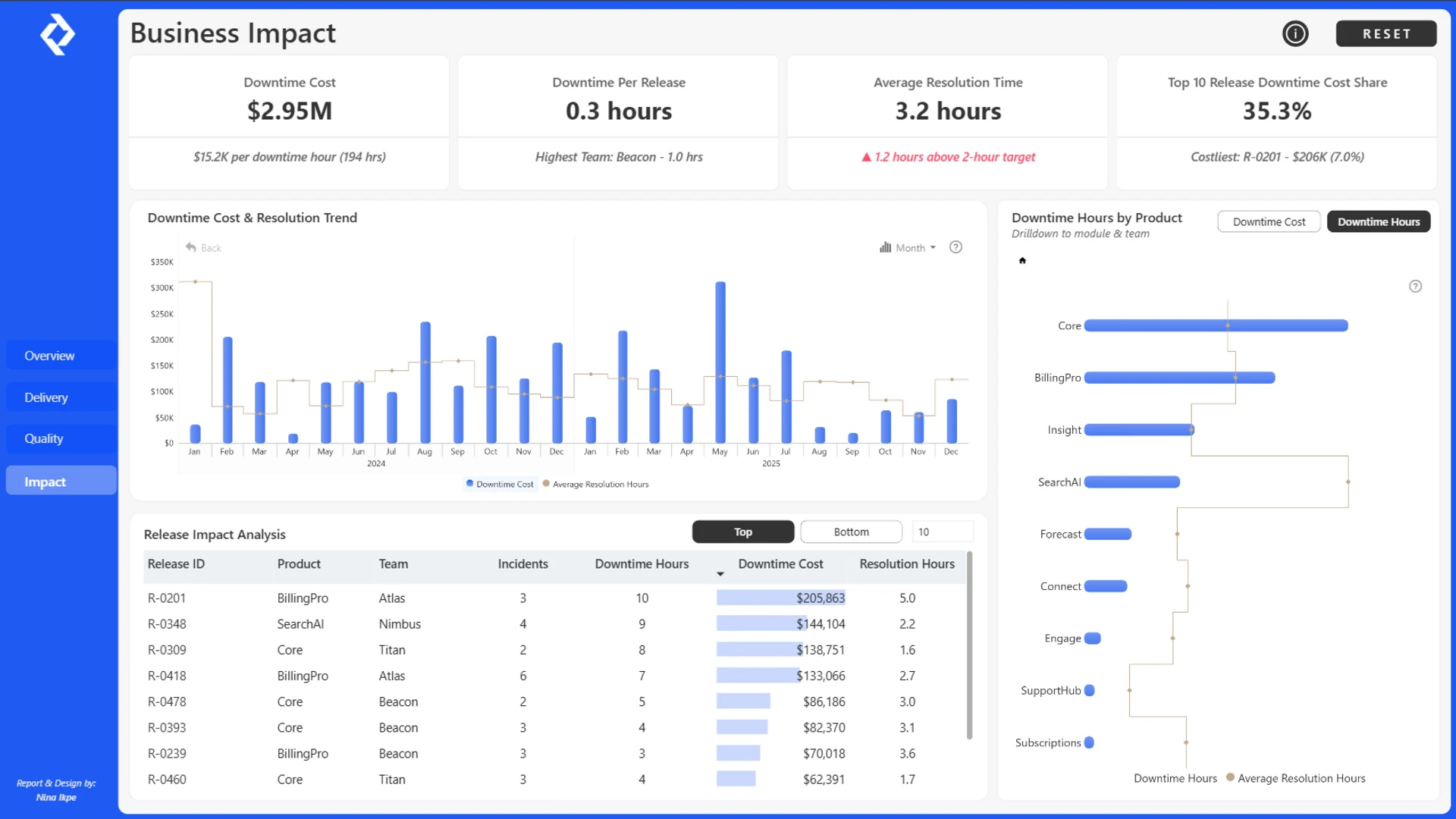
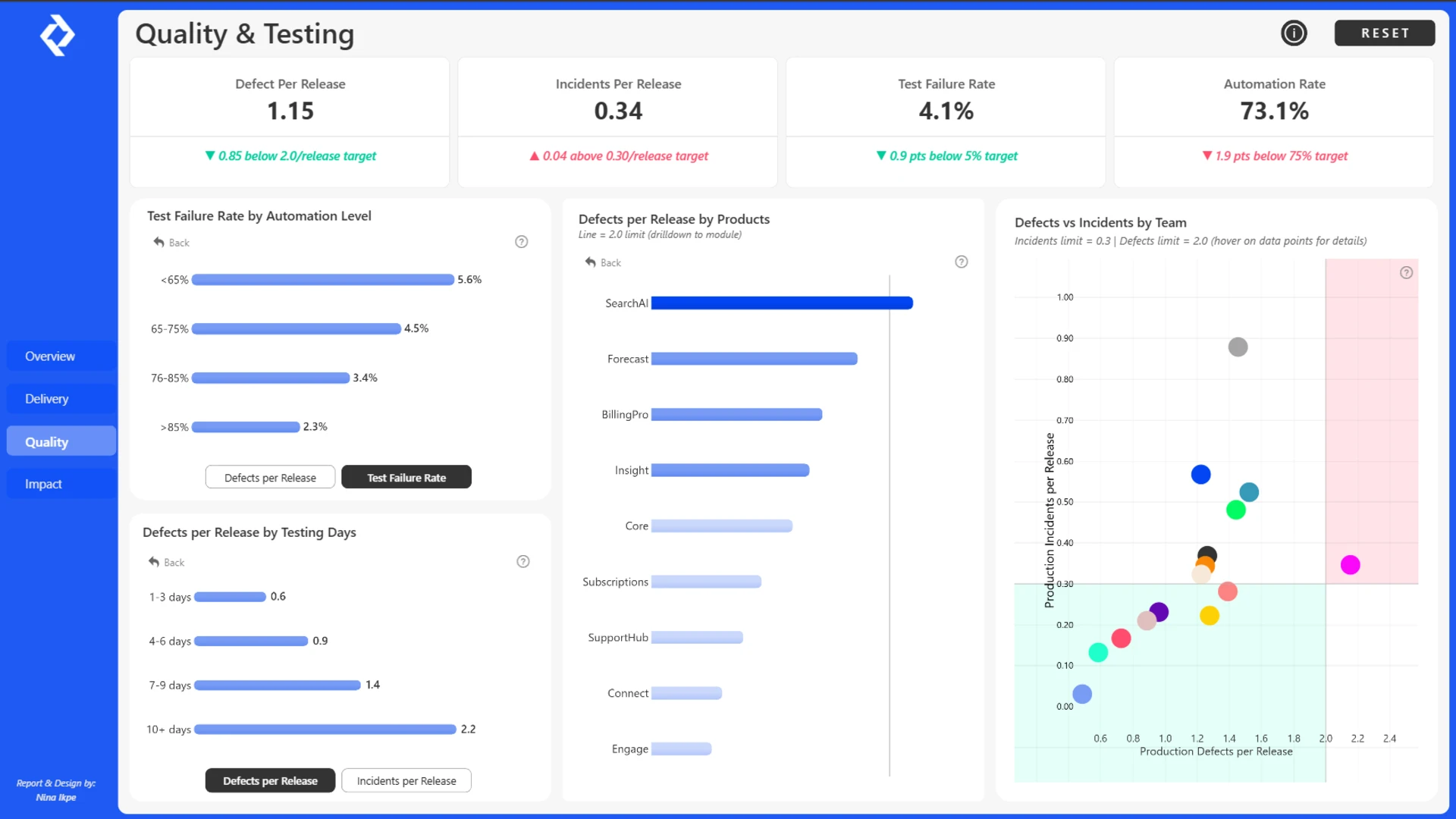
The dashboard combines executive KPI monitoring with interactive Power BI visualizations covering Delivery, Quality, Incidents, and Business Impact. Explore development team scorecards, compare product performance, investigate release delays and testing failures, and identify where production incidents generate the greatest downtime costs. These insights help engineering leaders prioritize quality improvements, reduce operational risks, and make data-driven decisions that improve software delivery performance and customer experience.
Built with Power BI and ZoomCharts Drill Down PRO visuals as part of the ZoomCharts Power BI Software Delivery & Quality Analytics Challenge, focused on software release management, quality assurance, testing performance, production incidents, and downtime analysis.
ZoomCharts visuals used





4U Report Challenges
Participate in data challenges, build and submit reports to get free template downloads.
Join CommunityMobile view allows you to interact with the report. To Download the template please switch to desktop view.
How to use a PBIX template
Preview the interactive report, download the PBIX file, open it in Power BI Desktop, and replace the same data connection with your own dataset.
Preview and download
Explore the report online and download the PBIX template file.
Open in Power BI Desktop
Open the downloaded PBIX file in Power BI Desktop.
Connect your data
Replace the sample data source with your own dataset.
Refresh and adjust
Refresh the model and update fields or visual were needed.
Save and share
Save your report and publish it for your audience.


