182
Power BI Software Delivery Report: Release Performance and Quality
Power BI Software Delivery Report: Release Performance and Quality
More Report pages
Report Author: Favour Azu
182
Share template with others
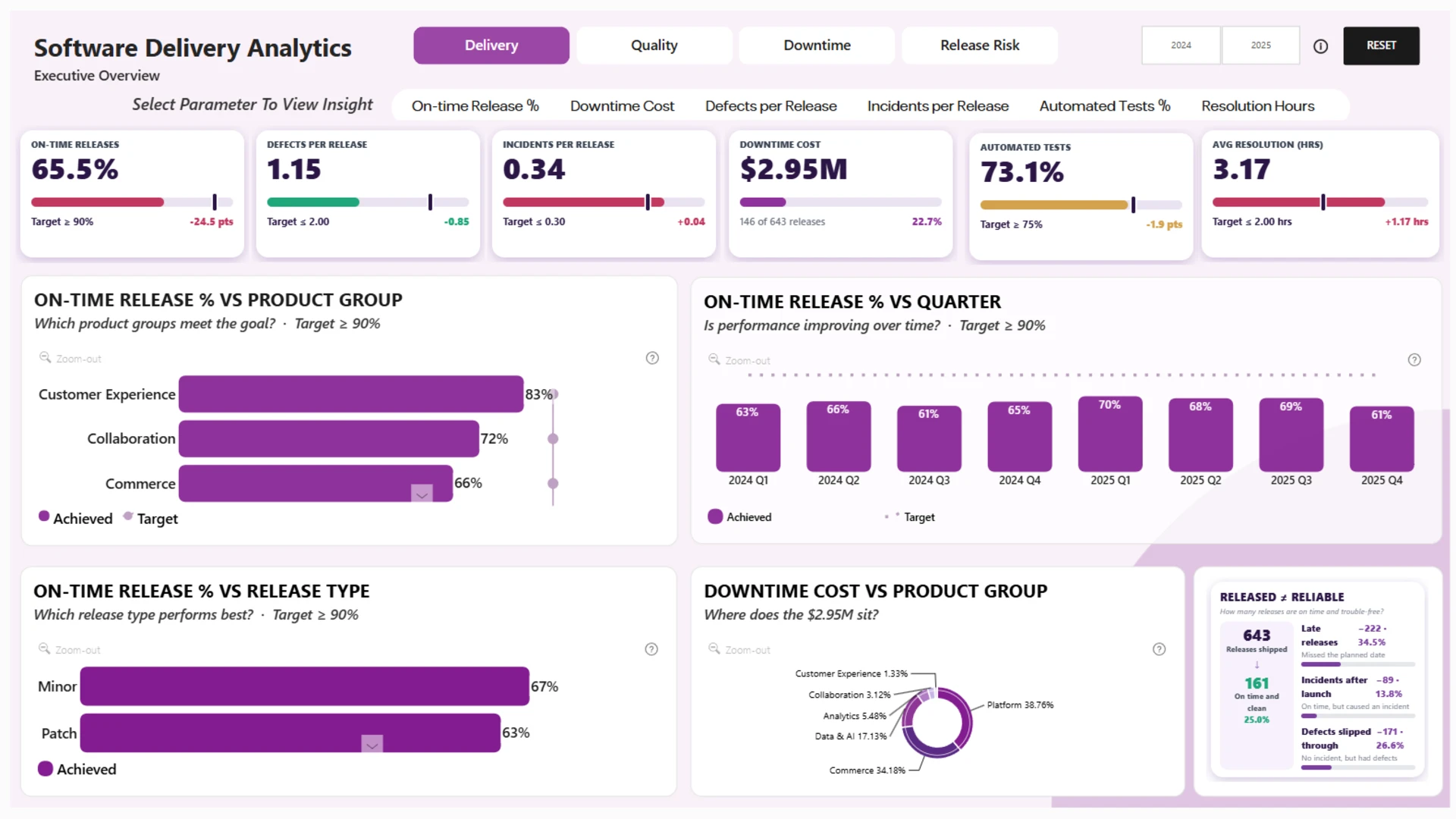
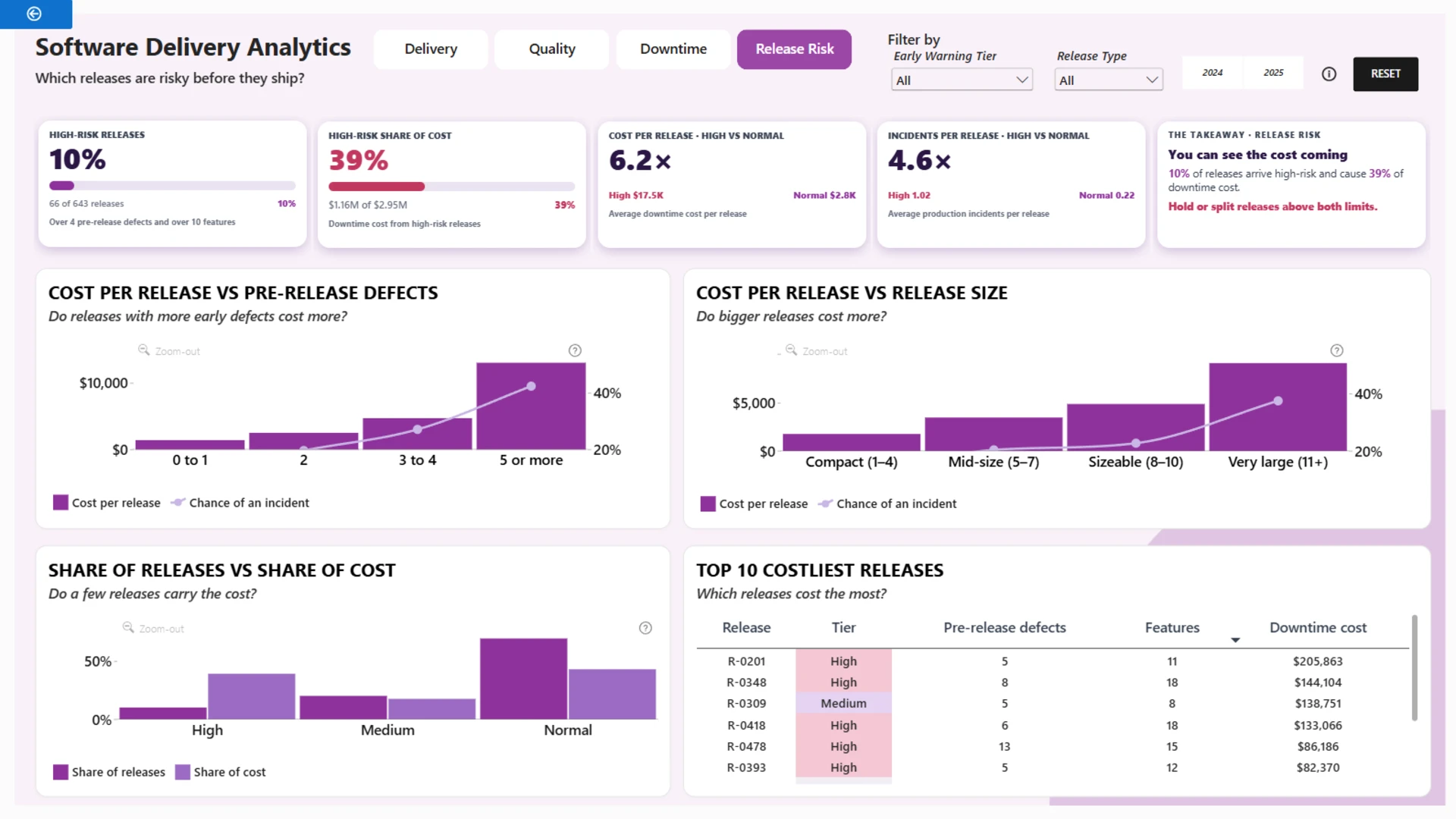
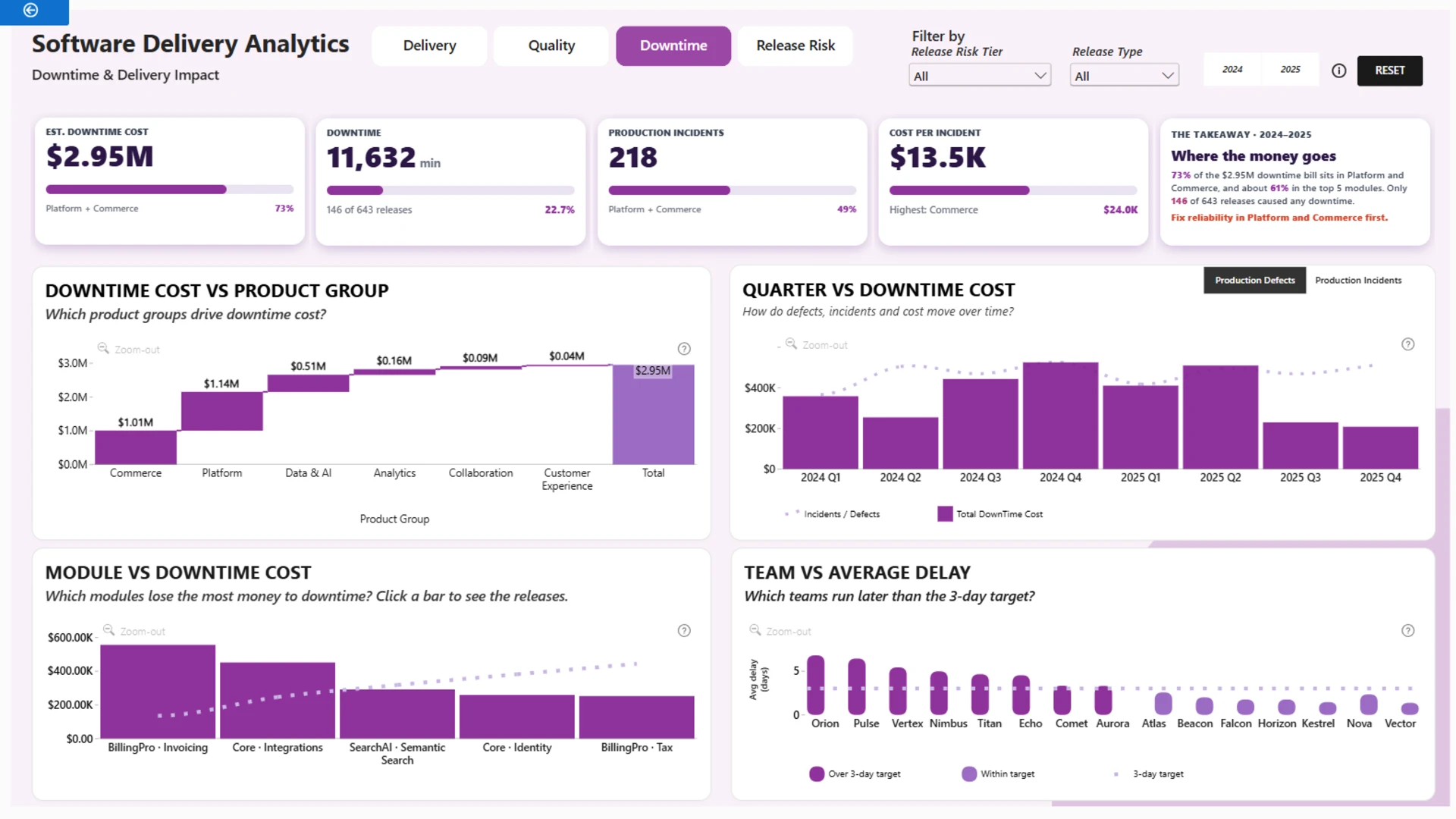
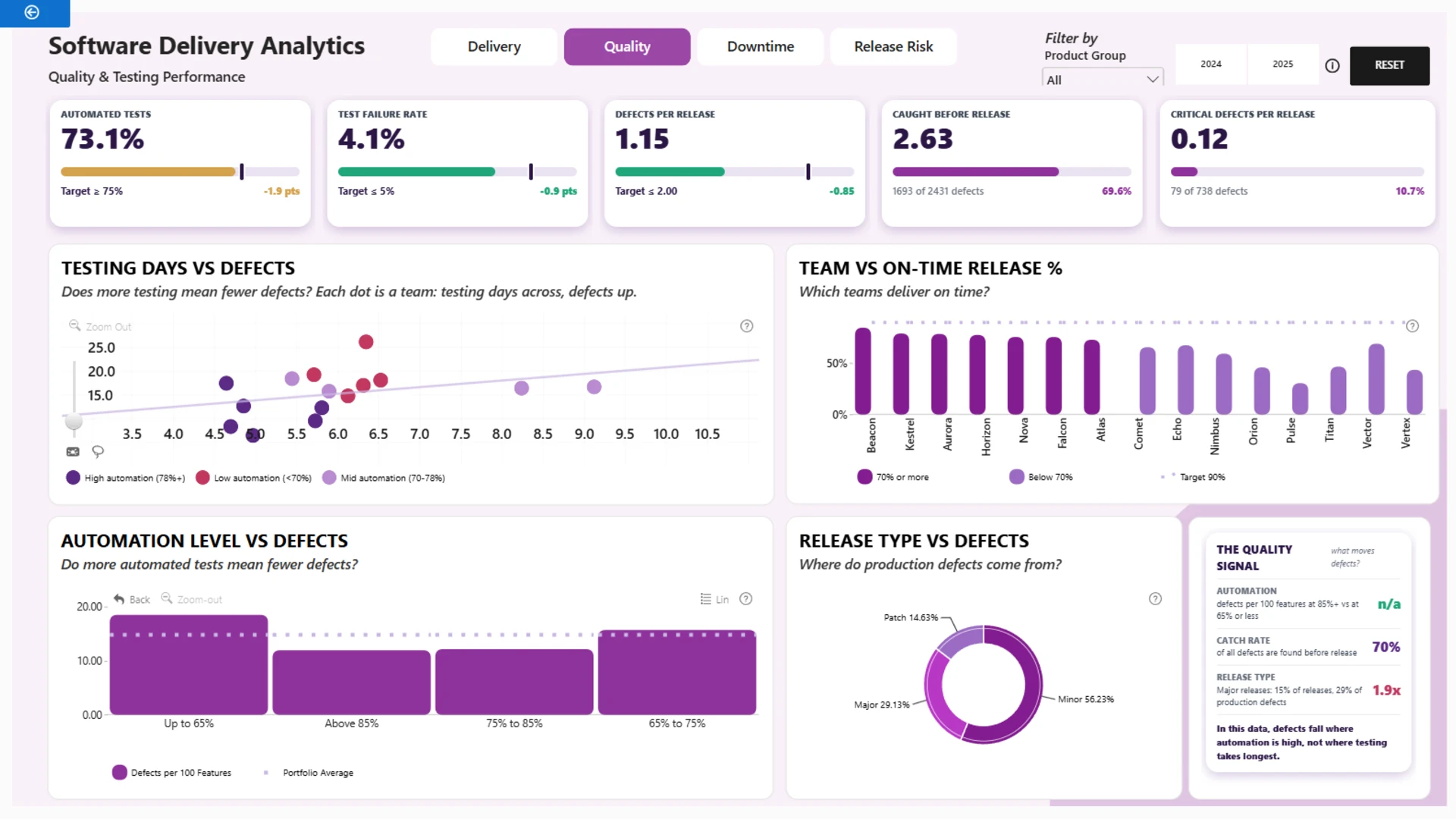
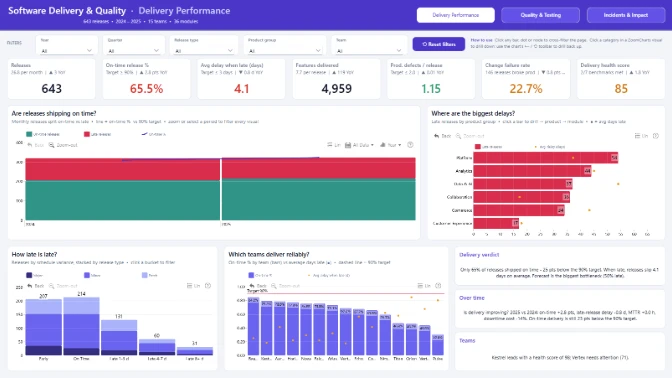
An interactive Power BI software delivery and quality analytics report designed to help IT managers, software development teams, and business leaders monitor release performance, track product quality, and identify operational risks. Analyze 643 software releases across 2024 and 2025, including on-time delivery rates, defects per release, production incidents, automated testing coverage, resolution times, and downtime costs.
The report combines executive-level KPIs with interactive drill-down analysis across Delivery, Quality, Downtime, and Release Risk to help teams reduce release delays, improve software testing, minimize production incidents, and make data-driven software development decisions.
Built with Power BI and ZoomCharts Drill Down PRO visuals as part of the ZoomCharts Power BI Software Delivery & Quality Analytics Challenge, focused on software release management, product quality, testing performance, production incidents, and downtime analysis.
ZoomCharts visuals used





4U Report Challenges
Participate in data challenges, build and submit reports to get free template downloads.
Join CommunityMobile view allows you to interact with the report. To Download the template please switch to desktop view.
How to use a PBIX template
Preview the interactive report, download the PBIX file, open it in Power BI Desktop, and replace the same data connection with your own dataset.
Preview and download
Explore the report online and download the PBIX template file.
Open in Power BI Desktop
Open the downloaded PBIX file in Power BI Desktop.
Connect your data
Replace the sample data source with your own dataset.
Refresh and adjust
Refresh the model and update fields or visual were needed.
Save and share
Save your report and publish it for your audience.


