173
Power BI Software Delivery Dashboard: Team & Downtime Analysis
Power BI Software Delivery Dashboard: Team & Downtime Analysis
More Report pages
Report Author: Alanijoshua500
173
Share template with others
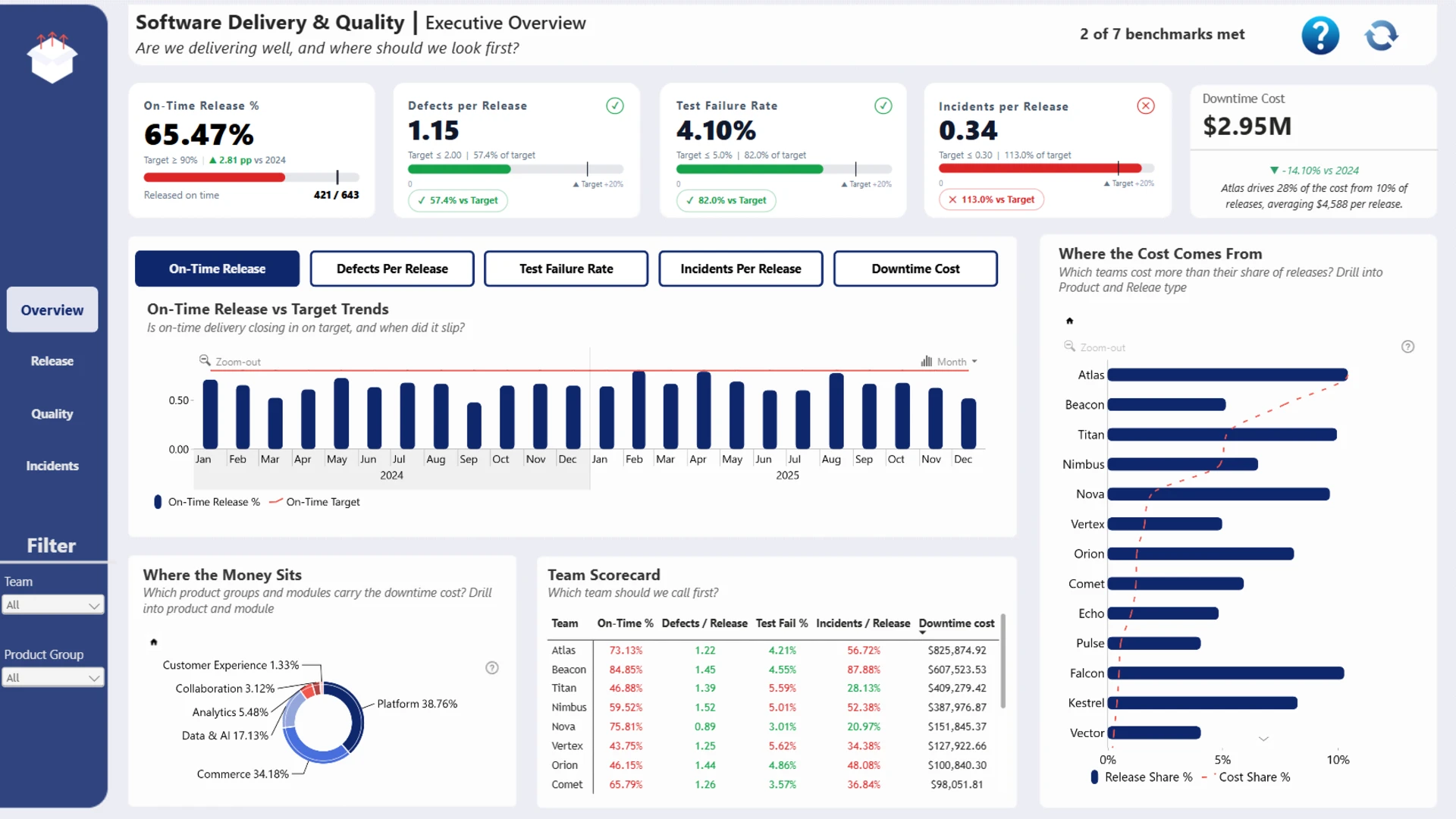
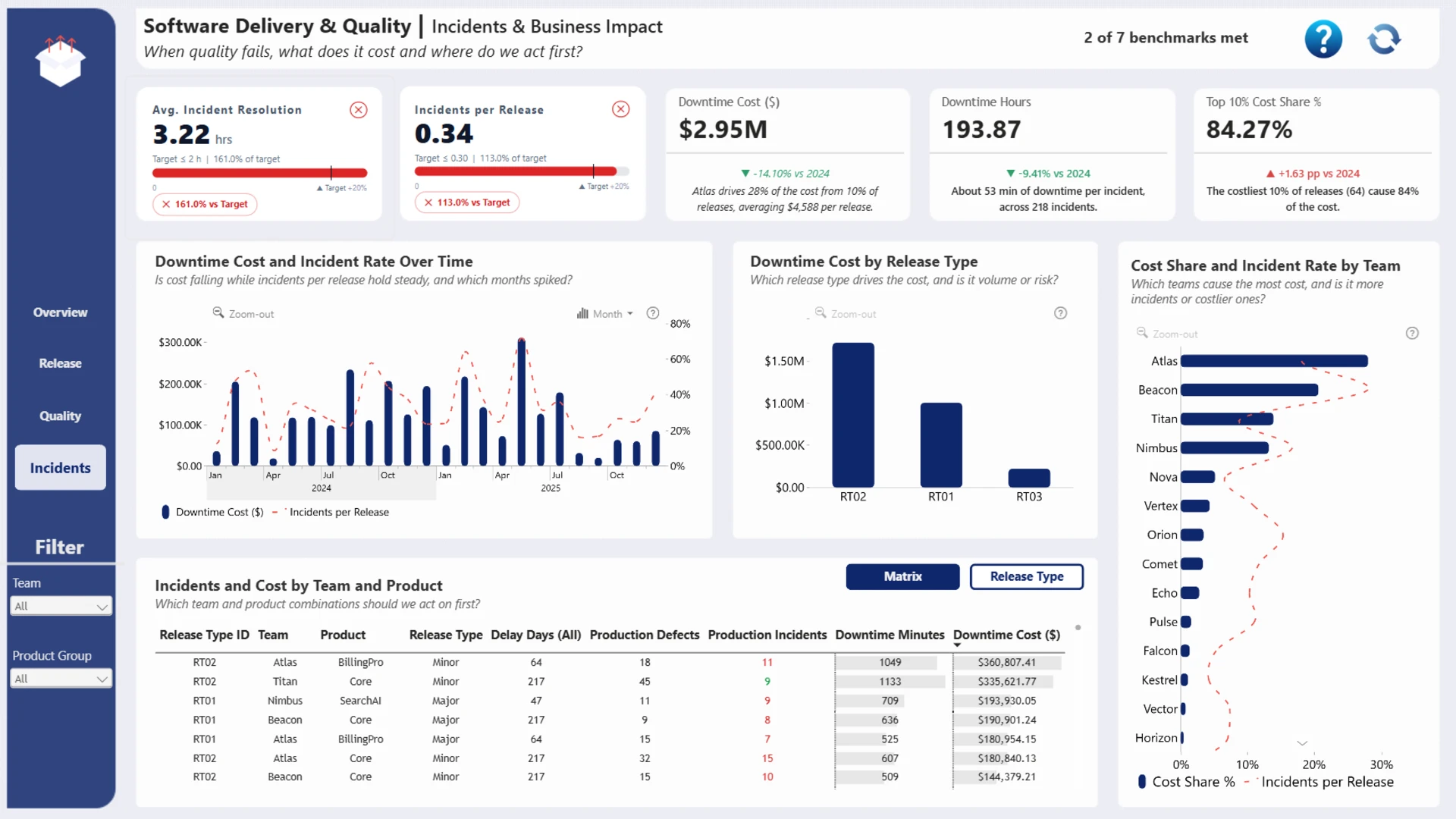
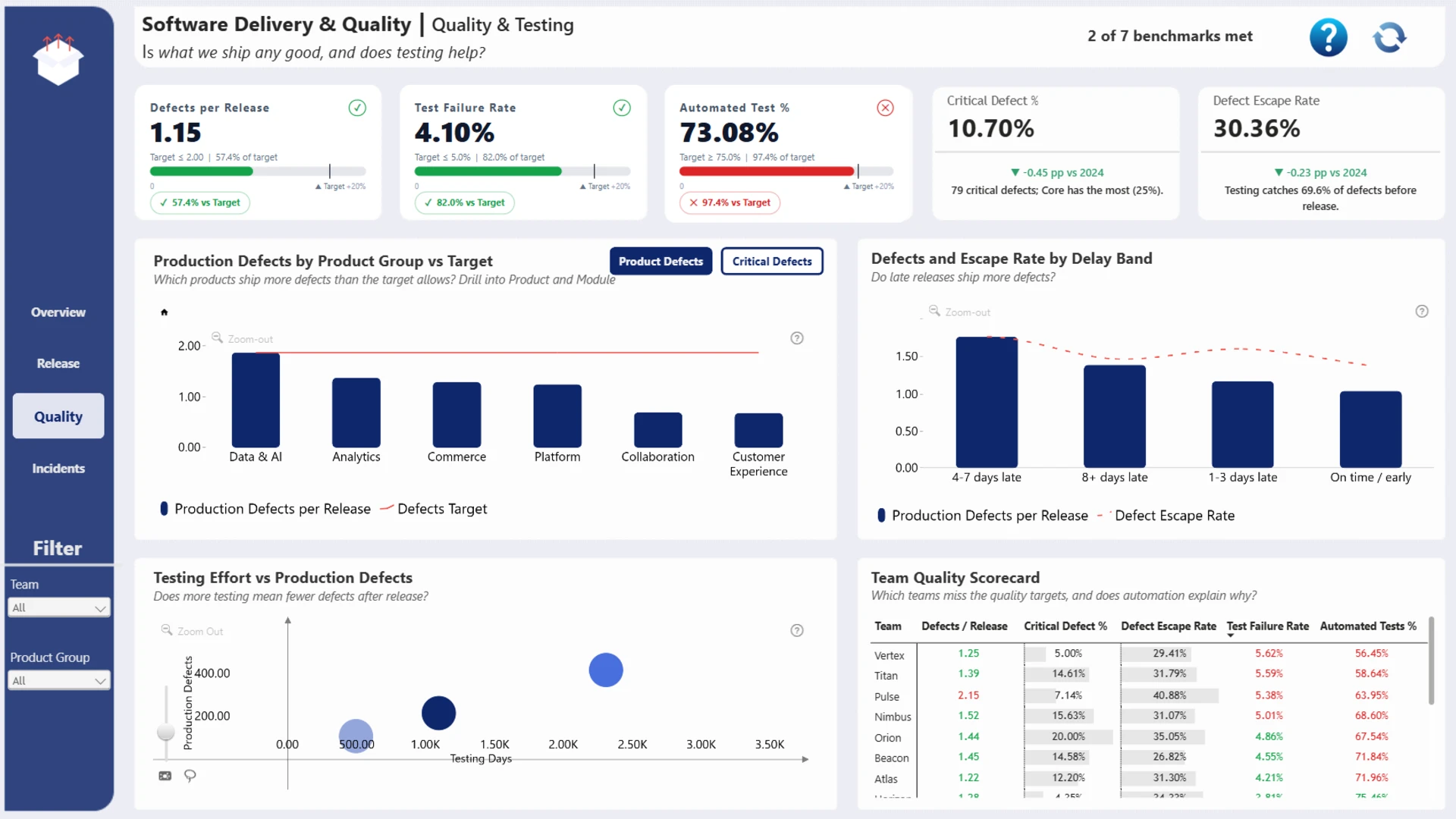
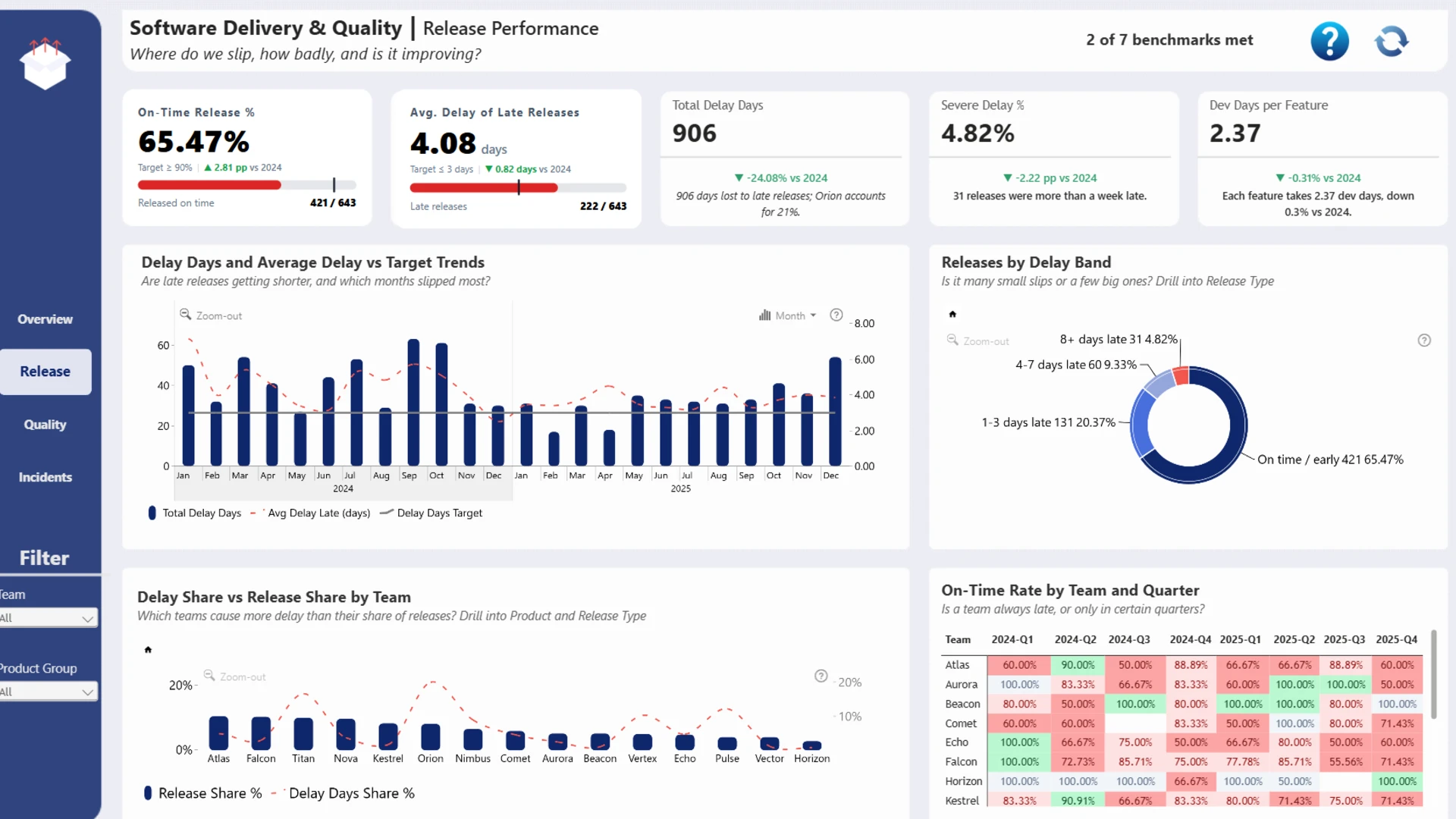
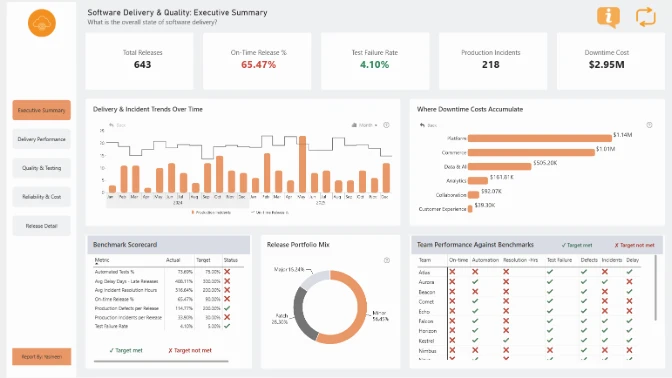
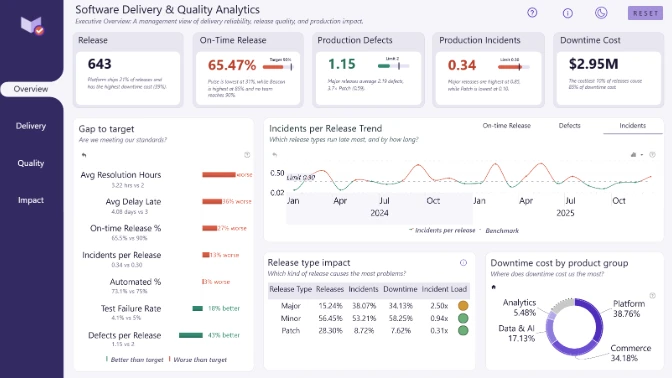
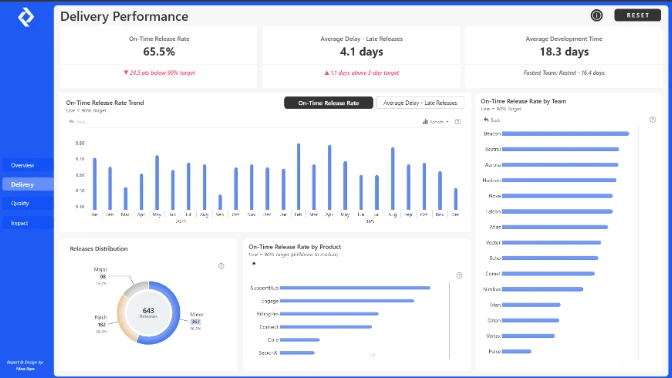
Explore this interactive Power BI software delivery dashboard designed to help IT managers, software development teams, and QA professionals improve release management, software quality, and operational efficiency. Analyze 643 software releases from 15 teams across 36 product modules between January 2024 and December 2025. Monitor seven software delivery KPIs, including on-time release rates, release delays, test failure rates, automated testing coverage, production defects, incidents, and resolution times.
The dashboard combines executive performance monitoring with interactive Power BI visualizations to analyze software release reliability, testing effectiveness, team performance, and downtime costs. Track a 65.47% on-time delivery rate against a 90% target, investigate $2.95M in downtime costs, and compare development teams and product groups to identify quality issues and operational bottlenecks. Use ZoomCharts Drill Down PRO visuals to explore monthly release trends, identify teams generating the highest downtime costs, and uncover opportunities to reduce software defects, improve testing processes, prevent production incidents, and deliver more reliable software updates.
Built with Power BI and ZoomCharts Drill Down PRO visuals as part of the ZoomCharts Power BI Software Delivery & Quality Analytics Challenge, focused on software release management, product quality, testing performance, production incidents, and downtime analysis.
ZoomCharts visuals used





4U Report Challenges
Participate in data challenges, build and submit reports to get free template downloads.
Join CommunityMobile view allows you to interact with the report. To Download the template please switch to desktop view.
How to use a PBIX template
Preview the interactive report, download the PBIX file, open it in Power BI Desktop, and replace the same data connection with your own dataset.
Preview and download
Explore the report online and download the PBIX template file.
Open in Power BI Desktop
Open the downloaded PBIX file in Power BI Desktop.
Connect your data
Replace the sample data source with your own dataset.
Refresh and adjust
Refresh the model and update fields or visual were needed.
Save and share
Save your report and publish it for your audience.


