748
Power BI Offshore Platform Analytics Dashboard
Power BI Offshore Platform Analytics Dashboard
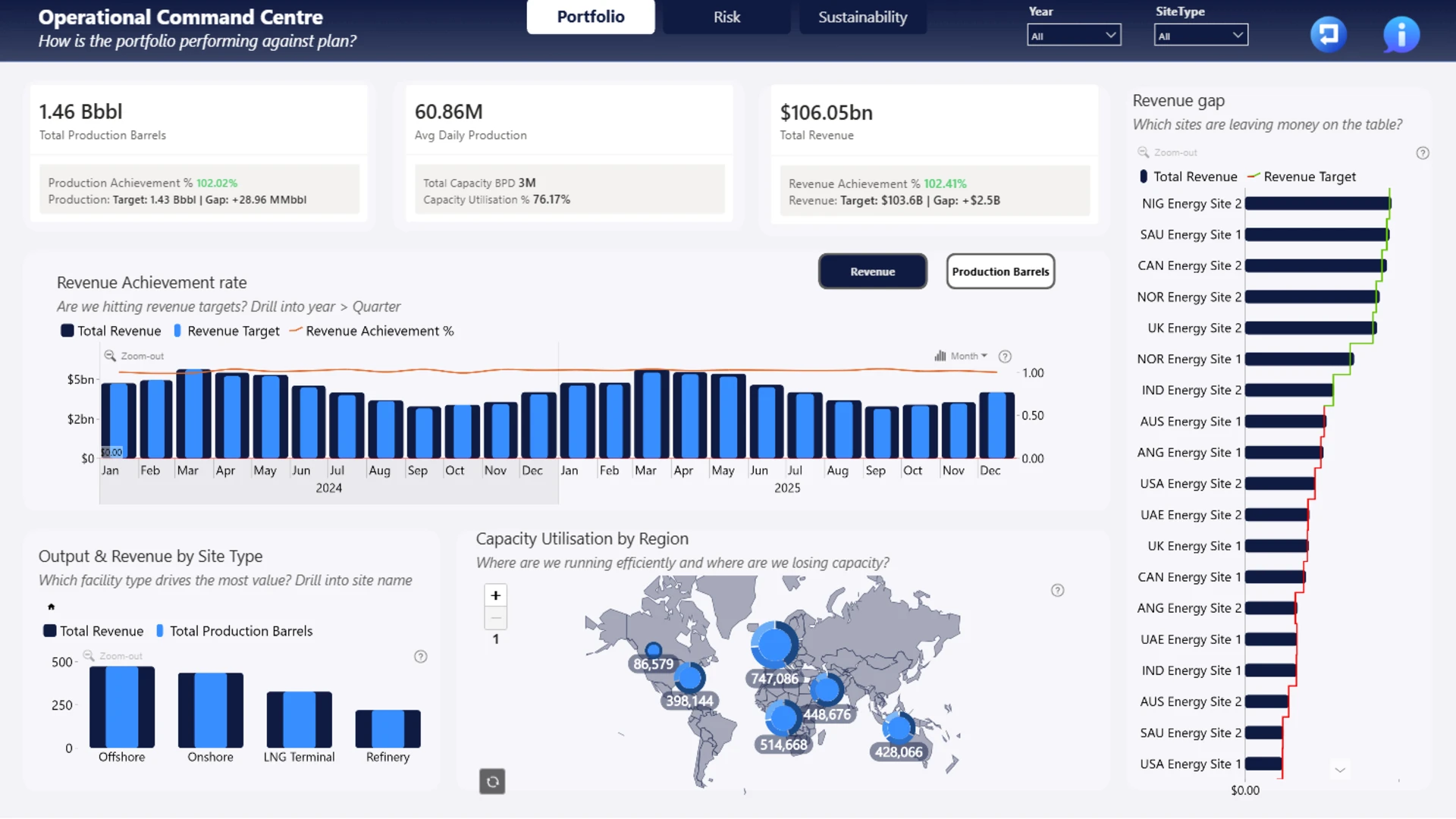
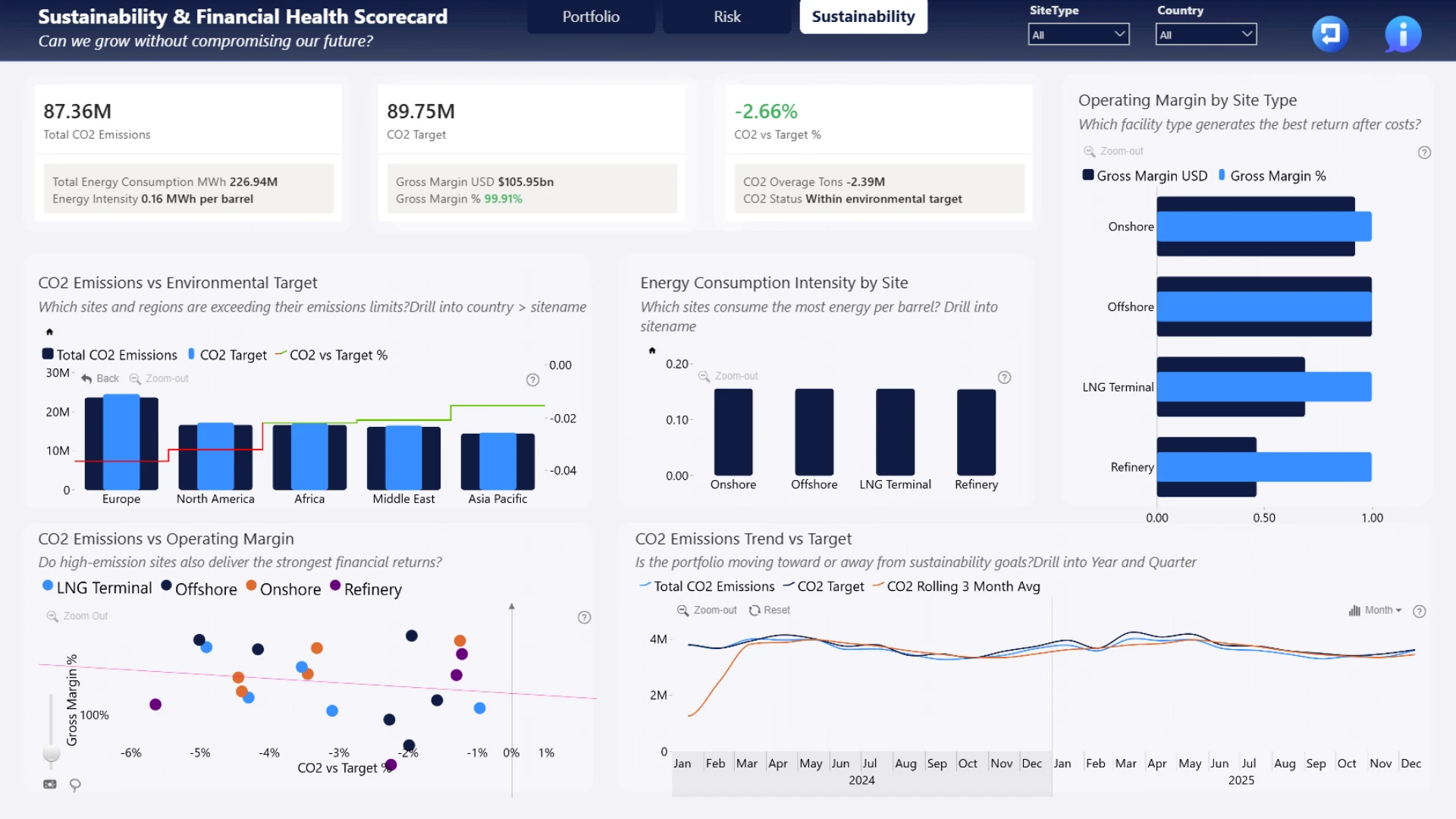
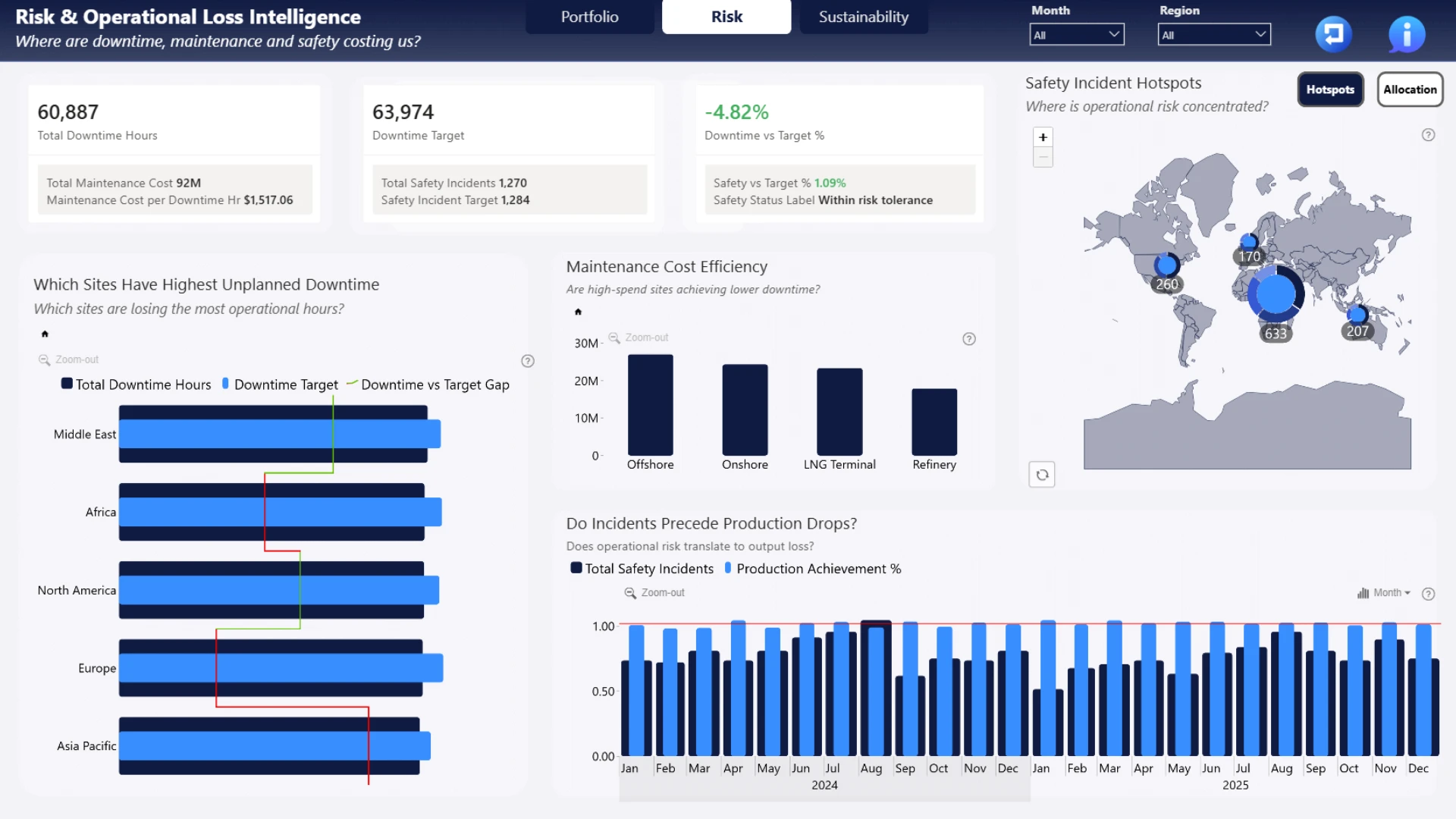
More Report pages
Report Author: Alanijoshua500
748
Share template with others
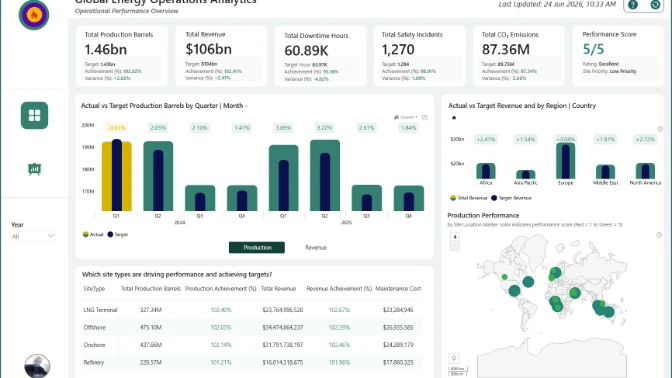
Explore an interactive Power BI dashboard for offshore platform analytics. Built with native Power BI visuals and ZoomCharts Drill Down Visuals, the report helps analyze production, maintenance, downtime, safety, sustainability, operational performance, and financial KPIs to support better business decisions. This report was created for the ZoomCharts 4U Report Challenge June 2026, where Power BI developers showcase their data visualization expertise by solving real-world business use cases using native Power BI visuals together with ZoomCharts Drill Down Visuals.
Author's description: This report delivers a three-page executive narrative for Oil, Gas & Energy Operations Analytics. Page 1 (Operational Command Centre) provides a portfolio-level production and revenue overview with regional capacity utilisation. Page 2 (Risk & Operational Loss Intelligence) exposes downtime, maintenance inefficiency, and safety incident hotspots, connecting operational risk directly to revenue loss. Page 3 (Sustainability & Financial Health Scorecard) tracks CO2 emissions, energy intensity per barrel, and operating margin, culminating in a quadrant analysis revealing which sites are profitable and sustainable versus which are trading margin for emissions. Built with ZoomCharts Drill Down visuals for guided hierarchical exploration across all three pages.
ZoomCharts visuals used





4U Report Challenges
Participate in data challenges, build and submit reports to get free template downloads.
Join CommunityMobile view allows you to interact with the report. To Download the template please switch to desktop view.
How to use a PBIX template
Preview the interactive report, download the PBIX file, open it in Power BI Desktop, and replace the same data connection with your own dataset.
Preview and download
Explore the report online and download the PBIX template file.
Open in Power BI Desktop
Open the downloaded PBIX file in Power BI Desktop.
Connect your data
Replace the sample data source with your own dataset.
Refresh and adjust
Refresh the model and update fields or visual were needed.
Save and share
Save your report and publish it for your audience.


