4859
Banking Customer & Transaction Analytics Power BI Dashboard
Banking Customer & Transaction Analytics Power BI Dashboard
More Report pages
Report Author: Jeet Ghosh
4859
Share template with others
Summary
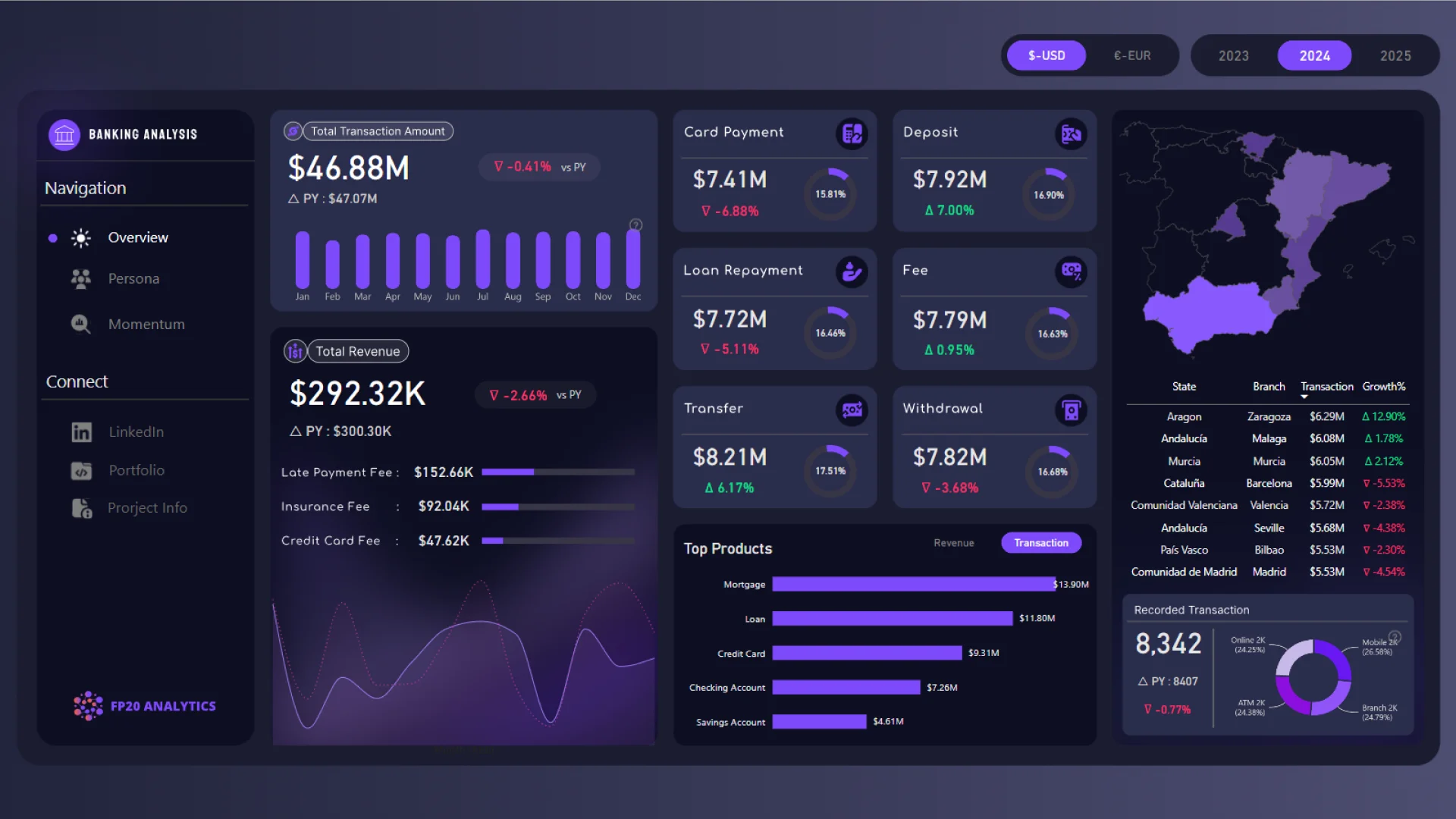
This Power BI banking dashboard analyzes more than 20,000 customer transactions across loans, mortgages, credit cards, and checking accounts. It helps users explore transaction performance, customer behavior, product preferences, channel usage, and geographical branch results.
Created by Jeet Ghosh for the FP20 Analytics ZoomCharts Challenge in June 2025, the three-page report covers banking activity from 2023 to 2025 and provides several perspectives on customer and transaction performance.
Key Insights of the Power BI Banking Customer & Transaction Analytics Dashboard
The report combines customer, product, transaction, channel, and branch analysis. Its main insights include:
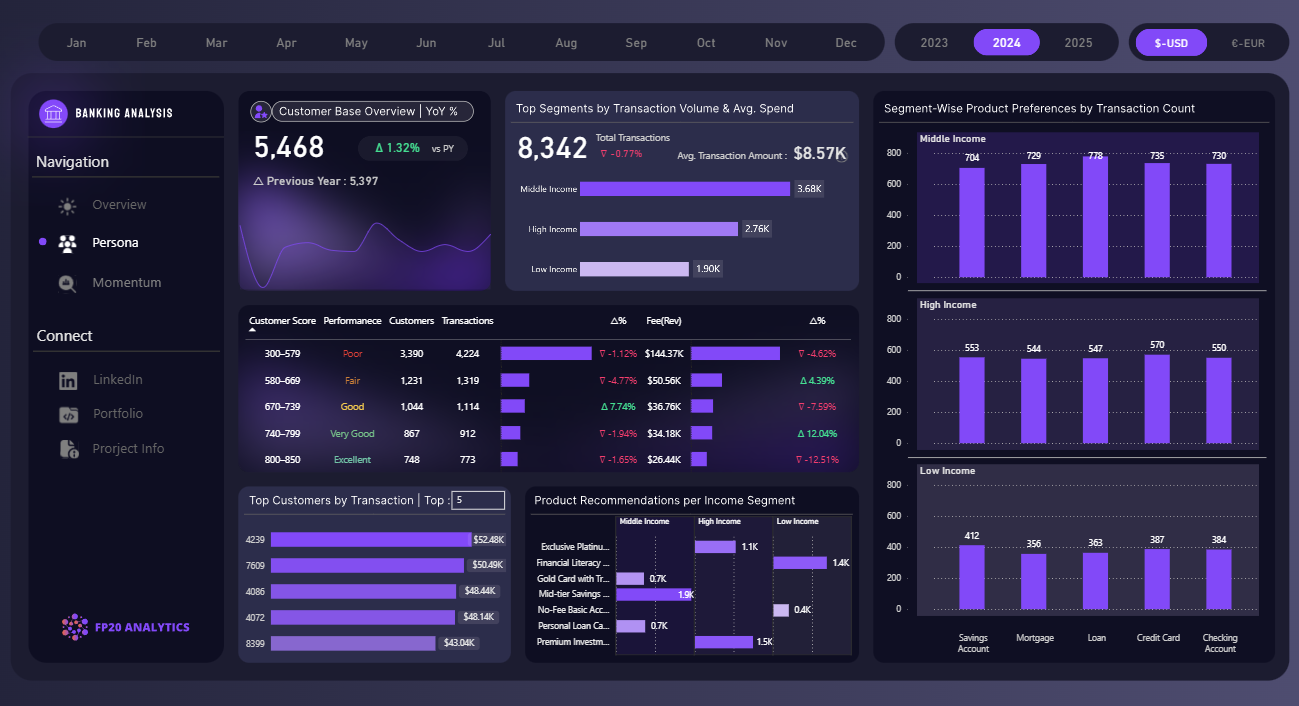
- Customer segmentation: compare customers by income group, customer score, and product preference
- Transaction performance: analyze transaction types, volumes, and associated revenue
- Product preferences: explore activity across loans, mortgages, credit cards, and checking accounts
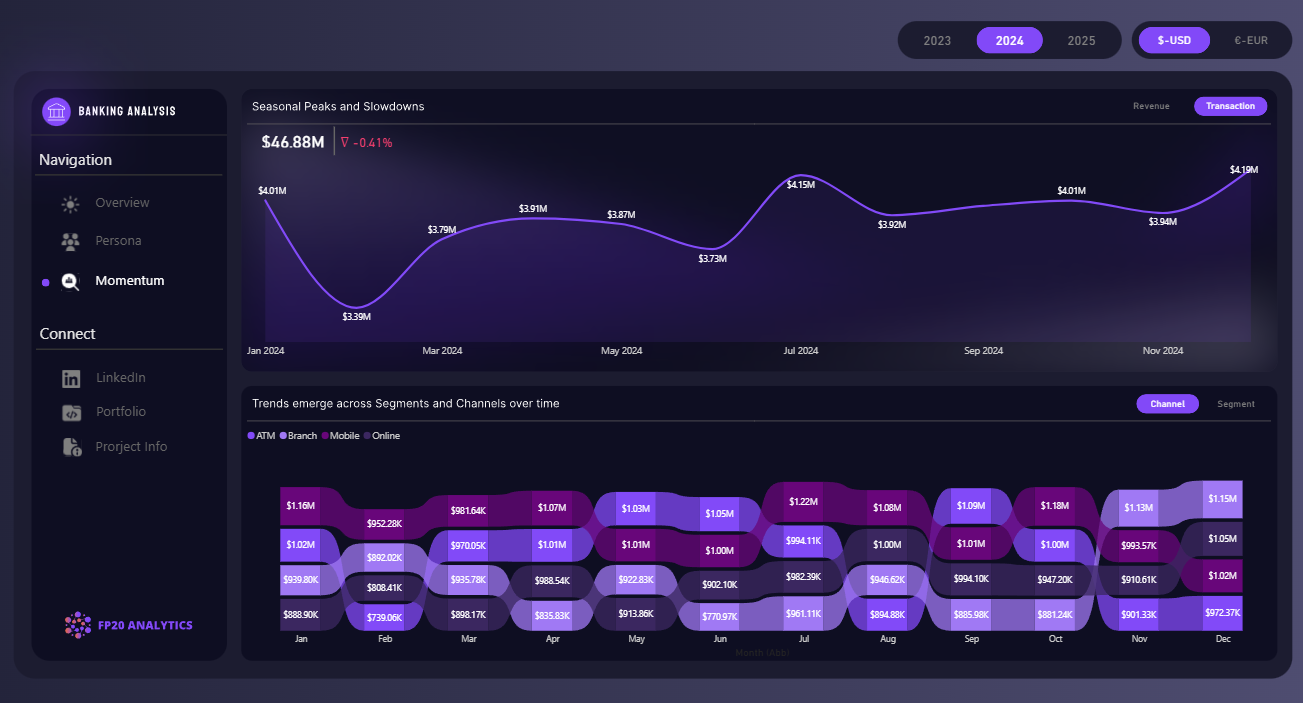
- Channel usage: compare banking activity across available service channels and identify changes in usage
- Branch performance: examine transaction activity and regional growth across geographical branches
- Seasonal trends: track transaction and revenue patterns between 2023 and 2025
The analysis indicates that middle-income customers generated the highest transaction volume and revenue. Mobile and online channels together accounted for more than 40% of usage, while the time-based analysis highlights seasonal changes in banking activity.
The report uses Drill Down Combo, Combo Bar, and Donut PRO visuals for interactive filtering and exploration. See the author's banking analytics project overview for additional context.
How to Use This Power BI Banking Analytics Dashboard
Move between the three report pages and click active chart elements to filter the dashboard. Use the drill-down controls to examine particular customer segments, transaction types, products, channels, periods, or branches in greater detail.
Download the PBIX template to review the data model, DAX measures, visual settings, and report structure in Power BI Desktop. Replace the sample data connection to adapt the report for your own banking customer and transaction data.



4U Report Challenges
Participate in data challenges, build and submit reports to get free template downloads.
Join CommunityMobile view allows you to interact with the report. To Download the template please switch to desktop view.
How to use a PBIX template
Preview the interactive report, download the PBIX file, open it in Power BI Desktop, and replace the same data connection with your own dataset.
Preview and download
Explore the report online and download the PBIX template file.
Open in Power BI Desktop
Open the downloaded PBIX file in Power BI Desktop.
Connect your data
Replace the sample data source with your own dataset.
Refresh and adjust
Refresh the model and update fields or visual were needed.
Save and share
Save your report and publish it for your audience.


