This toggle will enable navigation arrows that will be displayed on the left and right sides of your timeline visual. These arrows provide an additional way for the user to horizontally scroll the X-axis if the viewport cannot display all data.
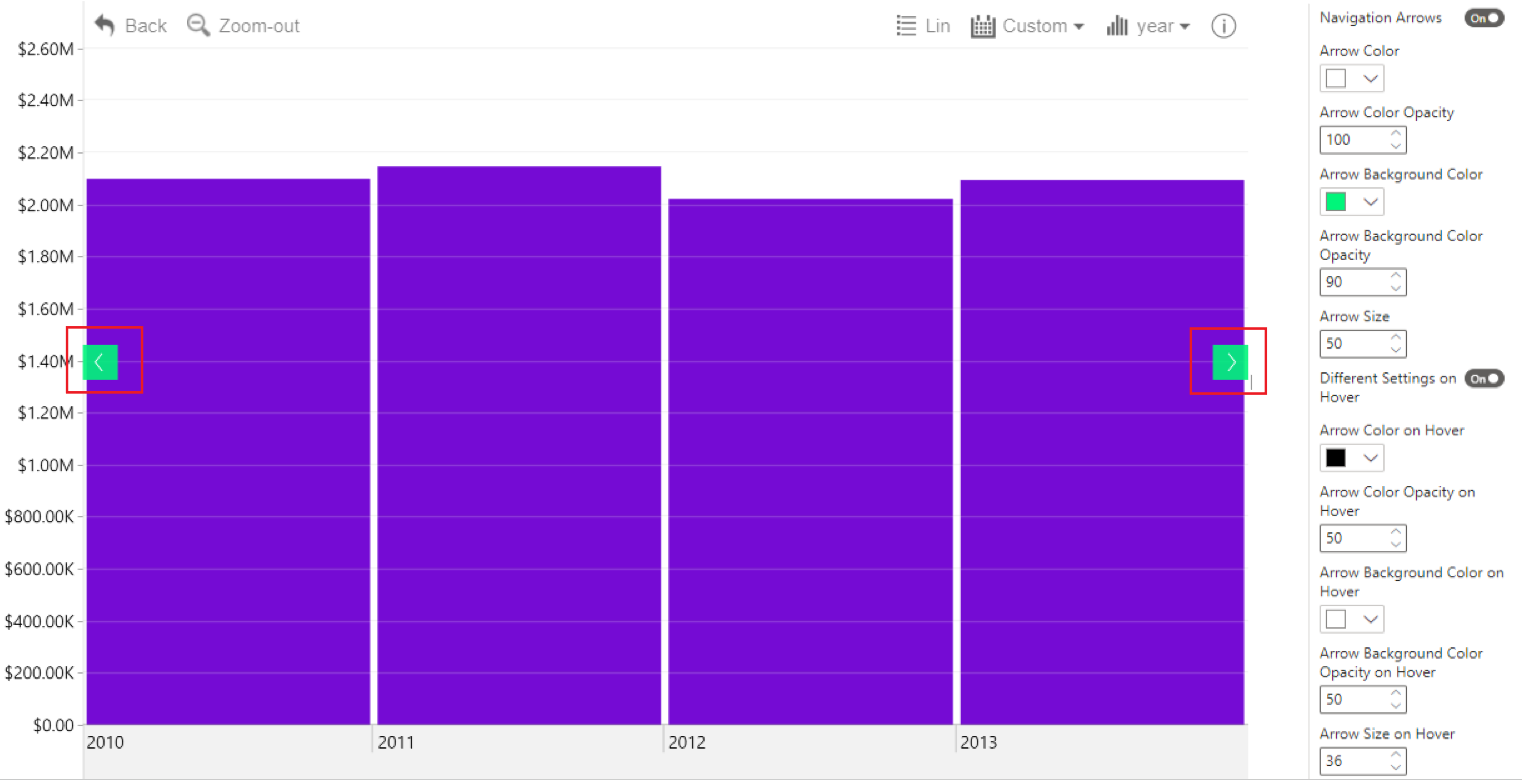
After enabling this setting, additional options will be revealed for further customization:
- Arrow Color
- Arrow Color Opacity
- Arrow Background Color
- Arrow Background Color Opacity
- Arrow Size
- Different Settings on Hover
- Arrow Location
Enabling Different Settings on Hover will reveal additional settings for when the user hovers over the navigation arrows:
- Arrow Color on Hover
- Arrow Color Opacity on Hover
- Arrow Background Color on Hover
- Arrow Background Color Opacity on Hover
- Arrow Size on Hover
Navigation Arrows are not the only way for the user to horizontally scroll the timeline chart; it can also be done with a swipe gesture or Left click+drag.
Was this helpful? Thank you for your feedback!
Sorry about that.
How can we improve it?