This setting allows you choose a manual background color, set its opacity, adjust margin and padding around the text, and control corner rounding
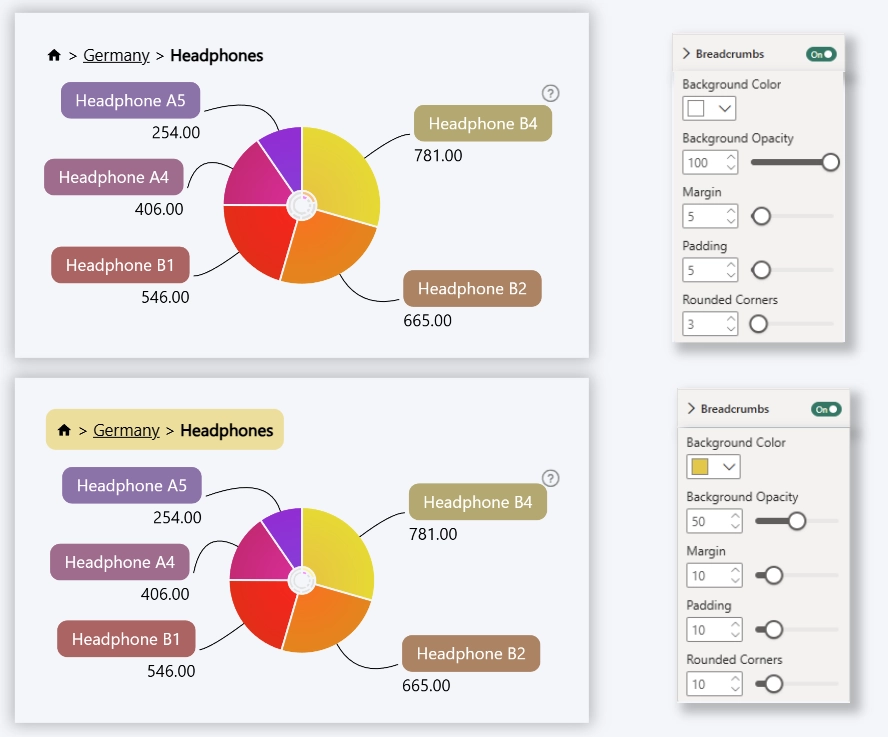
Background Color
Defines background color for the breadcrumb.
Background Opacity
Controls background transparency.
- Range: 0–100
- Default: 100
Margin
Controls outer spacing for the breadcrumb.
- Range: 0–50
- Default: 5
Padding
Controls spacing between text and background.
- Range: 0–50
- Default: 5
Corner Rounding
Controls corner radius of background.
- Range: 0–50
- 0: sharp corners
- 50: fully rounded
- Default: 3
Was this helpful? Thank you for your feedback!
Sorry about that.
How can we improve it?