9758
Power BI Transport & Logistics Performance Dashboard
Power BI Transport & Logistics Performance Dashboard
More Report pages
Report Author: Ugochukwu Nwasuruba
9758
Share template with others
Summary
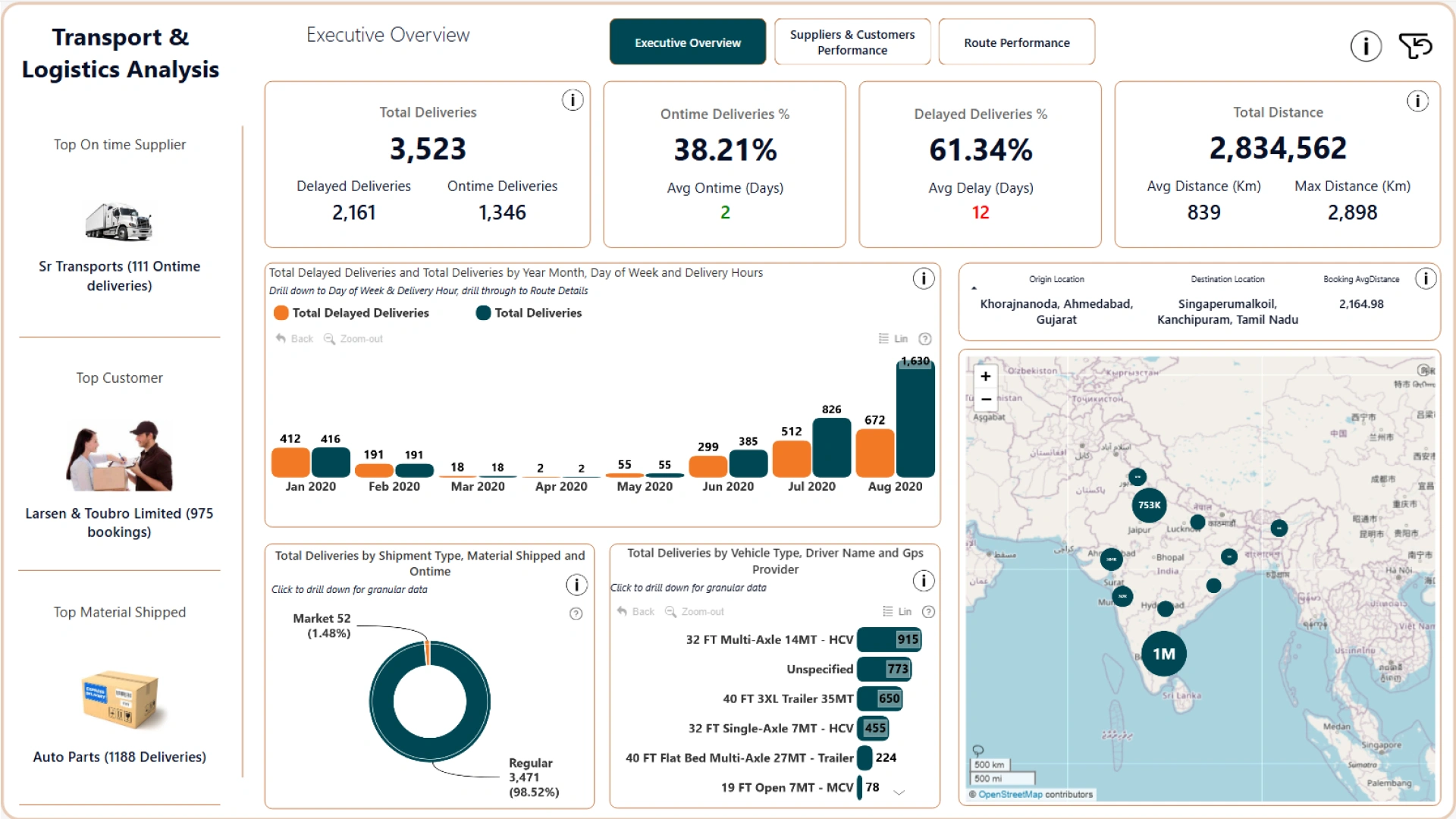
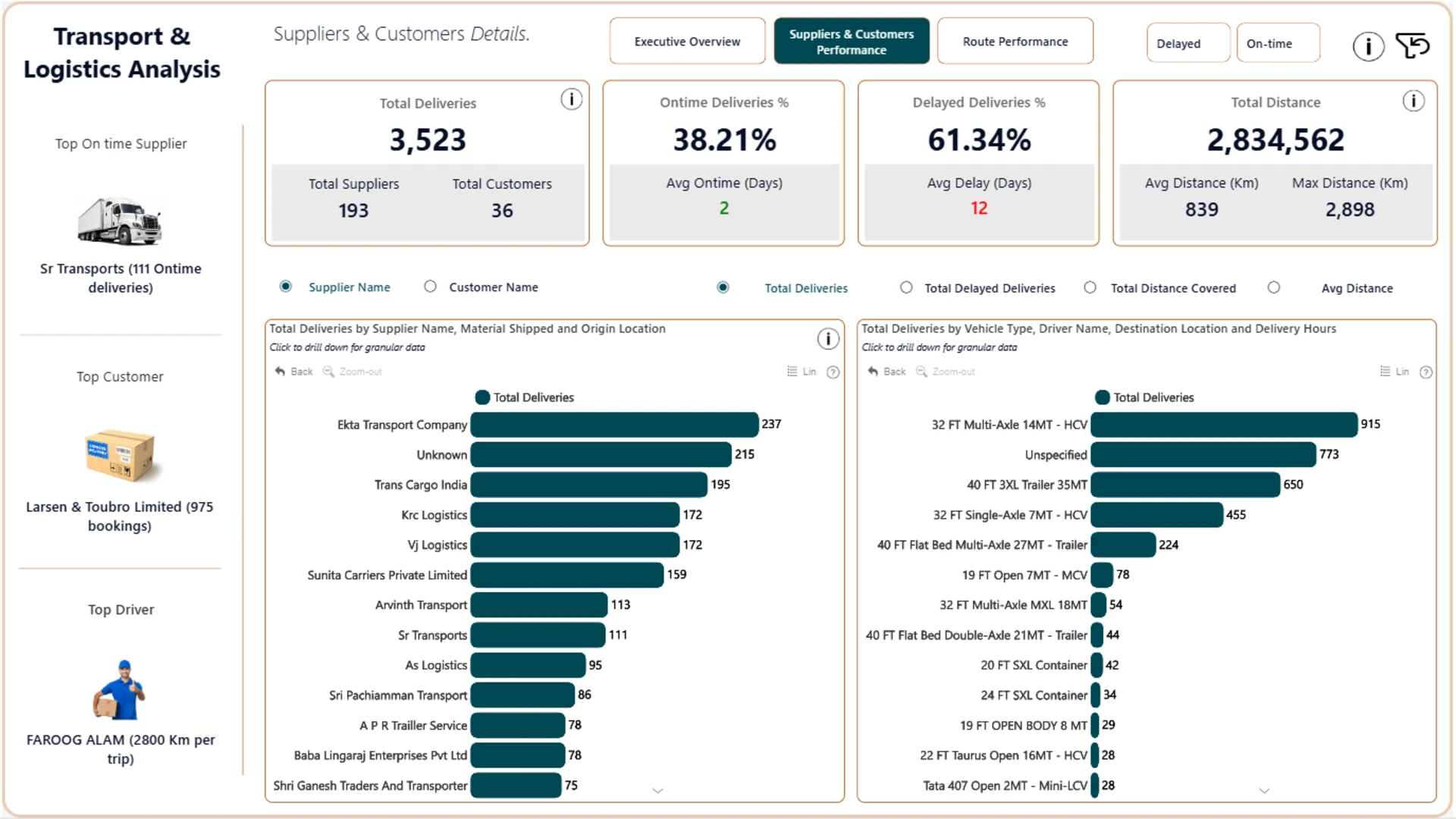
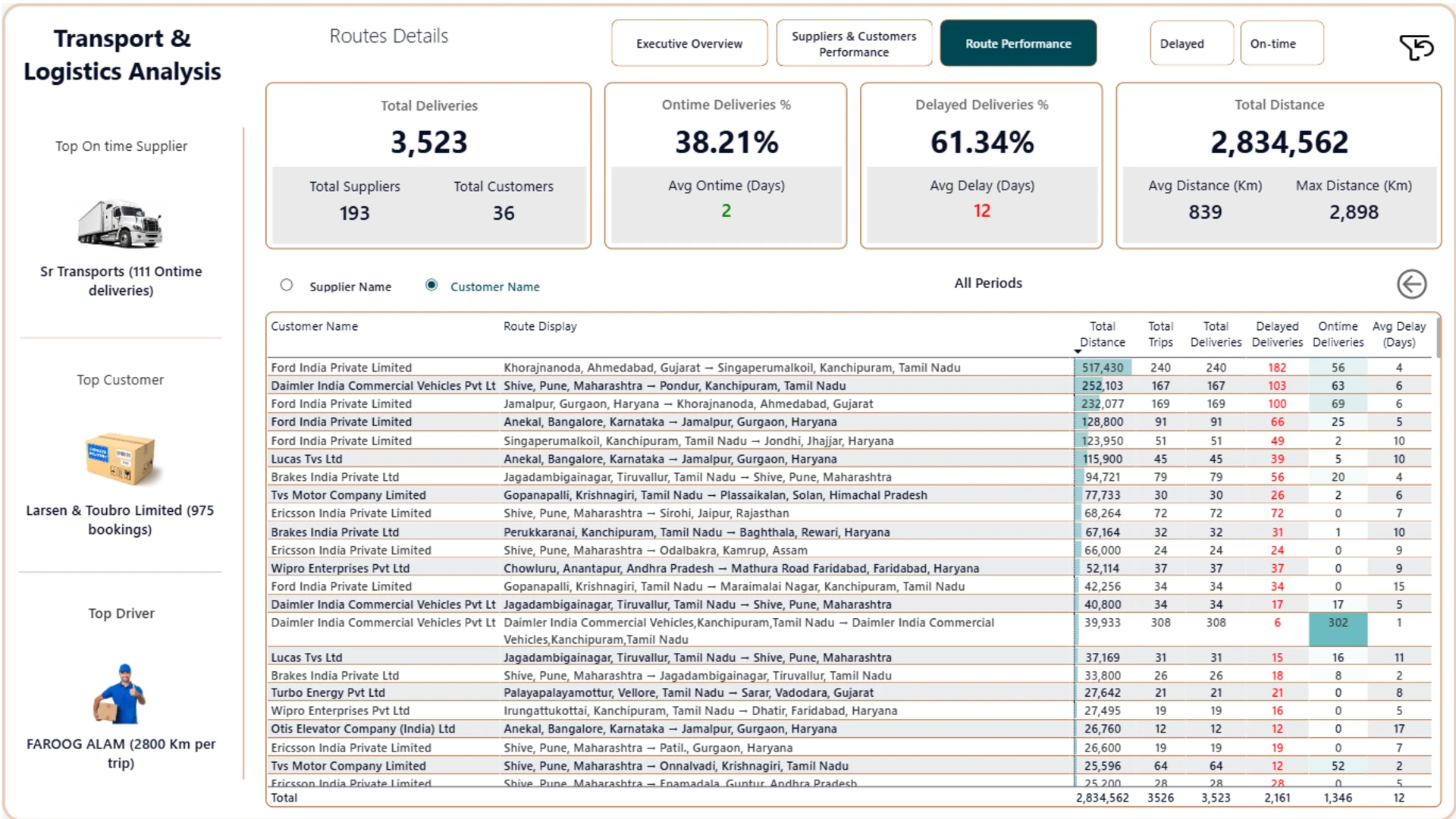
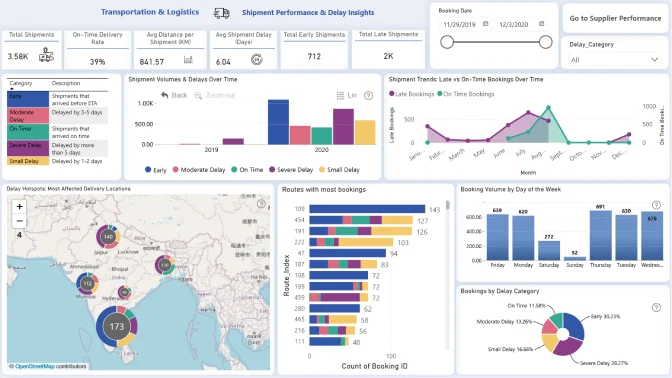
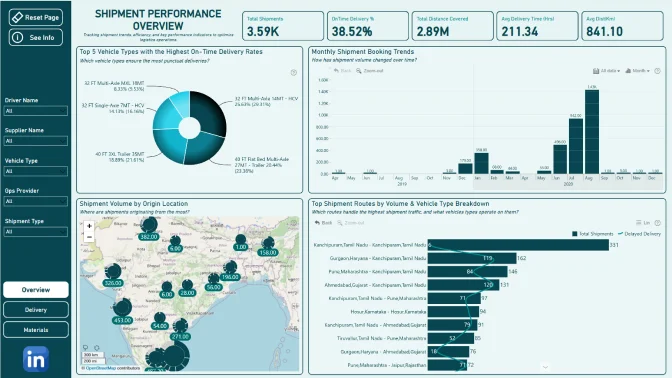
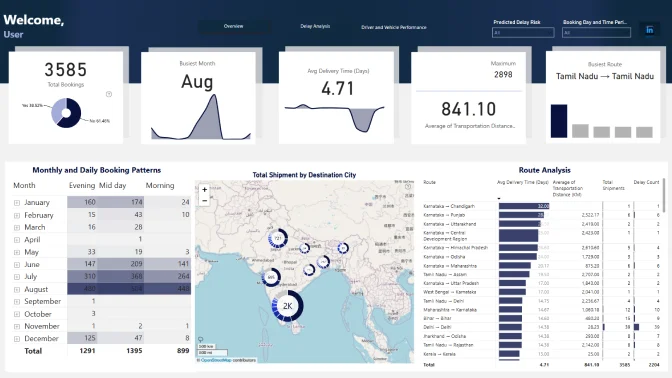
This Power BI transport and logistics dashboard provides an interactive view of delivery operations. It helps logistics teams analyze deliveries, distance, delays, supplier and customer performance, and route trends using dynamic metric selection.
Key Insights of the Power BI Transport & Logistics Performance Dashboard
The report presents logistics performance from several operational perspectives. Its main insights include:
- Delivery performance: examine delivery activity and related operational metrics in greater detail
- Delay trends: identify periods of disruption and track how performance changes over time
- Supplier and customer performance: compare contributors by deliveries and on-time shipments
- Route analysis: explore delay patterns and performance across locations
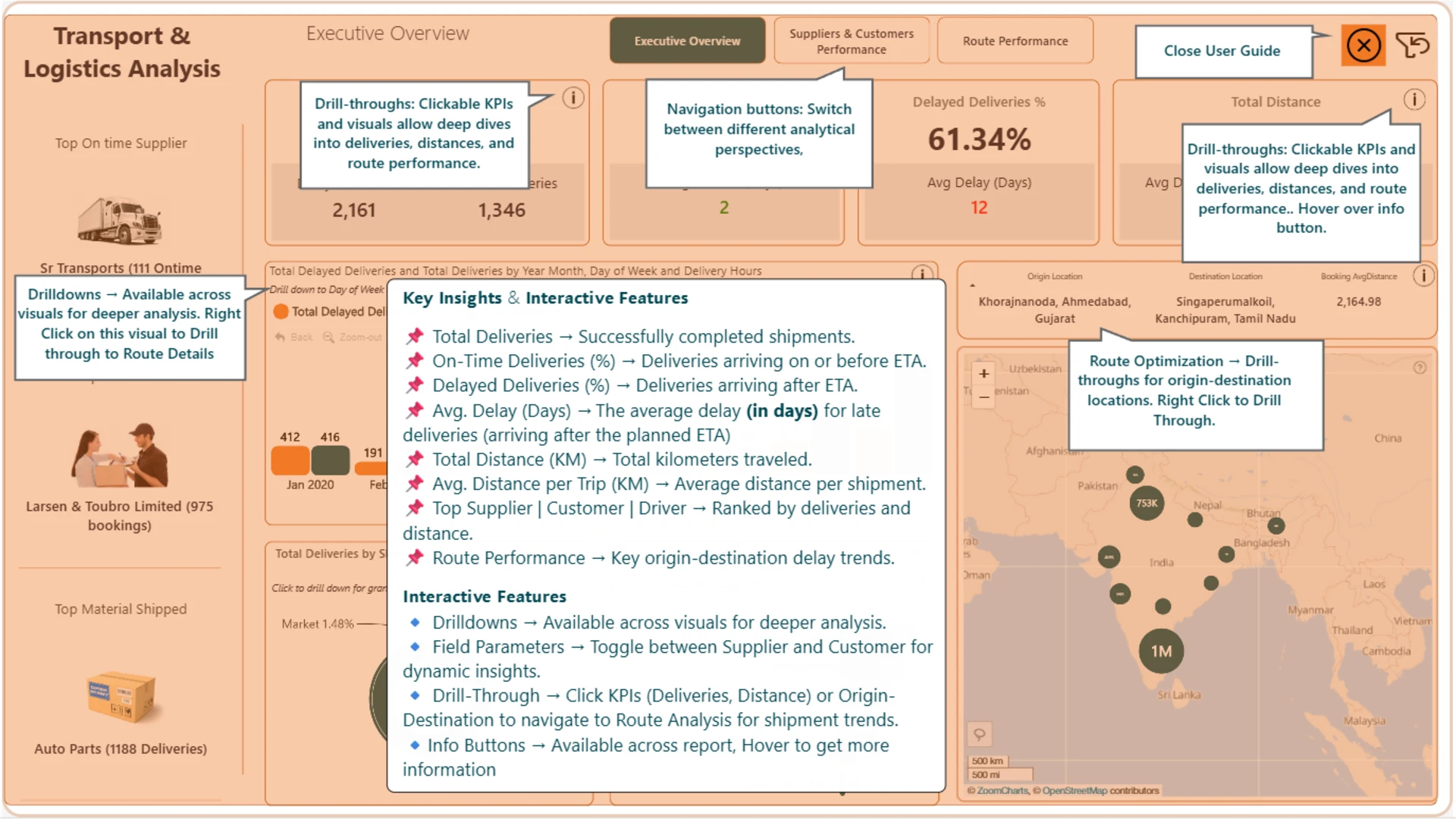
Interactive combo, combo bar, map, and donut visuals make it easy to move between high-level KPIs and more detailed views. Filters, field parameters, and drill-through actions help users examine the same logistics data from different perspectives.
The report was created by Ugochukwu Nwasuruba.
How to Use This Power BI Transport & Logistics Performance Dashboard
Select the metric you want to analyze, then click active KPIs, charts, or map elements to filter the report and explore the underlying delivery, delay, supplier, customer, or route data.
Download the PBIX template to review its visuals, calculations, and settings in Power BI Desktop. Replace the sample data connection with your own logistics dataset, refresh the model, and adjust the fields as needed.
ZoomCharts visuals used




4U Report Challenges
Participate in data challenges, build and submit reports to get free template downloads.
Join CommunityMobile view allows you to interact with the report. To Download the template please switch to desktop view.
How to use a PBIX template
Preview the interactive report, download the PBIX file, open it in Power BI Desktop, and replace the same data connection with your own dataset.
Preview and download
Explore the report online and download the PBIX template file.
Open in Power BI Desktop
Open the downloaded PBIX file in Power BI Desktop.
Connect your data
Replace the sample data source with your own dataset.
Refresh and adjust
Refresh the model and update fields or visual were needed.
Save and share
Save your report and publish it for your audience.


