1091
Supply Chain Data Set Challenge
Supply Chain Data Set Challenge
Report Author: Phyo Sett Lin
1091
Share template with others
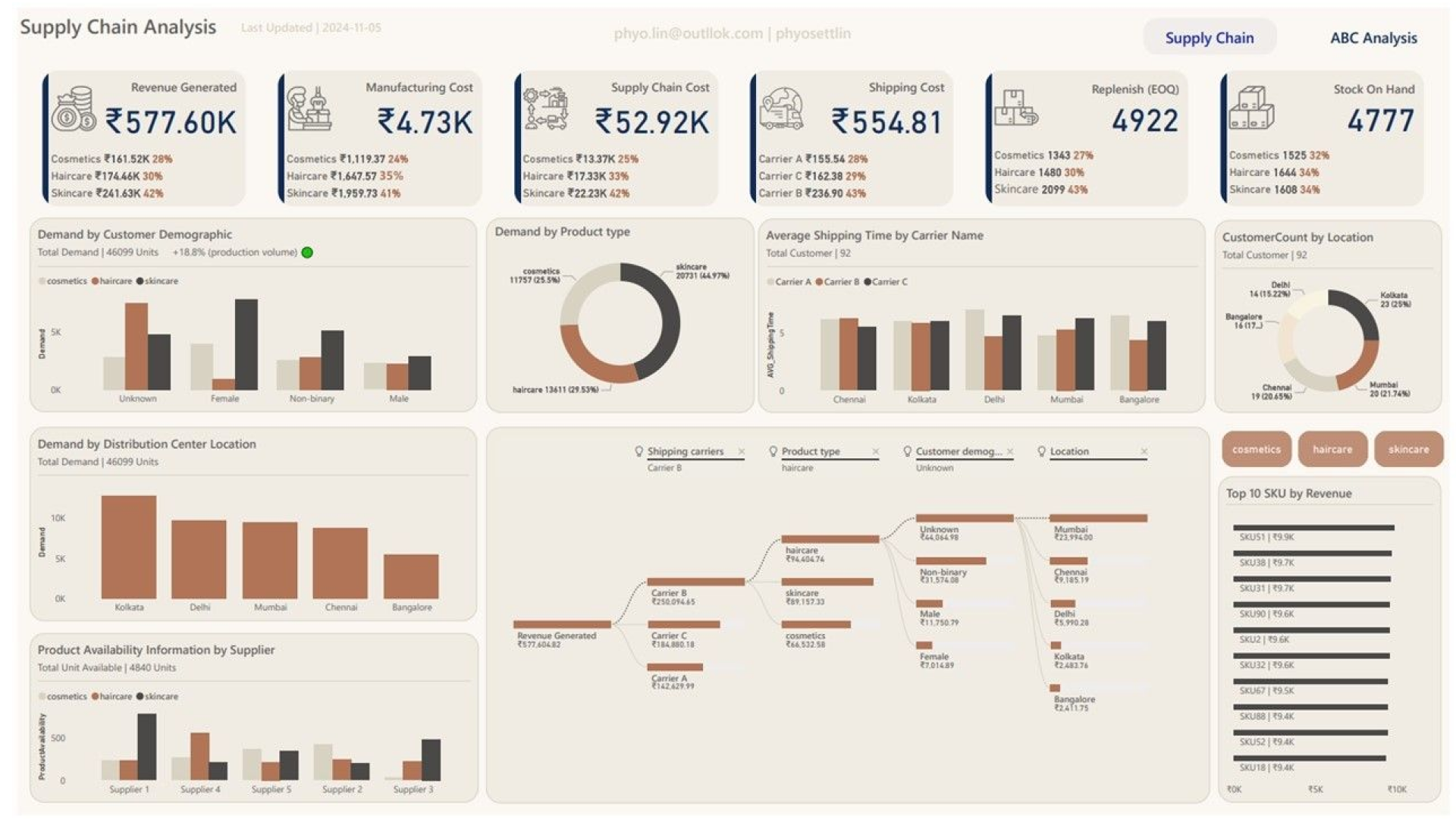
Report submitted for Onyx Data DataDNA ZoomCharts Mini Challenge, November 2024. The report is based on the Supply Chain Analysis dataset and includes ZoomCharts custom Drill Down PRO visuals for Power BI.
Author's description:
My dashboard is designed with two main sections to provide a comprehensive overview of key logistics metrics and strategic inventory insights. The first section serves as a landing page, summarizing critical aspects of the logistics cycle, including revenue, stock levels, customer metrics, and transportation details.
The second, more in-depth section focuses on stock analysis through revenue-based categorization. Using the Pareto principle (80/20 rule), I have segmented SKUs into three categories: A, B, and C. This segmentation is intended to prioritize inventory management and support more efficient decision-making.


4U Report Challenges
Participate in data challenges, build and submit reports to get free template downloads.
Join CommunityMobile view allows you to interact with the report. To Download the template please switch to desktop view.
How to use a PBIX template
Preview the interactive report, download the PBIX file, open it in Power BI Desktop, and replace the same data connection with your own dataset.
Preview and download
Explore the report online and download the PBIX template file.
Open in Power BI Desktop
Open the downloaded PBIX file in Power BI Desktop.
Connect your data
Replace the sample data source with your own dataset.
Refresh and adjust
Refresh the model and update fields or visual were needed.
Save and share
Save your report and publish it for your audience.


