1647
Student Performance Power BI Report 20
Student Performance Power BI Report 20
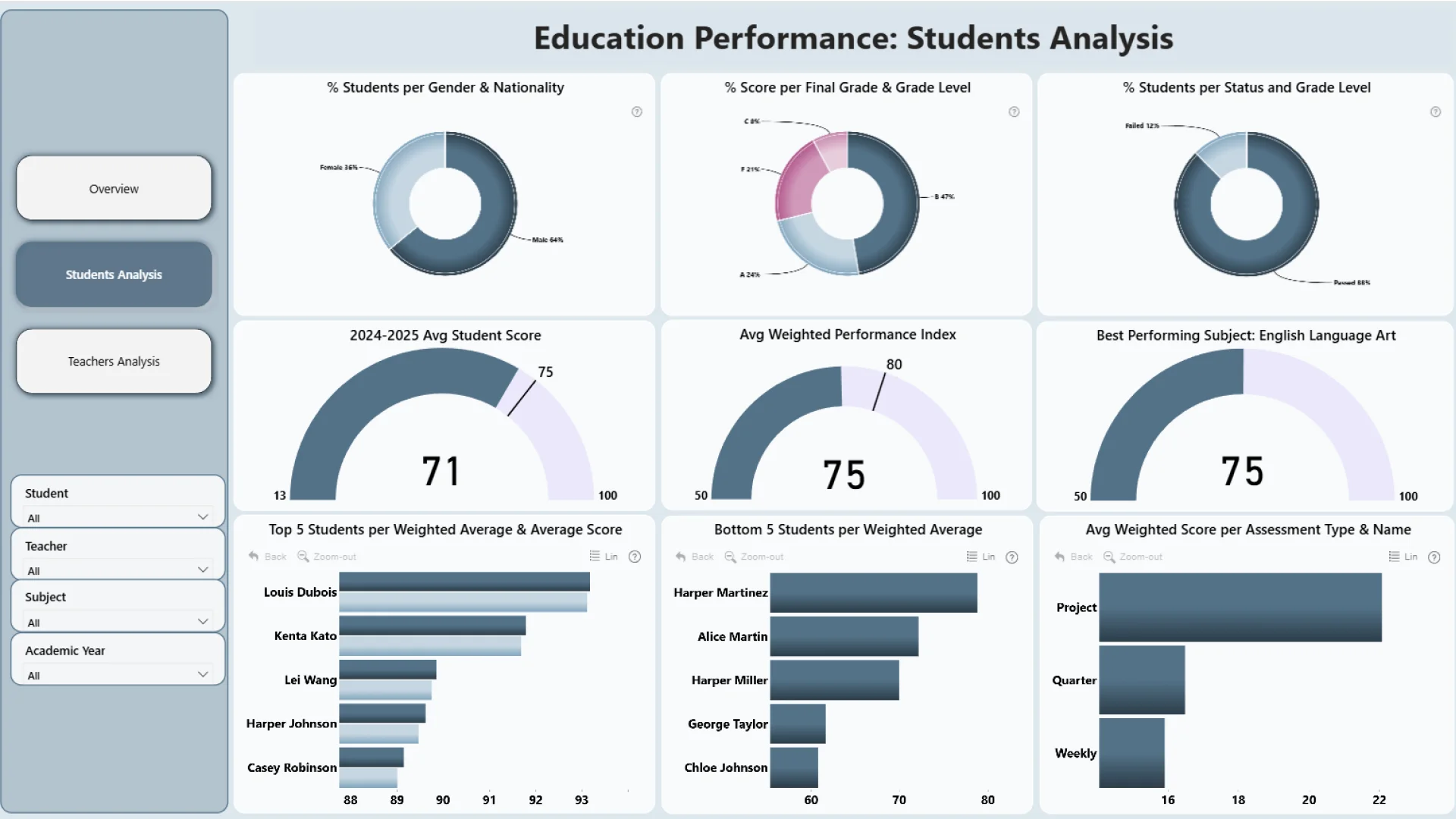
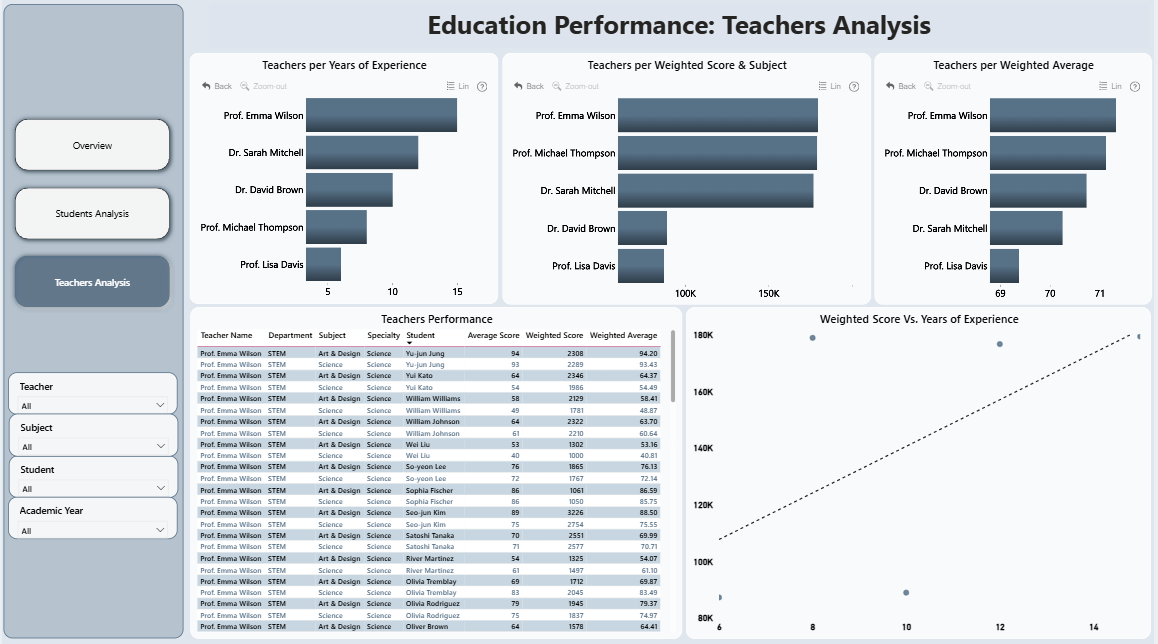
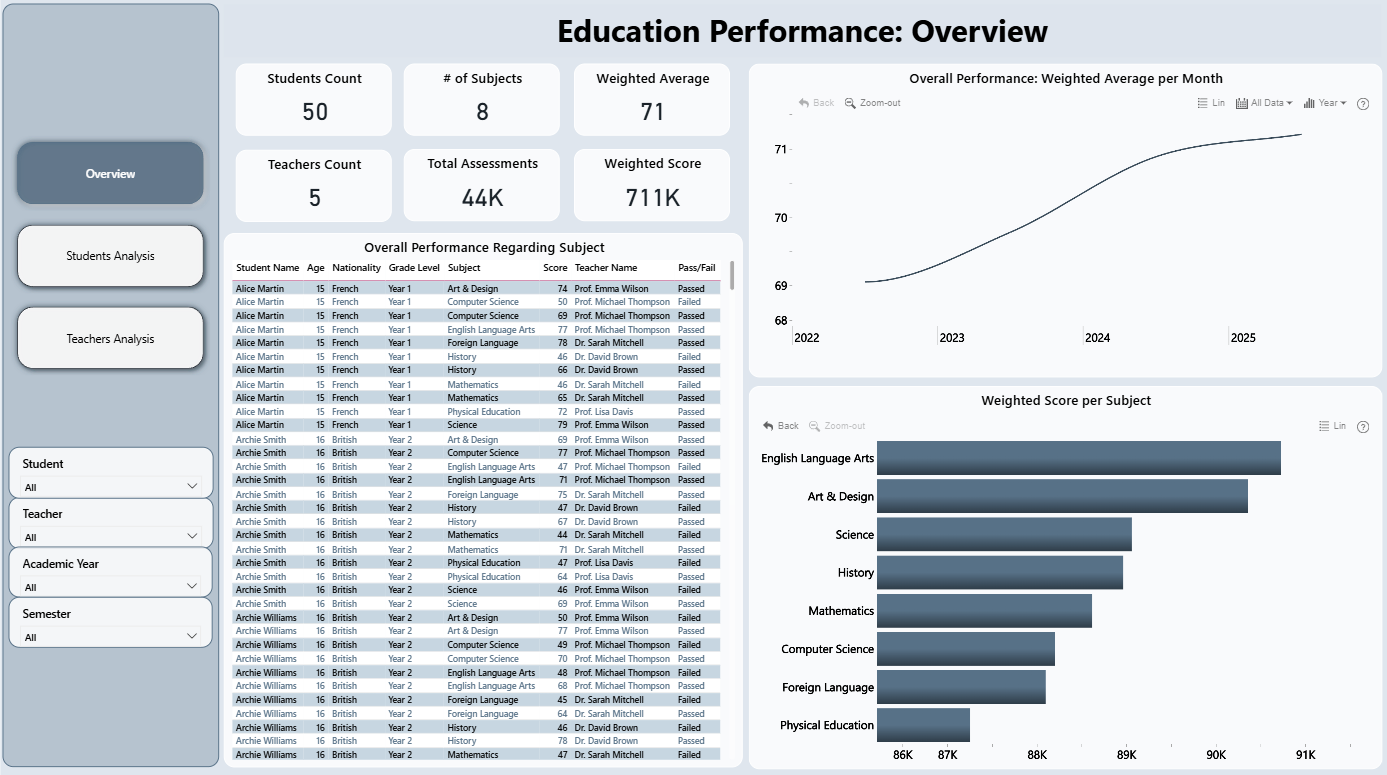
More Report pages
Report Author: Menna Samir
1647
Share template with others
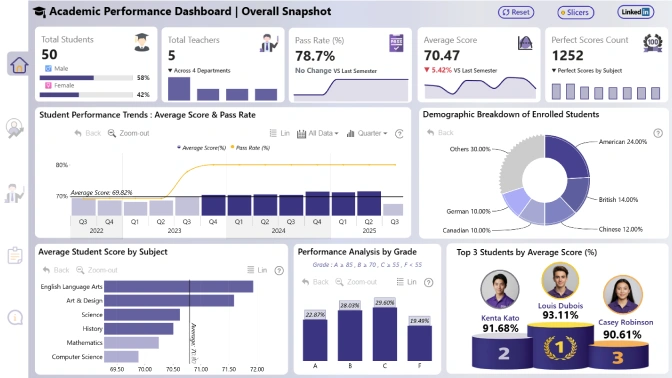
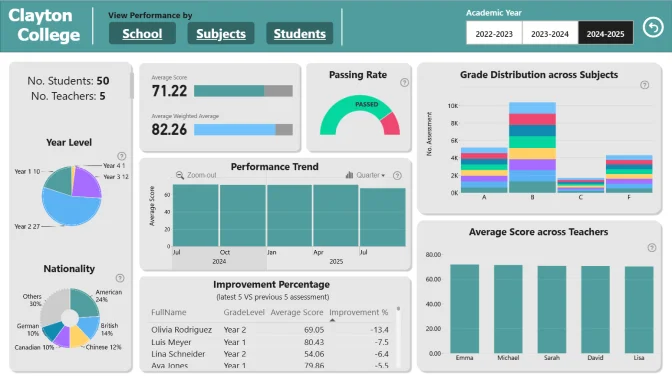
This Power BI report uses the Education/Student Performance dataset and features ZoomCharts Drill Down PRO custom visuals for Power BI. It was submitted to the FP20 Analytics ZoomCharts Data Challenge 31 in October 2025.
Author Description:
This analysis evaluates overall academic performance by examining both student and teacher data. It highlights key trends in grades, identifies top and struggling students, and measures teacher effectiveness based on class outcomes. The goal is to provide data-driven insights to improve learning results and teaching quality. In this analysis, I counted on using slicers as the filters and I edited the interaction between the visuals, so they are interactive but don't affect each other as I want filtering to be done using the slicers and I colored the filter pane with different color for the page that I am using special filters for its visuals.



4U Report Challenges
Participate in data challenges, build and submit reports to get free template downloads.
Join CommunityMobile view allows you to interact with the report. To Download the template please switch to desktop view.
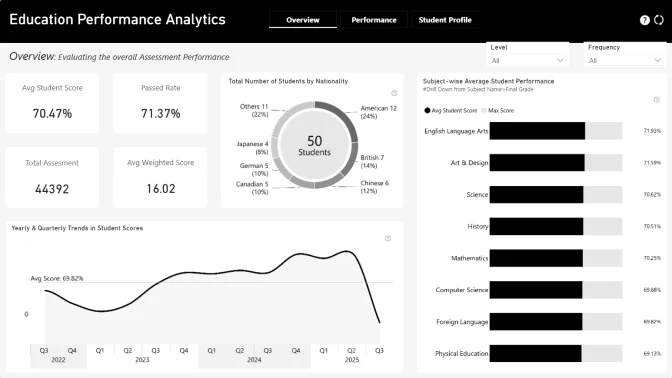
How to use a PBIX template
Preview the interactive report, download the PBIX file, open it in Power BI Desktop, and replace the same data connection with your own dataset.
Preview and download
Explore the report online and download the PBIX template file.
Open in Power BI Desktop
Open the downloaded PBIX file in Power BI Desktop.
Connect your data
Replace the sample data source with your own dataset.
Refresh and adjust
Refresh the model and update fields or visual were needed.
Save and share
Save your report and publish it for your audience.


