3168
Store Marketing Campaign Performance Dashboard
Store Marketing Campaign Performance Dashboard
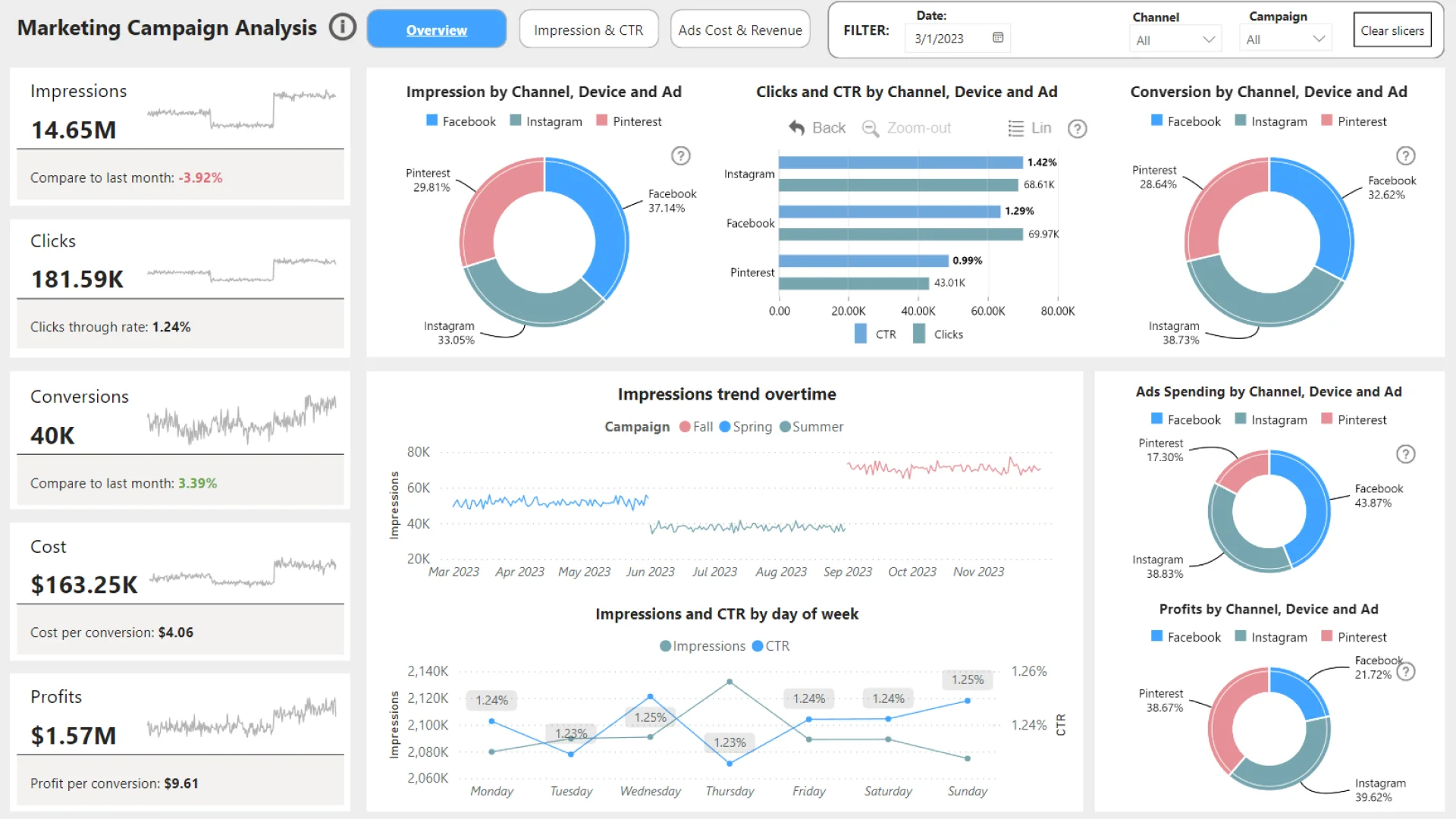
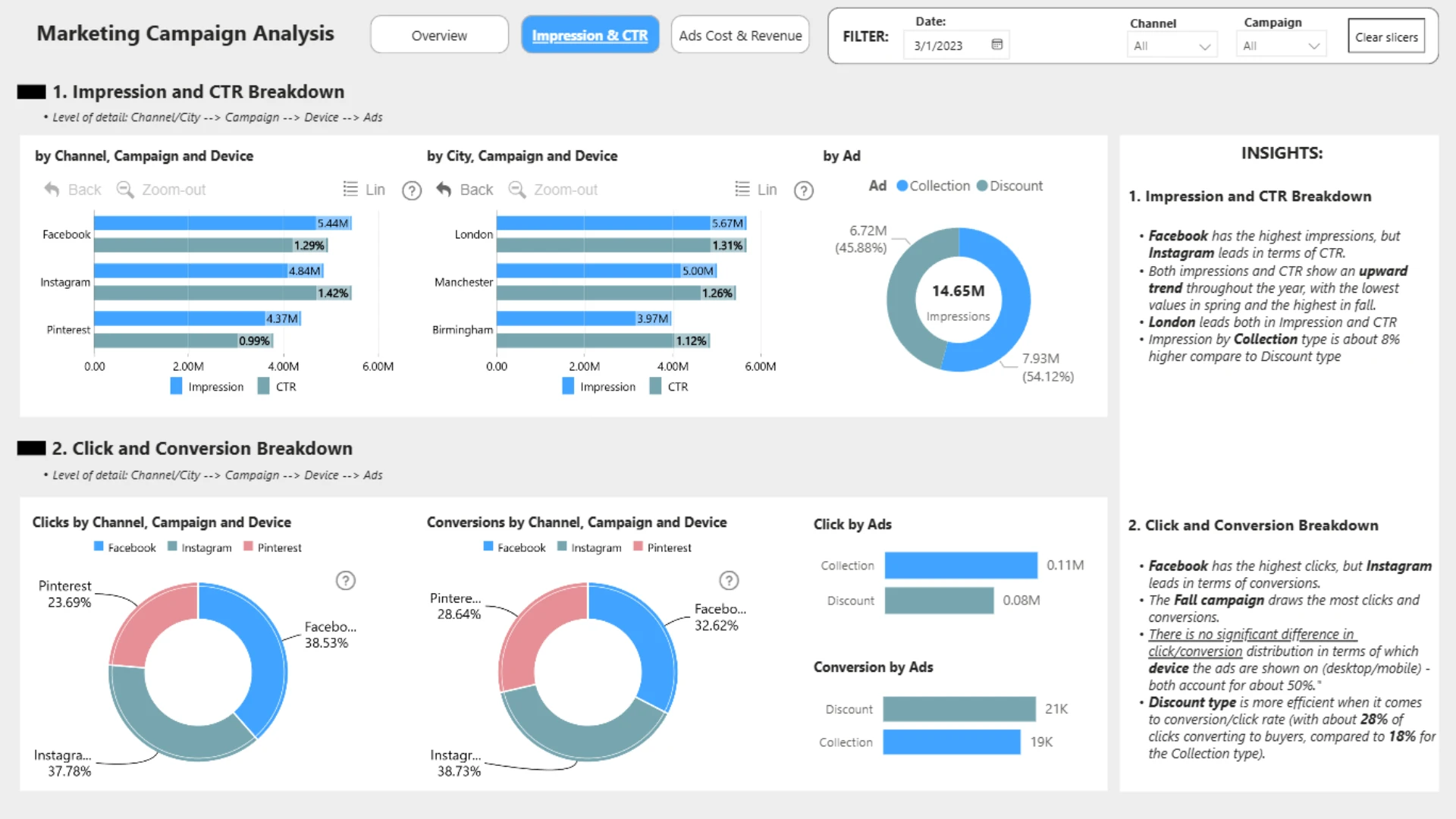
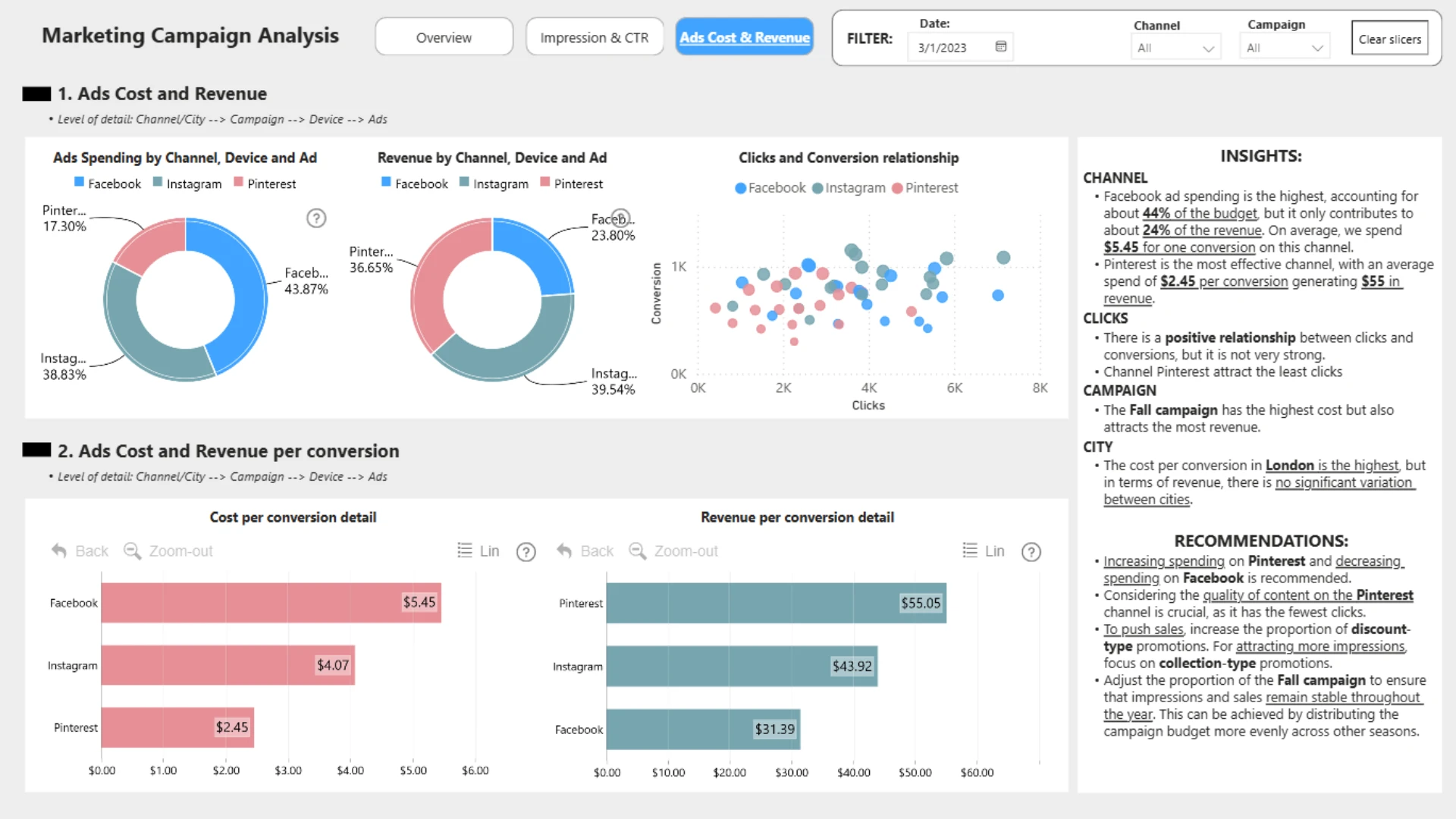
More Report pages
Report Author: Phùng Trí Hải
3168
Share template with others
Explore a Power BI marketing campaign performance dashboard built for analyzing seasonal campaigns for a UK clothing store. This report helps marketers compare campaign results across cities, social media channels, devices, and ad types while tracking key metrics such as impressions, CTR, clicks, CPC, spend, conversions, conversion value, likes, shares, and comments.
Author's description:
A UK-based clothing store launched targeted marketing campaigns for the Spring, Fall, and Summer seasons. Each campaign included two distinct advertisements on Facebook, Pinterest, and Instagram: one highlighting discounts and the other showcasing the latest clothing collections. The campaigns focused specifically on three major cities: London, Birmingham, and Manchester. Daily performance metrics were meticulously captured across various dimensions, including cities, channels, devices, and individual ads. These metrics encompassed Impressions, Click-Through Rate (CTR), Clicks, Daily Average Cost-Per-Click (CPC), Spend, Conversions, Total Conversion Value, Likes, Shares, and Comments.


4U Report Challenges
Participate in data challenges, build and submit reports to get free template downloads.
Join CommunityMobile view allows you to interact with the report. To Download the template please switch to desktop view.
How to use a PBIX template
Preview the interactive report, download the PBIX file, open it in Power BI Desktop, and replace the same data connection with your own dataset.
Preview and download
Explore the report online and download the PBIX template file.
Open in Power BI Desktop
Open the downloaded PBIX file in Power BI Desktop.
Connect your data
Replace the sample data source with your own dataset.
Refresh and adjust
Refresh the model and update fields or visual were needed.
Save and share
Save your report and publish it for your audience.


