910
Marketing Campaign Analysis 11
Marketing Campaign Analysis 11
Report Author: Sharad Suman
910
Share template with others
Report submitted for OnyxData #DataDNA and ZoomCharts Challenge June 2024. The report was built with the Marketing Campaing Dataset and includes ZoomCharts custom Drill Down PRO visuals for Power BI.
Author's description:
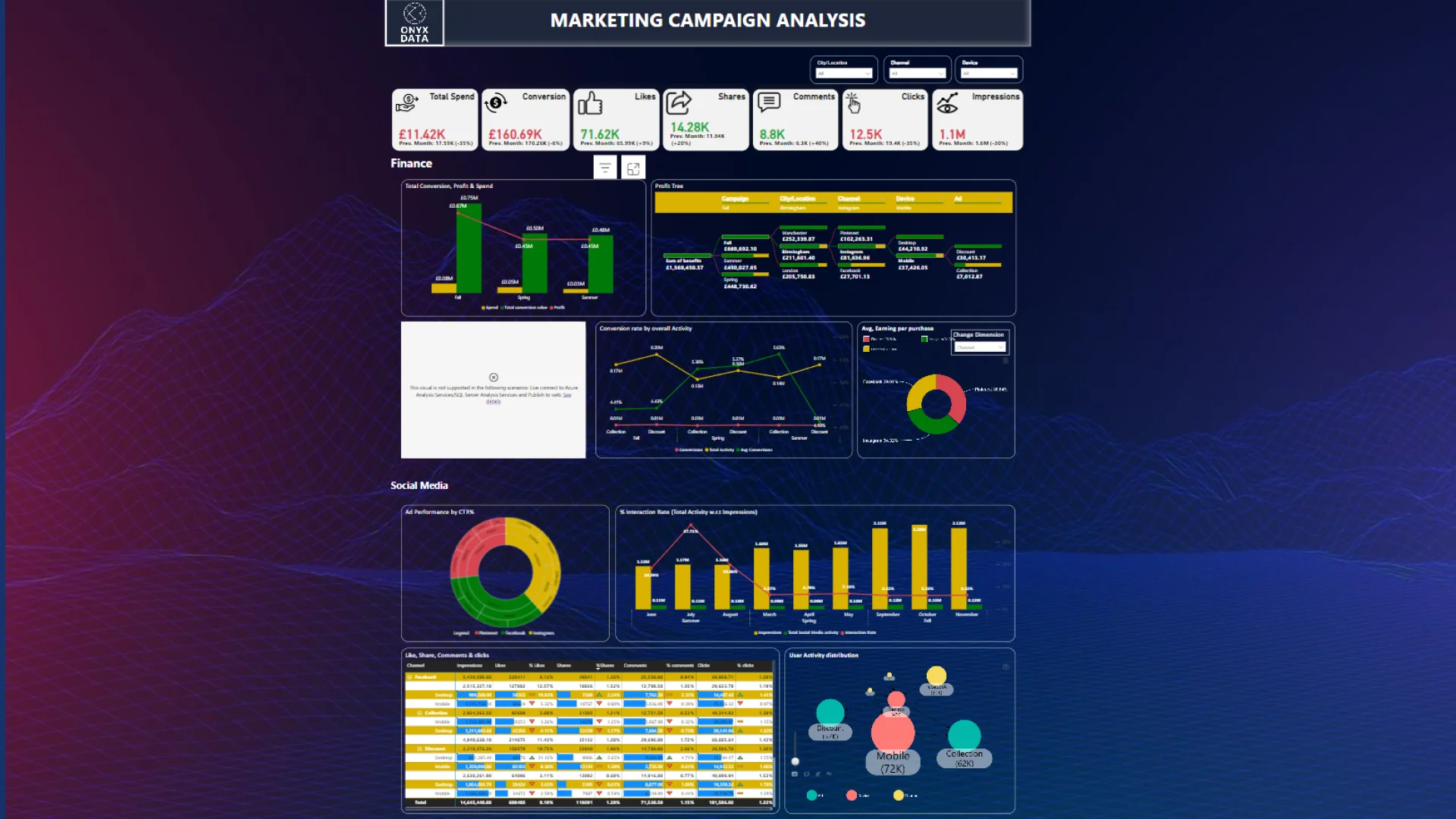
The report provides insights on financial and social media-related KPIs such as CTR%, CPC, Total Spend, earnings through conversions, and derived KPIs like Profit, average user spend per purchase, and % of conversion based on user activity. Top filters allow viewing data across different dimensions.
The KPI Card at the top displays month-over-month (MOM) changes in these KPIs, defaulting to the last month of available data compared to previous months.
Financial Insights:
- Campaign-wise financial figures including Profit based on spend and total value generated.
- Decomposition tree for Profit showcasing benefits generated across dimensions.
- Daily influencers of CPC and top segments.
- Average conversion rate based on user activity (sum of likes, clicks, comments, shares) and earnings per purchase.
Social Media Insights:
- Covers CTR%, interaction rate, and overall ads performance metrics such as likes, shares, clicks, and comments.


4U Report Challenges
Participate in data challenges, build and submit reports to get free template downloads.
Join CommunityMobile view allows you to interact with the report. To Download the template please switch to desktop view.
How to use a PBIX template
Preview the interactive report, download the PBIX file, open it in Power BI Desktop, and replace the same data connection with your own dataset.
Preview and download
Explore the report online and download the PBIX template file.
Open in Power BI Desktop
Open the downloaded PBIX file in Power BI Desktop.
Connect your data
Replace the sample data source with your own dataset.
Refresh and adjust
Refresh the model and update fields or visual were needed.
Save and share
Save your report and publish it for your audience.


