2038
FP20 Analytics Challenge 13: Data-Driven Education Management
FP20 Analytics Challenge 13: Data-Driven Education Management
More Report pages
Report Author: Lashmi Dissanayake
2038
Share template with others
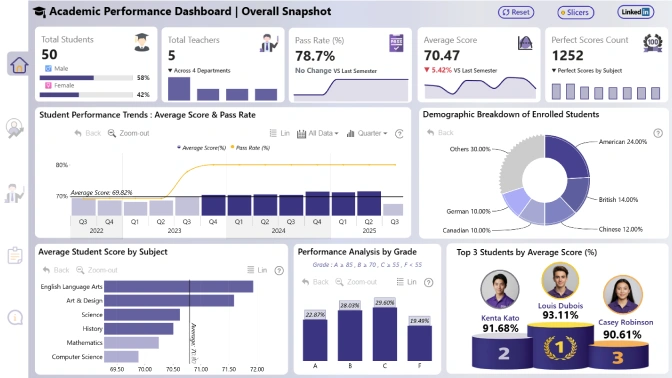
Report submitted for FP20 Analytics ZoomCharts Challenge 13 (Jan 17 – Feb 15, 2024). The report was built with Education Management dataset and includes ZoomCharts custom Drill Down PRO visuals for Power BI.
Author's description:
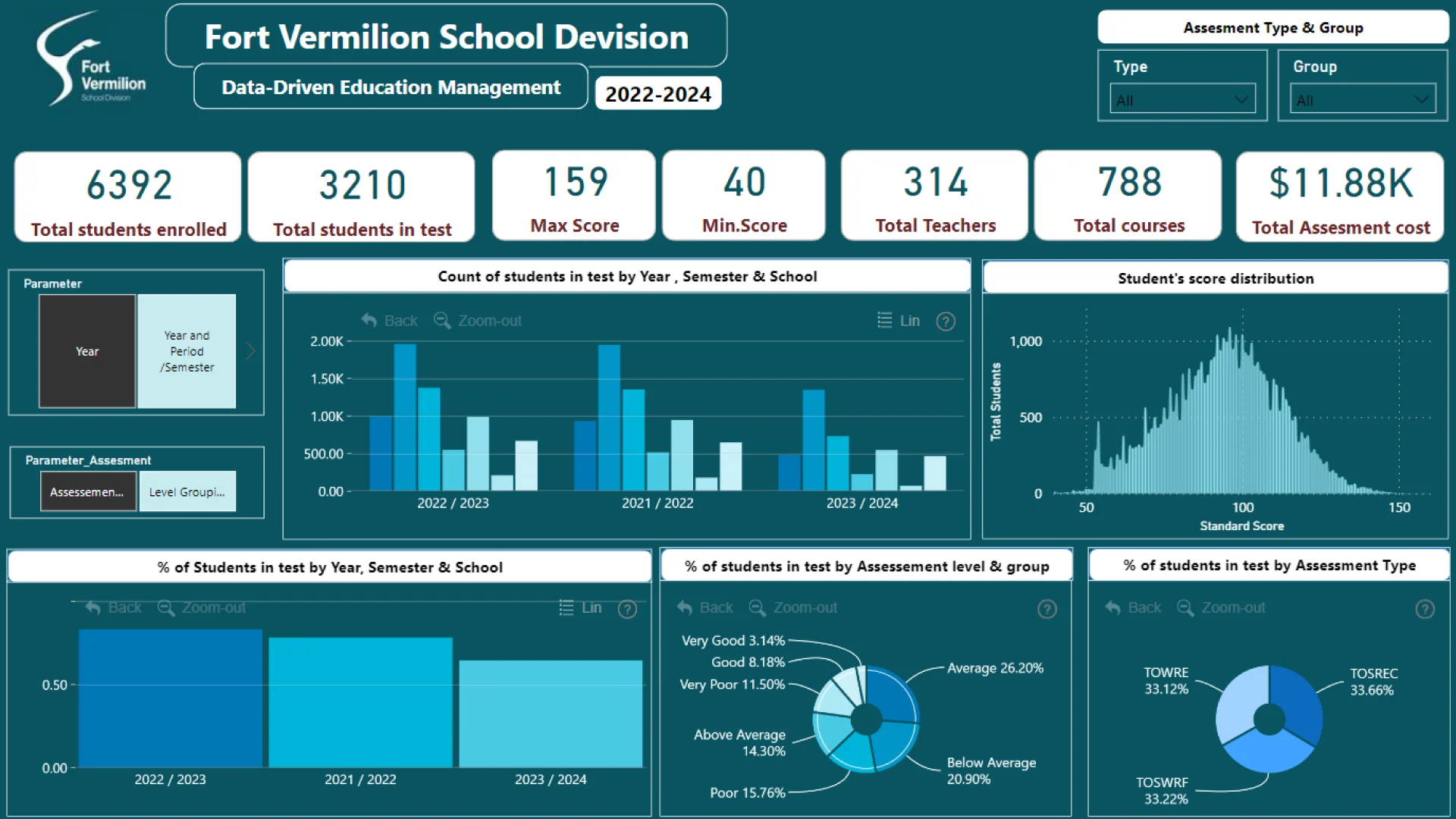
Report highlights: The report represent detailed analysis of student performance across different school years, semester, schools etc., for Fort Vermilion School Division - Alberta, Canada.
- The detailed analysis of number of students and percentage of students participated to the test in different semesters by different assessment levels & groups.
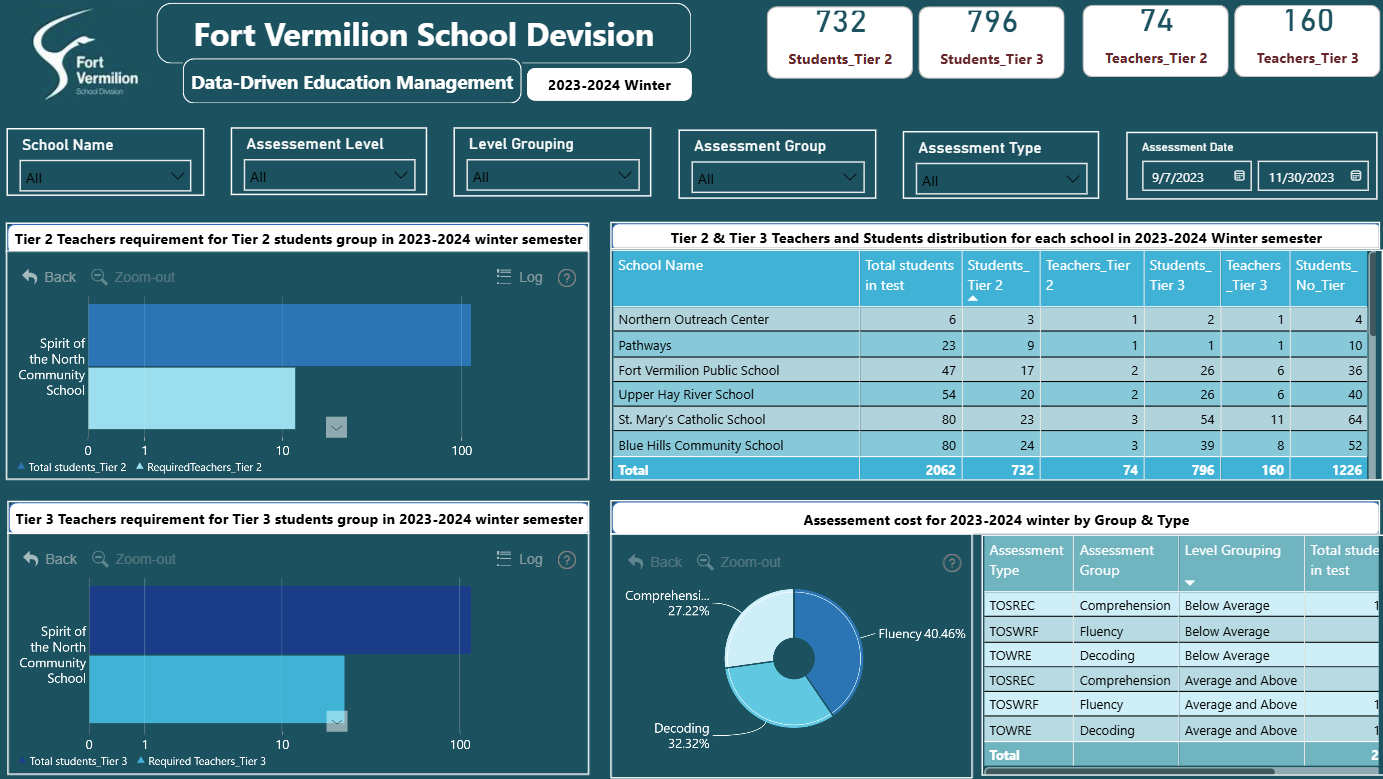
- The number of students and teachers in Tier 2 & Tier 3 Intervention Groups based on student's test results to allocate teachers for each student groups.
- Projection of testing cost for the 2023-2024 winter semester based on fall semester results for facilitate budget allocation and planning.
ZoomCharts visuals used




4U Report Challenges
Participate in data challenges, build and submit reports to get free template downloads.
Join CommunityMobile view allows you to interact with the report. To Download the template please switch to desktop view.
How to use a PBIX template
Preview the interactive report, download the PBIX file, open it in Power BI Desktop, and replace the same data connection with your own dataset.
Preview and download
Explore the report online and download the PBIX template file.
Open in Power BI Desktop
Open the downloaded PBIX file in Power BI Desktop.
Connect your data
Replace the sample data source with your own dataset.
Refresh and adjust
Refresh the model and update fields or visual were needed.
Save and share
Save your report and publish it for your audience.


