logo
For Power BI
  • Products
    • Custom Visuals for Power BI
    • Report Templates
  • Resources

      Resources

    • Documentation
    • Report Examples
    • Blog
    • Webinars
    • Video Tutorials
    • Visuals Gallery

    Support

    • ZoomCharts Assistance
    • Contact Sales
    • Contact Support
    • FAQ

    Challenges

    Challenges

    Improve your report creation skills by participating in free challenges for report creators.

    Learn more
    Get Developer License
  • Services
    • Power BI Report Development
    • Custom Visual Development
  • Challenges
  • Pricing
    • Custom Visuals for Power BI
    • Report Templates
Request a quote Get Developer License Sign in
Request a quote Book a Demo Get Developer License Sign in
Get it now
Go back

Contents

Reset your password

We'll email you instructions on how to reset your password

Go back

Share

Logo

Welcome to the FP20 Analytics January 2026 Challenge!

Jan 12 - Feb 11, 2026 | EST

Build powerful data governance reports in Power BI, analyze a comprehensive dataset, submit your solution, and compete for prizes.

Submission deadline

00

DAYS

00

HOURS

00

MINUTES

00

SECONDS

Sign in or sign up to continue

Make sure you provide an email address that you check regularly.


Already have an account? Sign in!

Login options
Forgot password?

Register for the FP20 Analytics Challenge with ZoomCharts!


Activate your ZoomCharts Drill Down visuals Free Developer License!

Go to your dashboard to download your free ZoomCharts Developer License and see how to apply it in Power BI Desktop here 👇


Ready to submit your report for review?

Thank you! Your report has been submitted!

View report

Submitted:

Your report will undergo validation. Once the validation of your report is complete, we will send you a Power BI Publish to Web link that you can share publicly.

Confirmed your submission fits the criteria:

Reviewed:

Rejection reason:

Sorry, we are no longer accepting entries for this competition. Stay tuned for future events!

Something went wrong, please contact support!

Timeline

Registration Open

Registration Open

12 January | 03:00

-

Submissions Open

Submissions Open

12 January | 03:00

-

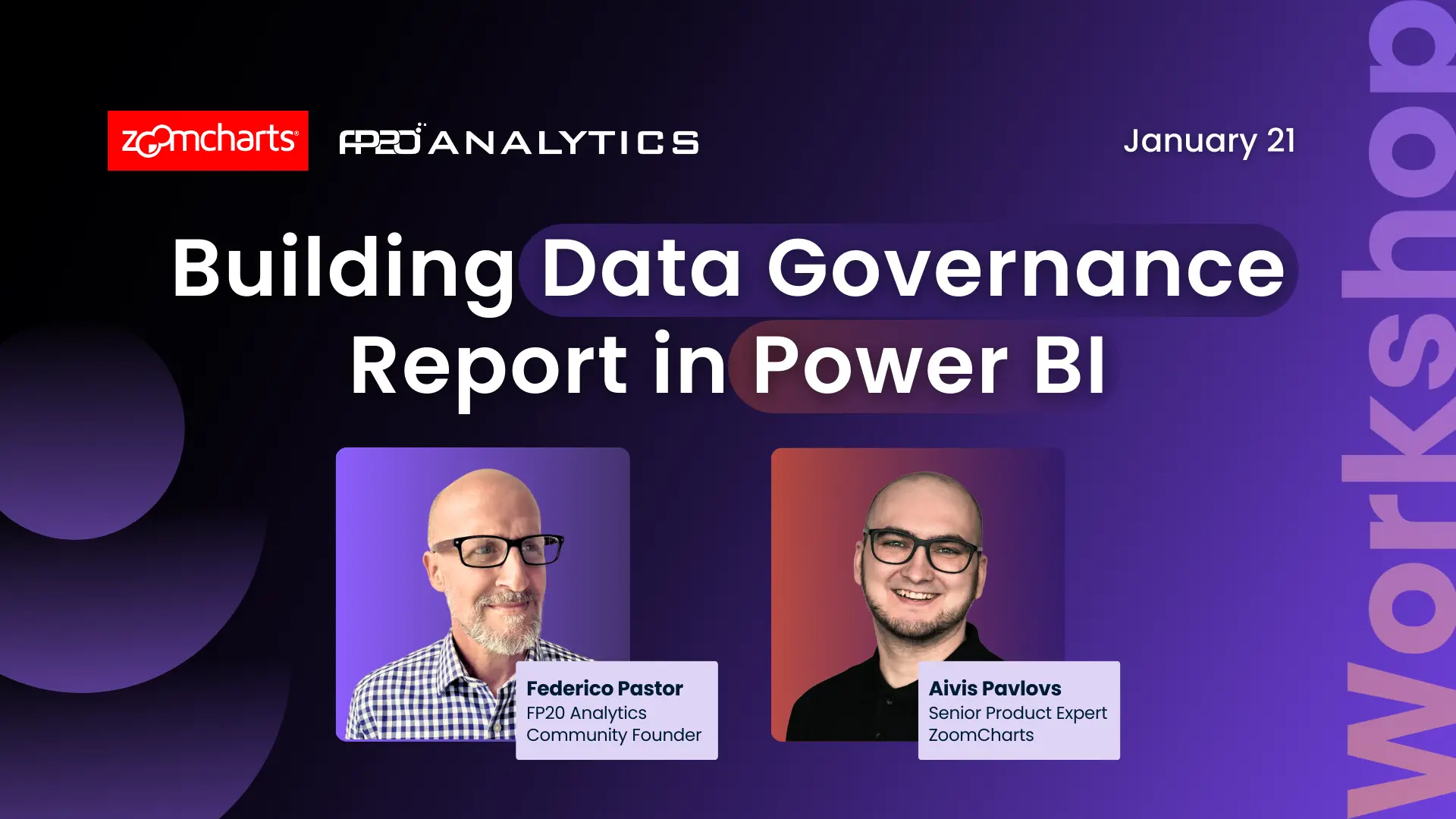
Workshop | Building Impactful Data Governance Reports in Power BI - LIVE Workshop

Workshop | Building Impactful Data Governance Reports in Power BI - LIVE Workshop

21 January | 08:00

-

1:1 Mentoring Sessions

1:1 Mentoring Sessions

21 January | 08:00

12 January - 04 February

Entry Submission Deadline

Entry Submission Deadline

04 February | 16:59

12 January - 04 February

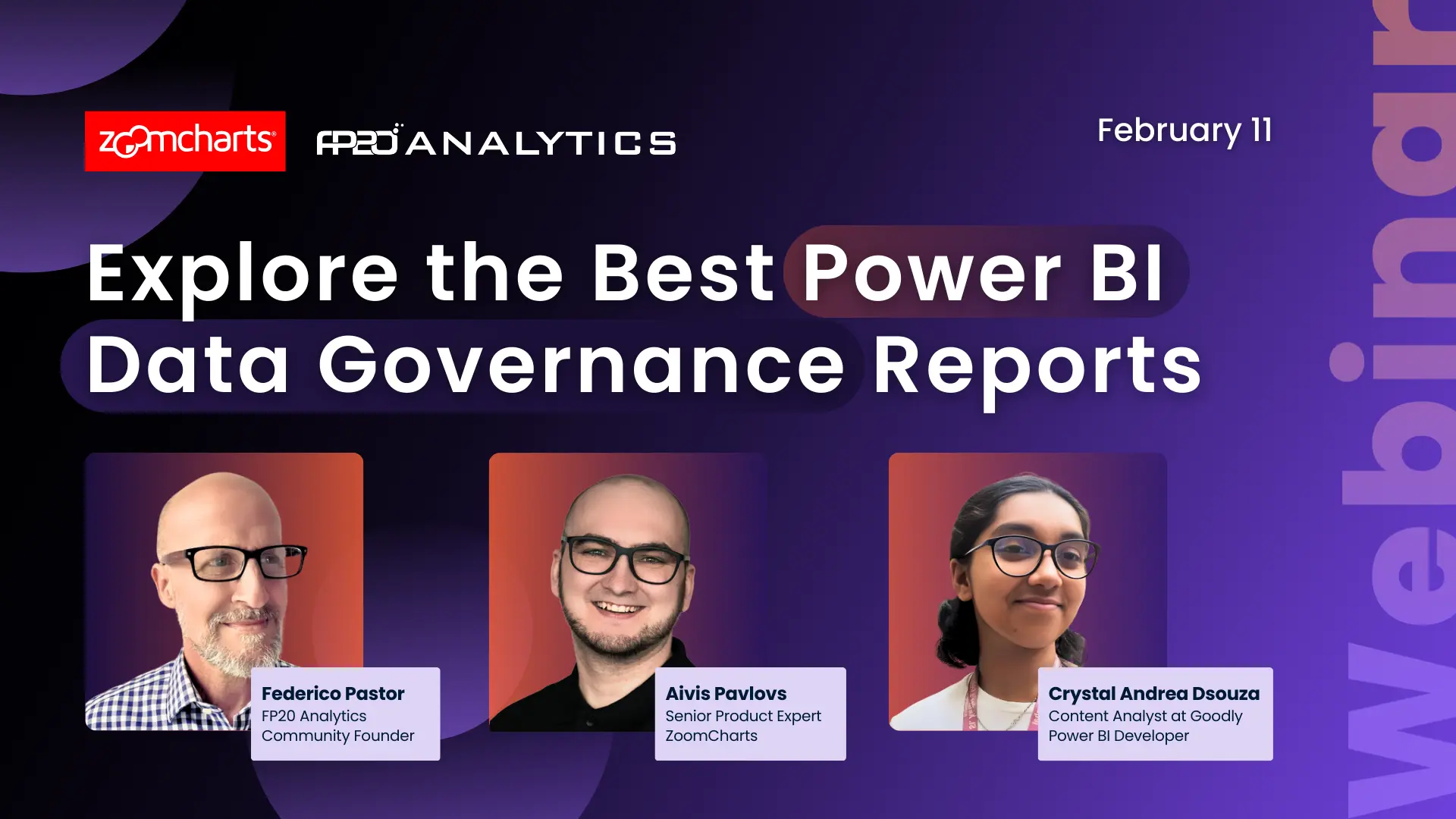
Webinar | Let’s Explore the Best Power BI Reports for Data Governance LIVE

Webinar | Let’s Explore the Best Power BI Reports for Data Governance LIVE

11 February | 08:00

12 January - 04 February

Winner Announced

Winner Announced

11 February | 10:00

12 January - 04 February

Dataset

Get the dataset

Share the challenge

About challenge
How to participate
The Brief
Judging criteria
Timeline
Dataset
My license
Mentoring

About the FP20 Analytics ZoomCharts Data Challenge

🏆 Main Prize: $300 Amazon Gift Card

Want to build professional Power BI reports and grow your portfolio?

This challenge helps you level up with expert feedback, hands-on workshops, webinars with MVPs, and visibility in our public results showcase. It’s a great way to learn, gain recognition, and connect with a supportive data community.

The challenge is hosted in partnership with FP20 Analytics - a LinkedIn community that brings together 20k+ passionate data professionals and helps new analysts improve their craft. It’s a welcoming space where you can practice, learn, and share your work with others. Learn more about the FP20 Analytics challenge on their website.


Benefits of joining FP20 Analytics ZoomCharts Challenge

Live Workshops & 1:1 Mentoring

Learn directly from experienced Power BI professionals. Enjoy practical workshops on report-building techniques and book a one-on-one mentoring session to receive tailored advice on your submission.

Personalized Feedback

Every participant receives detailed, constructive feedback on their report. It’s a valuable opportunity to improve your skills with real insights from seasoned analysts.

Free ZoomCharts Custom Visuals License

All participants receive a ZoomCharts Developer License, giving you full access to the Drill Down PRO visuals library.

Free Report Downloads

Each challenge participant with a validated report will receive 5 free downloads from the Power BI Report Gallery.

Prizes 🏆

  • The best report using ZoomCharts visuals will receive a $300 Amazon Gift Card.
  • Being selected in the Top 5 will grant you +10 free downloads from the Power BI Report Gallery.

The winners will be announced during a special live webinar on February 11.


Guest Judge of the Challenge

Crystal Andrea Dsouza, Content Analyst at Goodly, Power BI Developer


Webinars

Learn more about ZoomCharts visuals & gain a knowledge advantage in the contest by joining the upcoming webinars! You'll also get the chance to your ask questions and get expert answers in the Q&A section.

Upcoming webinars

Recording thumbnail

Building Impactful Data Governance Reports in Power BI - LIVE Workshop

21st January, 2026

08:00 AM - EST

Join this hands-on Power BI workshop to explore a real-world data governance dataset, learn best practices in modeling and storytelling, and build interactive reports using ZoomCharts and Power BI native visuals!

Learn more
Recording thumbnail

Let’s Explore the Best Power BI Reports for Data Governance LIVE

11th February, 2026

08:00 AM - EST

Discover the best Power BI reports from the FP20 Analytics Challenge and learn what makes an outstanding data governance dashboard through expert feedback and real examples.

Learn more

How to Participate in the FP20 Analytics & ZoomCharts Challenge

1. Register for the Challenge

  • Register using the form above on this page.

  • Download the dataset using the Get the Dataset button on the left side of the page.

  • Read the challenge brief in the The Brief section to understand the data and requirements.

  • Activate your free Drill Down Visuals Developer License for Power BI. (watch the setup video or follow the step-by-step instructions).


2. Build Your Report in Power BI

  • Add your ZoomCharts license to Power BI Desktop.

  • Add ZoomCharts visuals from the Power BI visuals library or Microsoft Marketplace.

  • Build your report using the challenge dataset.
    Your report must include at least two ZoomCharts Drill Down Visuals on the same page.

  • Recommended report format:

    • Up to 3 pages (including any drill-through pages)

    • Canvas size: 16:9 (default) or 1920 × 1080 (Full HD)


3. Improve Your Report and Learn New Skills

  • Join the challenge workshop to learn how to use ZoomCharts visuals effectively.

  • If you need help, book a free 1-on-1 consultation with the ZoomCharts team.

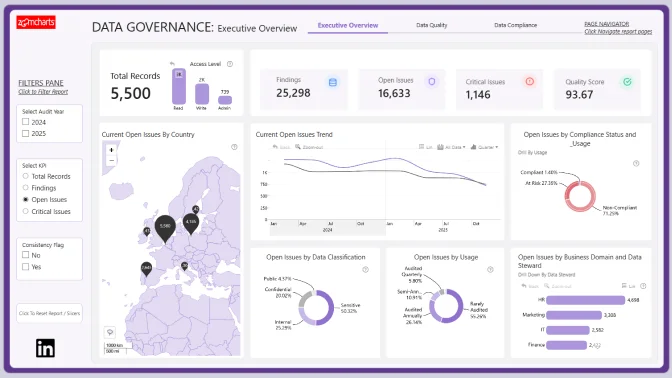
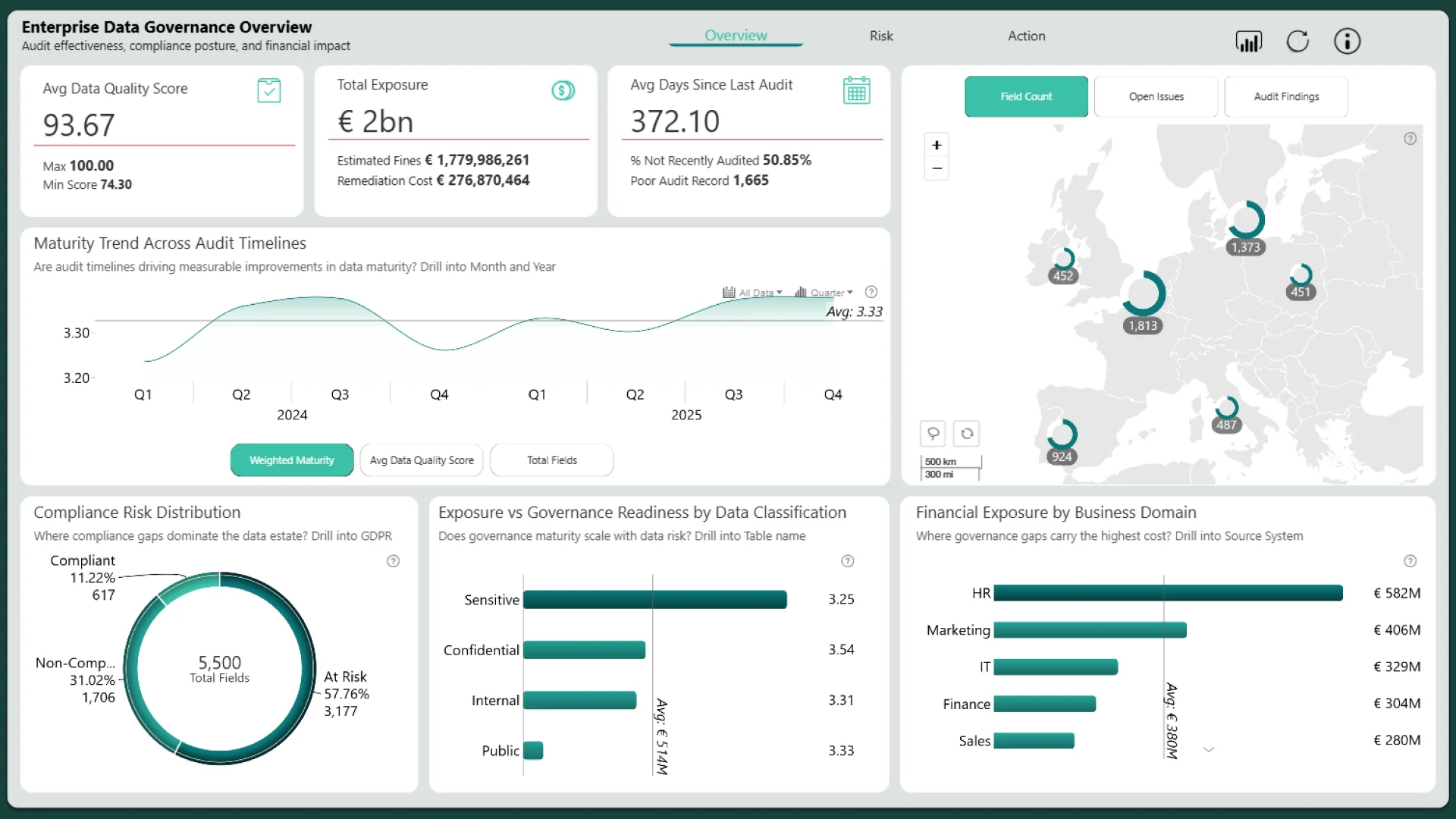
  • Look at previous challenge submissions for ideas and inspiration.


4. Submit Your Challenge Entry

  • Log in to your account on this page and upload your report in .pbix format for validation.

If your report does not meet all requirements:
You will receive an email explaining what needs to be fixed.
You can update your report and submit it again.

Validation timeline:

  • Your report will be reviewed within 1–2 business days.

  • Once validated, you will receive a Publish to Web link that you can use in your portfolio or share online.

  • You will also receive personalized feedback within 1–2 business days to help you improve your report before the deadline.

Note:
You may resubmit your entry as many times as needed before the challenge deadline.


5. Finalize Your Participation to Compete for the ZoomCharts Grand Prize

To be eligible for prizes, complete these steps:

  1. Post the final version of your report (PDF) on your LinkedIn profile.

  2. Use this caption:
    "I am participating in FP20 Analytics ZoomCharts Challenge 33"

  3. Include a short summary of your key insights and the Publish to Web link (if you have one).

  4. Use the hashtags #FP20Analytics and #builtwithzoomcharts and tag @Federico Pastor and @ZoomCharts.

  5. Obligatory! Share your report also in the FP20 Analytics LinkedIn Community group.

  6. Follow ZoomCharts on LinkedIn.

  7. Rate ZoomCharts visuals at Microsoft Marketplace.

6. Attend the Live Closing Webinar

  • The ZoomCharts team reviews and analyzes the Top 5 challenge submissions during live webinar.

  • You will learn best practices, visualization tips, and new Power BI skills.

  • The winner of the best report receives a $300 Amazon gift card from ZoomCharts.

Technical requirements

  • Build your report using Power BI
  • The recommended number of pages in the report is up to 3 pages, including drill-through pages.
  • Canvas size is 16:9 (Default Power BI size) or Full HD size = w:1920 - h:1080 
  • The report should contain at least 2 ZoomCharts Drill Down visuals within a single page. See a practical guide for using Drill Down PRO visuals.

The Brief

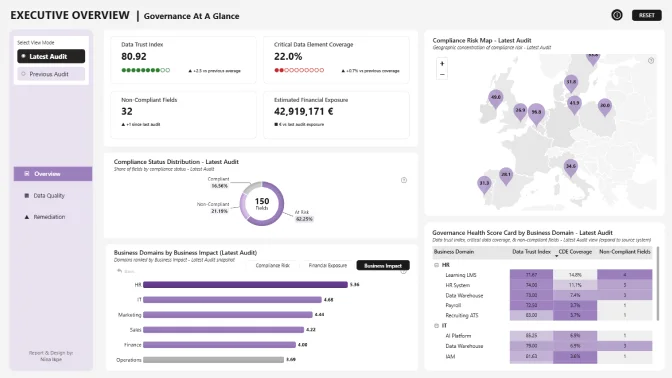
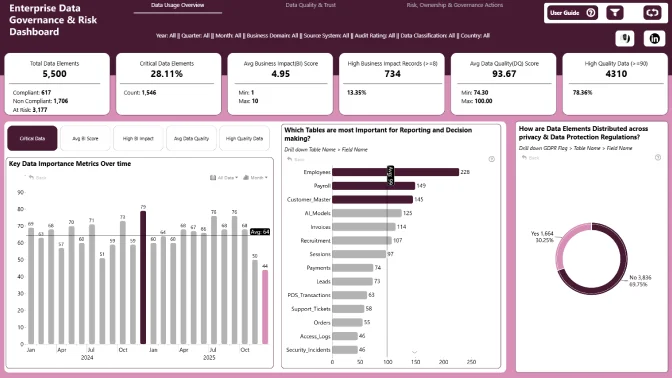
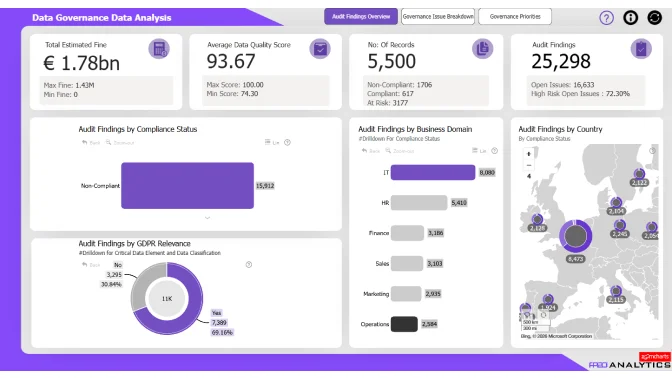
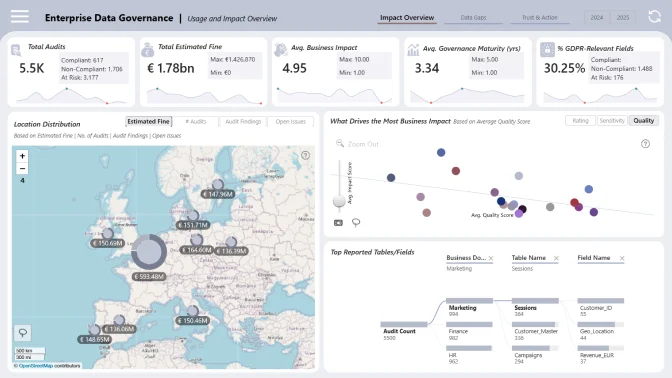
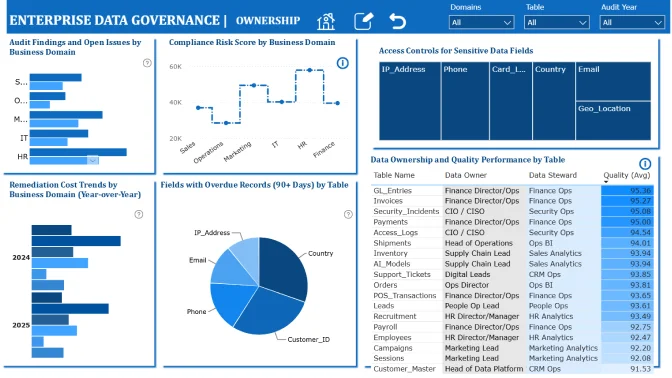
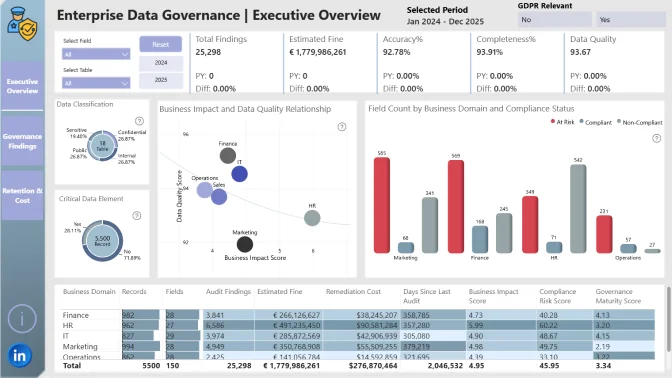
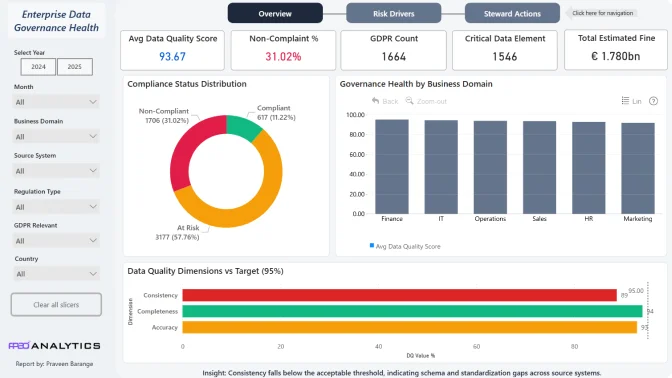
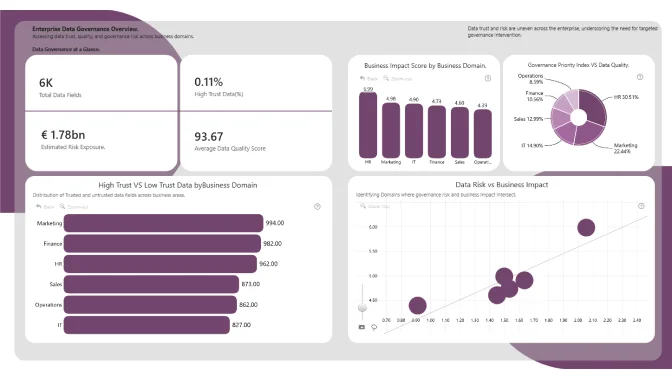
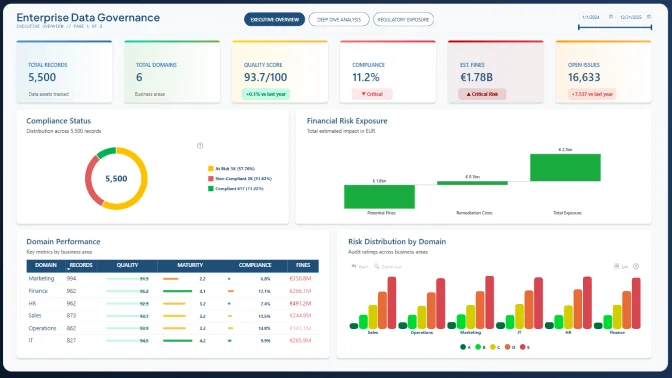
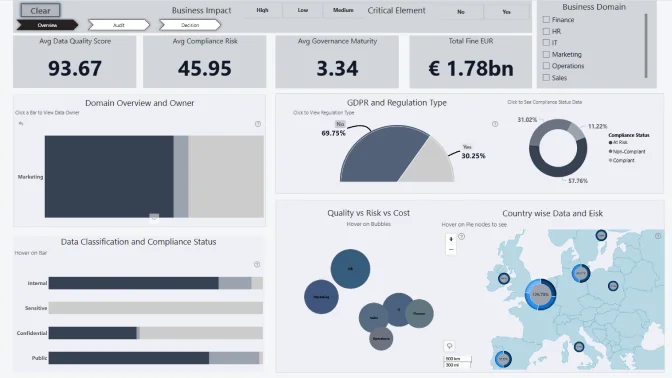
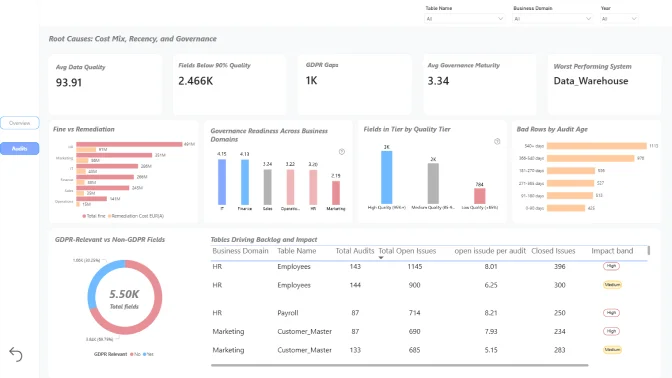
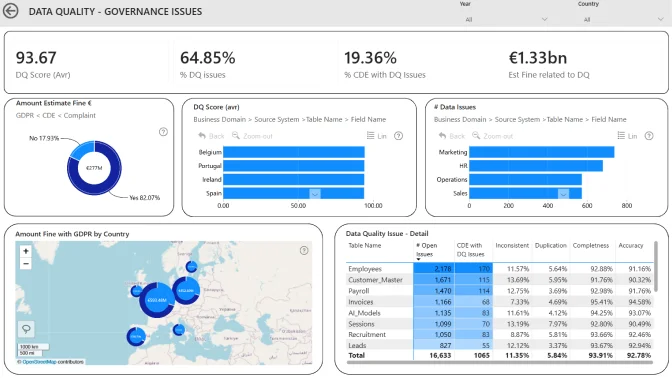
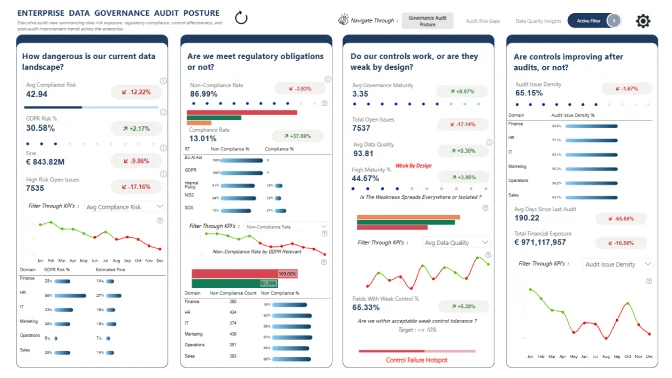
Enterprise Data Governance Data Analysis

In this challenge, you step into the role of a data governance analyst working within a large, multi-domain organization. The company manages data across Operations, Marketing, Finance, IT, and other business domains, with data flowing through numerous source systems, tables, and fields.

The dataset represents the organization’s data governance landscape, capturing information about data ownership, stewardship, classification, quality metrics, audit results, compliance risks, and potential financial exposure. Your goal is to improve data trust, enable safe and responsible data usage, strengthen data culture, and support scalable, confident decision-making across the organization.


Use Case and Main Goal

As organizations become increasingly data-driven, strong data governance is critical for compliance, trust, and decision-making. This dataset allows you to assess how effectively data is managed across the enterprise.

By analyzing it, you will:

  • Evaluate data quality and governance maturity across business domains and systems.

  • Identify high-risk data assets, including GDPR-relevant and sensitive fields.

  • Understand how audit results, compliance status, and open issues impact business risk.

  • Highlight where poor governance could lead to financial penalties or remediation costs.

Your insights should help leadership prioritize governance improvements and reduce regulatory exposure.


Your Mission

Use Power BI and ZoomCharts visuals to:

  • Build a clear data model connecting governance, quality, audit, and risk metrics.

  • Create KPIs for data quality, compliance risk, and governance maturity.

  • Design an executive-ready Power BI report that tells a clear governance story.


Key Questions to Explore

  1. Which tables and fields in this dataset are most frequently used for reporting or decision-making?
  2. Which columns appear to represent the same concept (e.g., dates, status, IDs, counts) but differ in name, format, or logic?
  3. Which fields have high missing, null, or inconsistent values, and which of those create real business risk?
  4. For each critical table, who should own the definitions and quality of the data, based on how it is created and used?
  5. Which fields show conflicting or outdated values when compared across tables or records?
  6. Which tables or columns can be confidently labeled high-trust, and which should be flagged as use with caution?
  7. What metadata is missing for this dataset (field definitions, source system, refresh frequency, transformation rules)?
  8. Which fields may contain sensitive, personal, or restricted information, and is access currently appropriate?
  9. Where could different teams reasonably interpret the same field differently, based on naming, values, or lack of definition?
  10. Based on what we see in this dataset, what are the top three governance actions (definition cleanup, ownership assignment, quality rules, access control) we should take in the next 90 days?

✨ Note: These questions are only starting points. You are encouraged to explore the dataset creatively and surface insights that reveal how governance, compliance, and data quality influence business risk and decision-making across the organization.

Judging criteria

Business users use reports to make data-driven decisions. That’s why reports are called effective if they enable users to drill down and filter data quickly and intuitively to find answers to any question they might have, and analyse data in all possible directions and dimensions.

Each report is evaluated based on three main criteria: intuitiveness, insightfulness, and interactivity. These factors ensure that the reports are not only accurate and functional, but also meet the target audience's needs and are ready to be presented to the end-users. 


  1. Intuitive: How clear and easy it is to understand the report at a glance? (max 15 points)
    • Is the report visually appealing?
    • Choice of charts and visual elements
    • Does the report tell a story?
    • Is it not overwhelming to the user?
    • Choice of tooltips, titles, and legends

  2. Interactive: How engaging and seamless is the report exploration and interaction with data? (max 15 points)
    • Clear navigation that allows user to explore the report
    • Use of slicers and other interactive elements
    • Smooth cross-chart integration
    • Is report optimized for touch devices?
    • Are tutorials and guiding elements helpful to the user?

  3. Insightful: How accurate, complete, and meaningful is the data in driving decisions? (max 15 points)
    • Depth of analysis
    • Data cleaning and preparation
    • Does data show up accurately in the report?
    • Is report optimized for quicker loading time?
    • Does the report provide deeper exploration of data (drill-down)?

Timeline

Registration Open

Registration Open

12 January | 03:00

-

Submissions Open

Submissions Open

12 January | 03:00

-

Workshop | Building Impactful Data Governance Reports in Power BI - LIVE Workshop

Workshop | Building Impactful Data Governance Reports in Power BI - LIVE Workshop

21 January | 08:00

-

1:1 Mentoring Sessions

1:1 Mentoring Sessions

21 January | 08:00

12 January - 04 February

Entry Submission Deadline

Entry Submission Deadline

04 February | 16:59

12 January - 04 February

Webinar | Let’s Explore the Best Power BI Reports for Data Governance LIVE

Webinar | Let’s Explore the Best Power BI Reports for Data Governance LIVE

11 February | 08:00

12 January - 04 February
Winner Announced

Winner Announced

11 February | 10:00

12 January - 04 February
Dataset

Get the dataset

My license

1:1 mentoring sessions

You can book a personal session with Senior Product Expert at ZoomCharts, Aivis Pavlovs, to gain practical knowledge about Drill Down Visuals and how they can be used to enhance data storytelling in a report.

Book a meeting

Your Drill Down Visuals Developers License

Use the email and password provided below to log in Power BI Desktop and access an account with a license to use all ZoomCharts Drill Down Visuals.

Upon logging in, you will need to change your password and enable two-factor authentication. If you encounter any problems, feel free to reach out to us via chat. For more information click here.

*This Developer License can be used to create a report for this ZoomCharts Mini Challenge or for your personal training purposes. Commercial use of this license is prohibited.

Submit your report to the FP20 Analytics ZoomCharts Challenge!

Enter your submission by attaching the Power BI report file. Your report will be published on the web, and we will e-mail you a link to your report that you can share publicly.

Upload failed
Attach file
File requirements: 16MB
warning If you are experiencing trouble with uploading your report, please send it in .pbix format along with all required information to [email protected]


Any questions? Reach out to us at [email protected]!

Are you sure you want to delete the report?

Activate your Drill Down visuals Developer License!

You can use these credential to access ZoomCharts visuals and create your report for this ZoomCharts Mini Challenge, or for your personal training purposes.


Invalid email address

Unfortunately, we couldn't reach the email address linked to this profile "". If you wish to receive news, feedback, and the Publish to Web link for your contest submissions, you'll need to create a new ZoomCharts account with a valid email address, or log into an existing account.

Switch account
logo
[email protected]
+44 204 577 3993
logo

Products

Drill Down Network PRO Drill Down Waterfall PRO Drill Down Graph PRO Drill Down Combo PRO Drill Down Combo Bar PRO Drill Down Donut PRO Drill Down Pie PRO Drill Down TimeSeries PRO Drill Down Timeline PRO Drill Down Map PRO Drill Down Scatter PRO All Visuals

Resources

Report Examples Webinars Blog ZoomCharts Academy Visuals Gallery Documentation Custom Visual Development Subscribe to News

Solutions

Custom Visual Development

Company

Pricing About Us Partners Leave feedback Join PowerGroup EU Funding

Help

ZoomCharts Assistance Contact Sales Contact Support FAQ

Drill Down Network PRO Drill Down Waterfall PRO Drill Down Graph PRO Drill Down Combo PRO Drill Down Combo Bar PRO Drill Down Donut PRO Drill Down Pie PRO Drill Down TimeSeries PRO Drill Down Timeline PRO Drill Down Map PRO Drill Down Scatter PRO All Visuals

Report Examples Webinars Blog ZoomCharts Academy Visuals Gallery Documentation Custom Visual Development Subscribe to News

Custom Visual Development

Pricing About Us Partners Leave feedback Join PowerGroup EU Funding

ZoomCharts Assistance Contact Sales Contact Support FAQ
+44 204 577 3993
[email protected]

Ready to get in touch?

Contact our experts with any question about Power BI and ZoomCharts for Free!

Contact us

© 2026, Data Visualization Software Lab

U.S. Patents No. 11,645,343; 11,921,804; 12,346,389

Cookies
Privacy Policy
Global
Legal
Patent
warning

Error message

success

Success info: Done!

ZoomCharts AI Assistant

We noticed you're using an old OS version.

For the best experience, we recommend upgrading to ensure that all website features display correctly.

Cookie settings

We use necessary cookies for site functionality, as well as statistic, marketing, and preference cookies to enhance your experience. For more information and to manage your preferences, please visit our Cookie policy