Improve chart readability with customizable labels for your pie chart. Drill Down Pie PRO lets you show key slice information, such as category name, value, and percentage, so users can understand the data more easily.
Labels are configured in two separate setting groups in the Format visual pane:
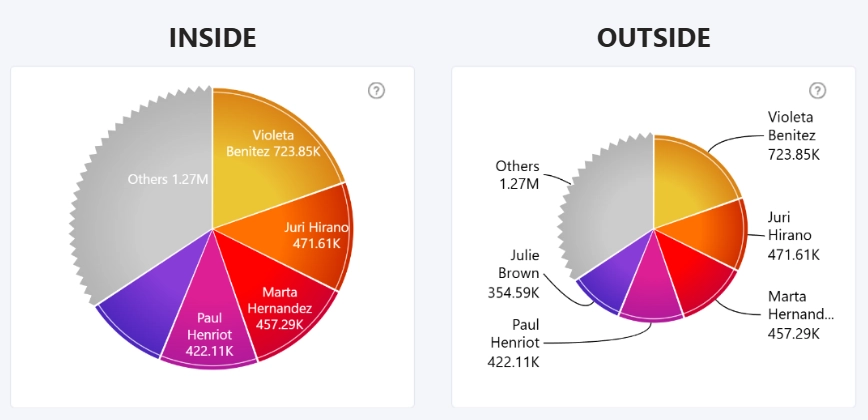
- Inside Labels: Display labels directly inside each slice. This option works best for larger charts or charts with fewer, wider slices.
- Outside Labels: Display labels outside the chart, with connector lines pointing to the corresponding slices. This option is useful when labels need more space or when the chart has many slices.
Both Inside Labels and Outside Labels include options for customizing label content, visibility, font family, font size, font style, color, and formatting.
Label visibility settings are available for both Inside Labels and Outside Labels, but the same label type cannot be enabled in both setting groups at the same time. Enabling a label type in one group automatically disables it in the other group.
Was this helpful? Thank you for your feedback!
Sorry about that.
How can we improve it?