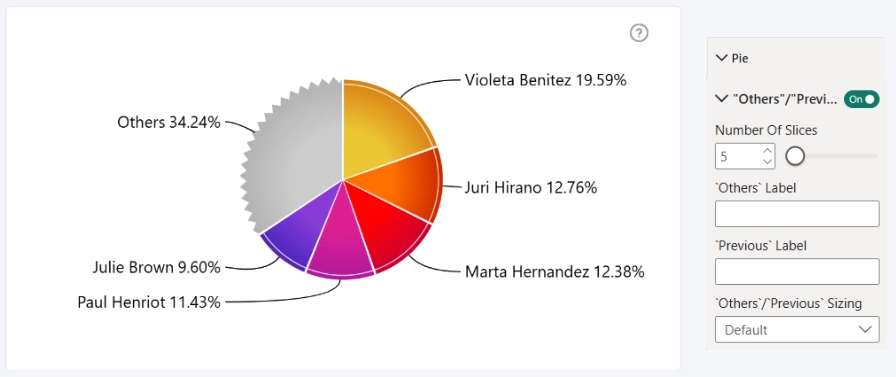
Keep pie charts clear and easy to read, even when your data contains many categories. Drill Down Pie PRO can automatically group smaller slices into an Others slice, reducing clutter without hiding the underlying data.
You can enable and configure this behavior in the Visualizations pane under Format visual > Pie > "Others" / "Previous".
Users can click or tap Others to expand the grouped slices and continue exploring the full breakdown. When drilling deeper into the data, the visual can also show a Previous slice, making it easy to navigate back through the drill path.
Enable "Others" / "Previous" in the Pie settings to turn on this behavior and access additional options, including how many slices remain visible and how the Others and Previous slices are labeled.
Was this helpful? Thank you for your feedback!
Sorry about that.
How can we improve it?