Color Mode
Choose the method in which the Lower Color, Middle Color
(optional) and Upper Color are applied to the series.
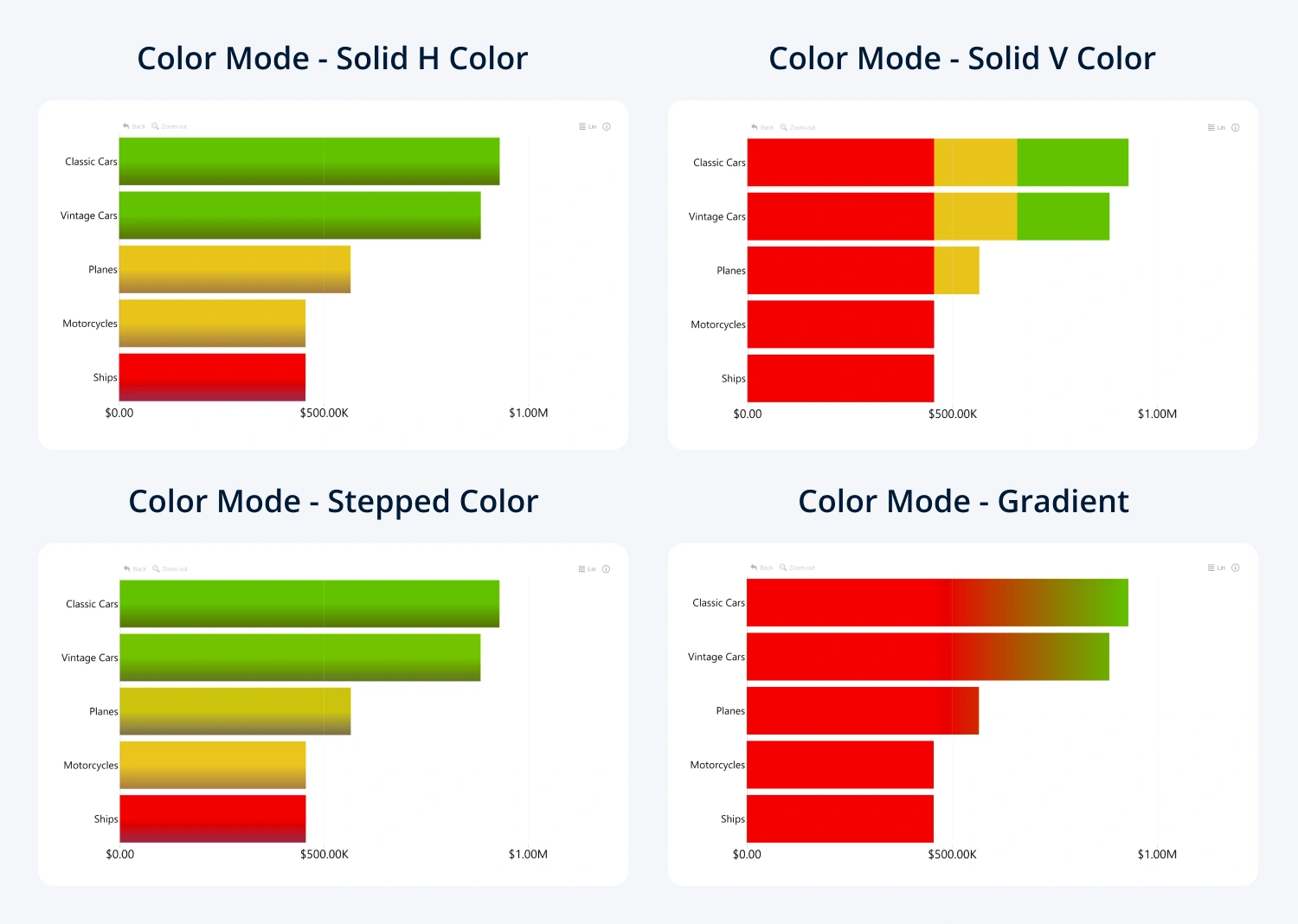
- Solid H color: Middle or Upper Color will be applied to the entire category if it exceeds the defined value; all other values will be filled with Lower Color.
- Solid V color: Middle and Upper Color will be applied only to the part of the bar, area, or line that exceeds the defined values.
- Stepped color: each category will be filled with a derivative color that’s determined by the value’s proximity to the Lower, Middle (optional) or Upper Color value.
- Gradient: the color origin points will form a linear gradient across the entire series.
- Color Field: The visual will apply colors to each category using the values in the Color field. If a category does not have a defined color in the Color field, Fill Color (Series Configuration) will be used instead.
Was this helpful? Thank you for your feedback!
Sorry about that.
How can we improve it?