42870
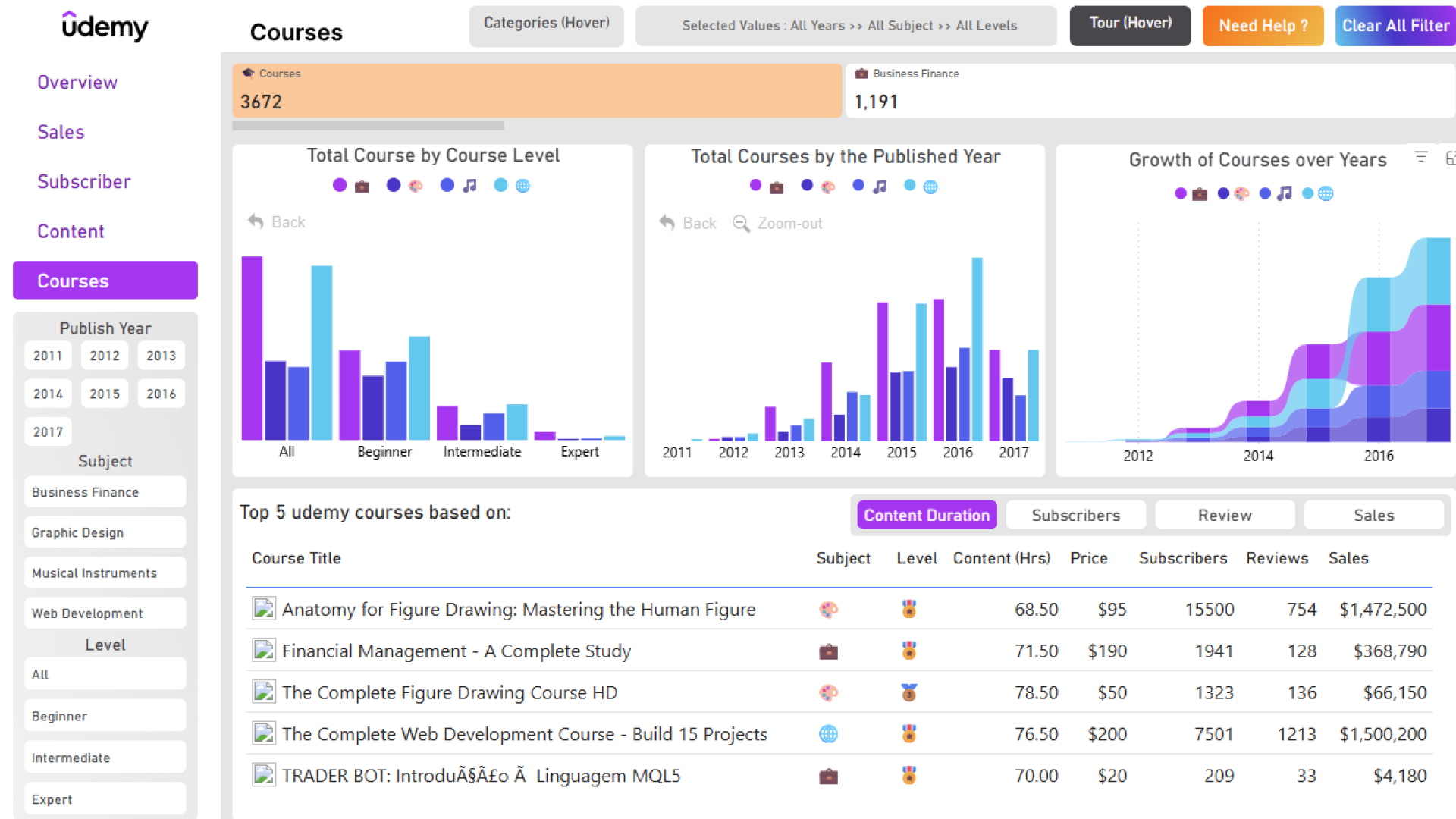
Udemy Courses Analysis Power BI Report Teamplate
Udemy Courses Analysis Power BI Report Teamplate
More Report pages
Overhauled by ZoomCharts
42870
Share template with others
Summary
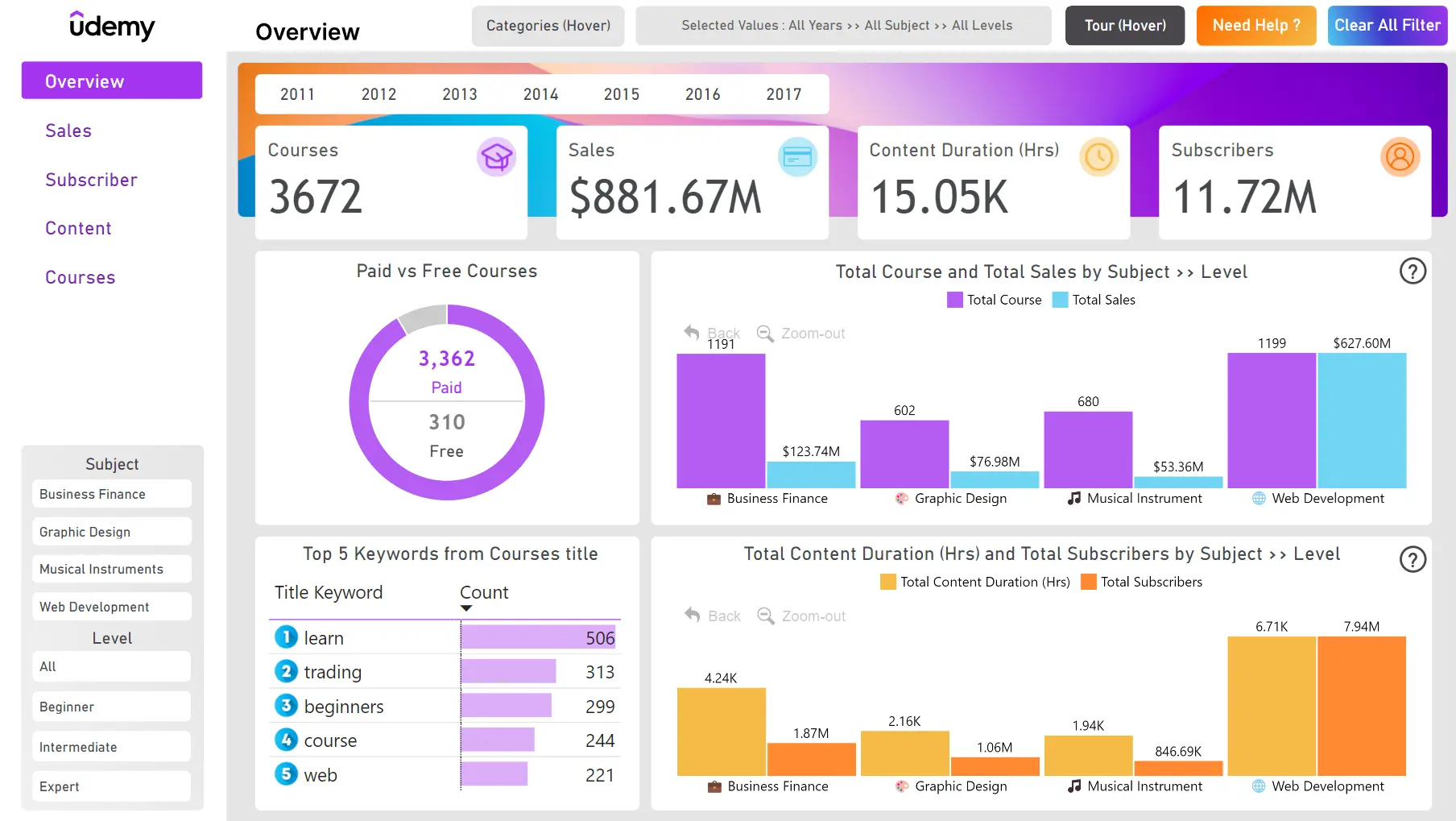
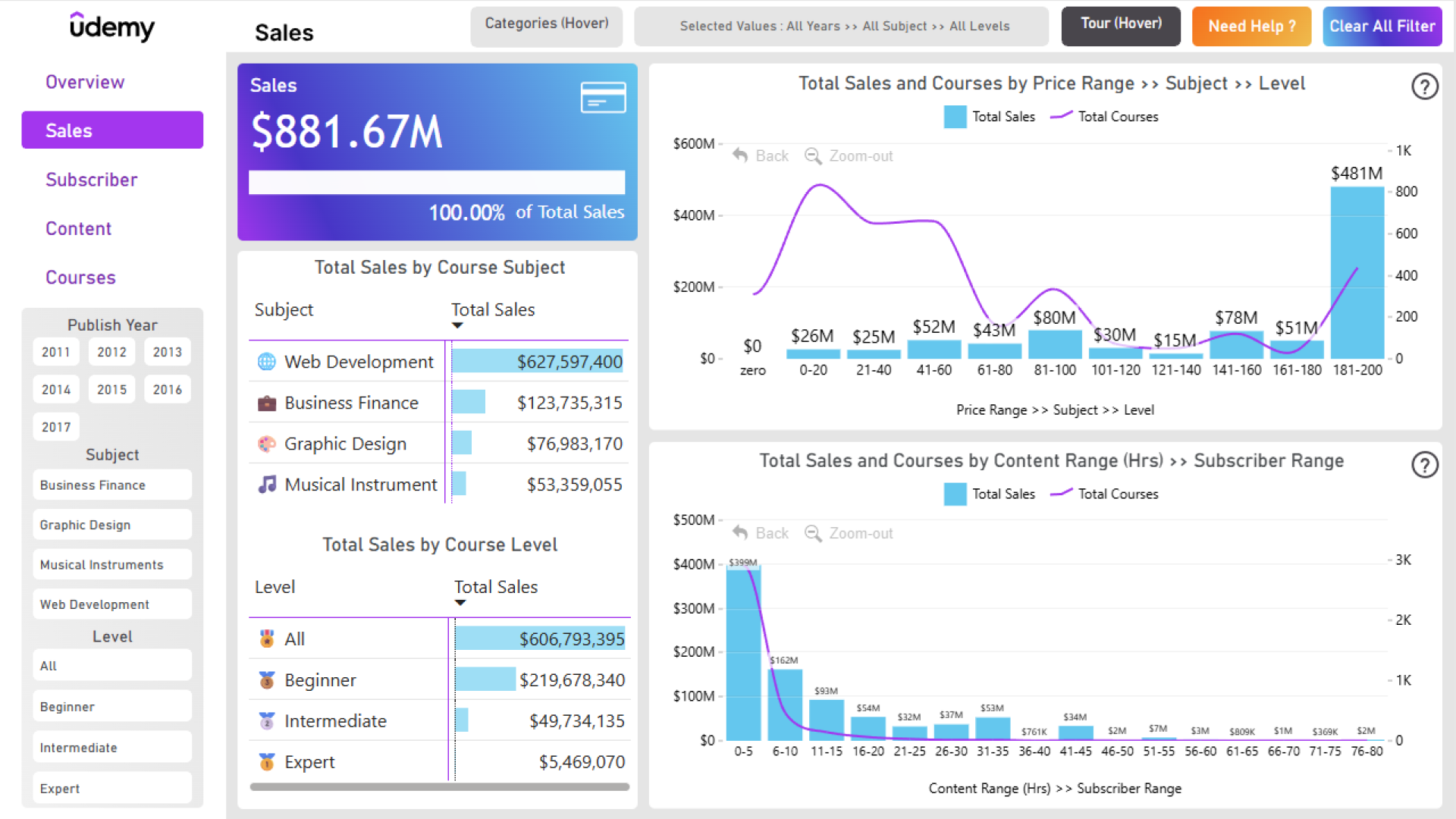
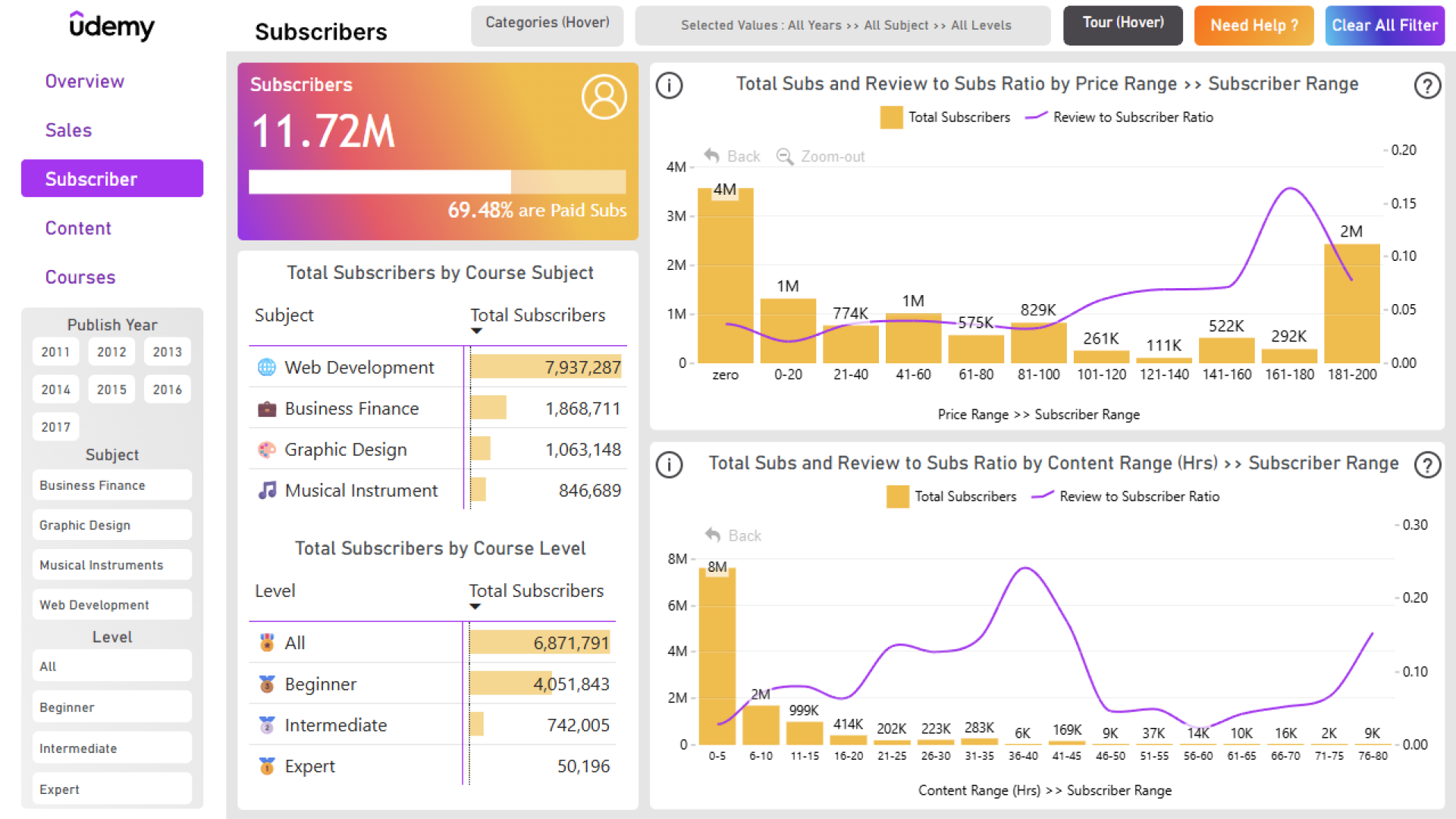
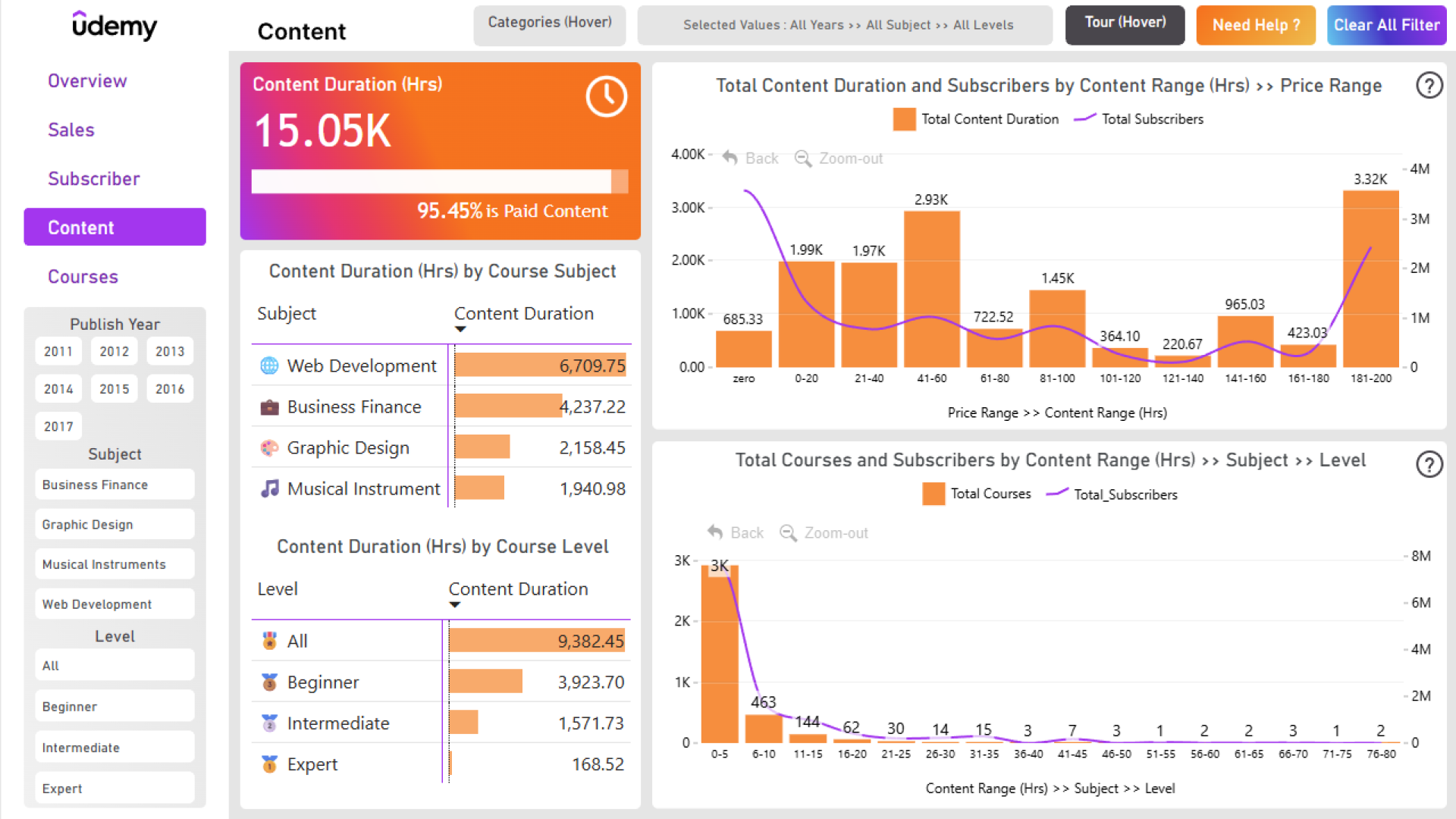
If you are looking for inspiration on customer retention analysis in Power BI, this report is a great example. The overview page presents clear insights on the sales performance, subscriber count and other metrics, while other pages provide deeper and more focused analysis from specific angles. With intuitive navigation and a visually pleasing color palette, this report is a joy to explore.
This Power BI report is based on the winning entry for ZoomCharts Mini Challenge which was a part of the January 2024 DataDNA Dataset Challenge, hosted by Onyx Data. The challenge dataset was based on online course popularity metrics by Udemy.
This Power BI template examples is based on the challenge submission with minor refinements by ZoomCharts. See the original submission here.
How To Use This Report Template
To interact with this Power BI report, simply click any active elements directly on the charts. Download this report to see all the settings, formulas, and calculations. Try it out with your own data by making a few adjustments.


4U Report Challenges
Participate in data challenges, build and submit reports to get free template downloads.
Join CommunityMobile view allows you to interact with the report. To Download the template please switch to desktop view.
How to use a PBIX template
Preview the interactive report, download the PBIX file, open it in Power BI Desktop, and replace the same data connection with your own dataset.
Preview and download
Explore the report online and download the PBIX template file.
Open in Power BI Desktop
Open the downloaded PBIX file in Power BI Desktop.
Connect your data
Replace the sample data source with your own dataset.
Refresh and adjust
Refresh the model and update fields or visual were needed.
Save and share
Save your report and publish it for your audience.


