25139
Spotify Top Artists & Listening Trends Power BI Report
Spotify Top Artists & Listening Trends Power BI Report
Report Author: Frida Daniel
25139
Share template with others
Summary
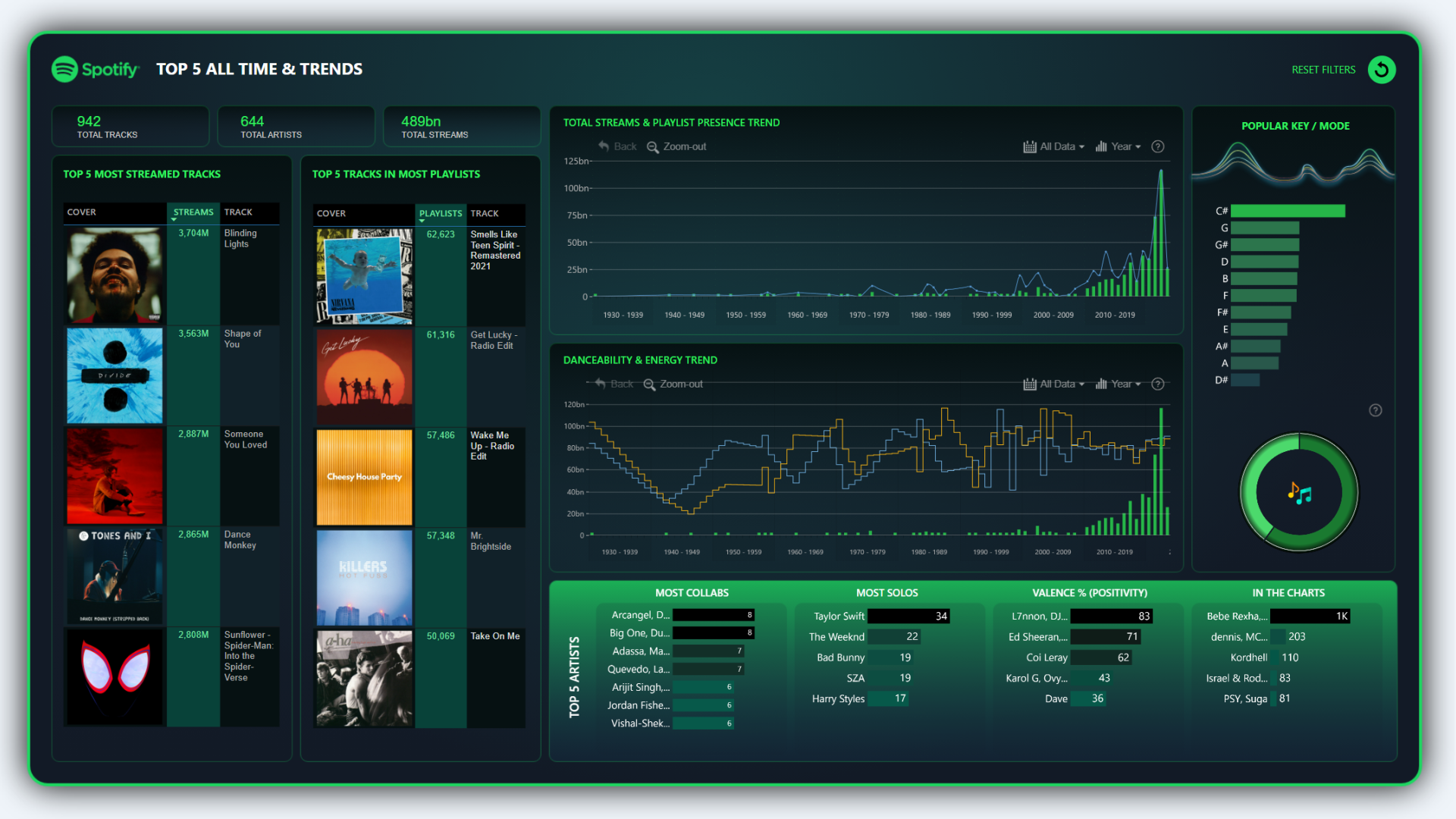
This Power BI report is based on the winning entry for ZoomCharts Mini Challenge which was hosted as a part of the October 2023 DataDNA Dataset Challenge, hosted by Onyx Data. The challenge dataset was based on music streaming metrics by Spotify.
The report places a visual emphasis on the most listened artists and songs, supplementing it with insights on relation between music popularity and release date on a timeline chart, in addition to data about the most popular song keys, danceability, and other metrics.
The original contest submission can be viewed here. ZoomCharts team has performed minor adjustments and visual refinements, and replaced the bar chart visuals with Drill Down Combo Bar PRO.
How To Use This Report Template
To interact with this Power BI report, simply click any active elements directly on the charts.
Download this report to see all the settings, formulas, and calculations. Try it out with your own data by making a few adjustments.



4U Report Challenges
Participate in data challenges, build and submit reports to get free template downloads.
Join CommunityMobile view allows you to interact with the report. To Download the template please switch to desktop view.
How to use a PBIX template
Preview the interactive report, download the PBIX file, open it in Power BI Desktop, and replace the same data connection with your own dataset.
Preview and download
Explore the report online and download the PBIX template file.
Open in Power BI Desktop
Open the downloaded PBIX file in Power BI Desktop.
Connect your data
Replace the sample data source with your own dataset.
Refresh and adjust
Refresh the model and update fields or visual were needed.
Save and share
Save your report and publish it for your audience.


