13257
Power BI Shark Tank Dashboard Example
Power BI Shark Tank Dashboard Example
More Report pages
Report Author: Dharmendar S
13257
Share template with others
Summary
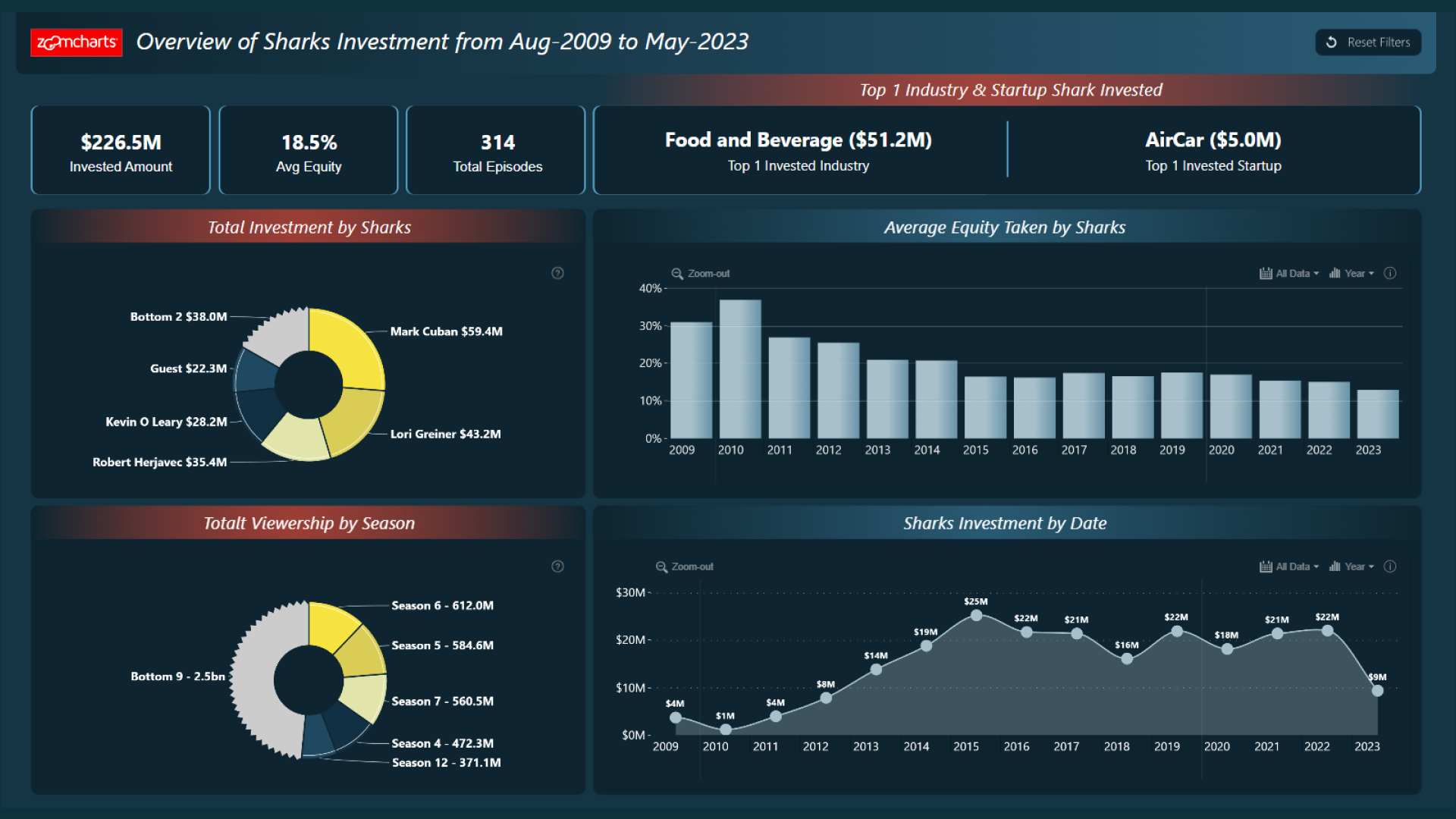
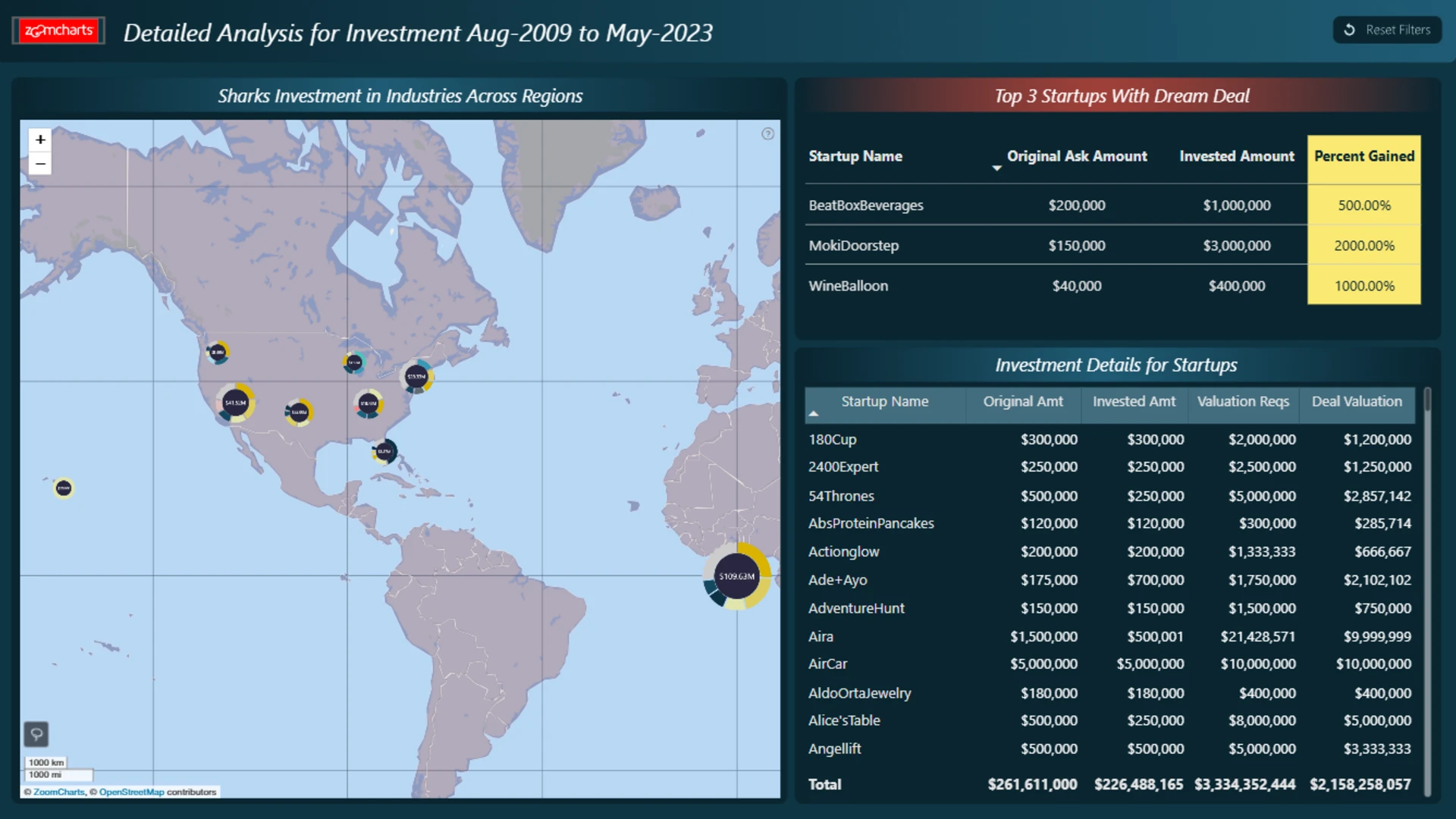
This Power BI Shark Tank dashboard example presents an interactive analysis of pitch activity, investment patterns, and deal outcomes.
Key Insights of the Power BI Shark Tank Analysis Dashboard
The report is designed to help users examine different aspects of Shark Tank activity. Its main analysis areas include:
- Pitch activity: explore the businesses and pitches represented in the dataset
- Investment patterns: examine how investment activity varies across the available categories
- Deal outcomes: analyze which pitches resulted in deals and compare their results
- Performance comparison: evaluate Shark Tank data using the dimensions and measures available in the report
Interactive Power BI visuals allow users to filter the data and explore the report from different perspectives. The focused layout makes it easier to identify patterns and compare pitch or investment outcomes.
How to Use This Power BI Shark Tank Analysis Dashboard
Select the available filters and active chart elements to narrow the report view and examine specific parts of the Shark Tank dataset.
Download the .pbix file, when available, to review the report setup and adapt the dashboard for your own entertainment, investment, or business pitch analysis.



4U Report Challenges
Participate in data challenges, build and submit reports to get free template downloads.
Join CommunityMobile view allows you to interact with the report. To Download the template please switch to desktop view.
How to use a PBIX template
Preview the interactive report, download the PBIX file, open it in Power BI Desktop, and replace the same data connection with your own dataset.
Preview and download
Explore the report online and download the PBIX template file.
Open in Power BI Desktop
Open the downloaded PBIX file in Power BI Desktop.
Connect your data
Replace the sample data source with your own dataset.
Refresh and adjust
Refresh the model and update fields or visual were needed.
Save and share
Save your report and publish it for your audience.


